Author: Chris Tozzi

  • 3 Reasons Why DevOps Is More Popular Than Ever

    3 Reasons Why DevOps Is More Popular Than Ever

    How popular is DevOps? More popular than ever, if Google Trends is to be believed. Here’s a look at how the popularity of DevOps has increased over time, and what has driven the change.

    The Spiking Popularity of DevOps

    Here’s what Google Trends tells us about interest over time of the term “DevOps” over the past 15 years:

    And here’s the data for the same term over the past five years:

    As you can see, talk about DevOps began circa 2010 and increased steadily thereafter. But it wasn’t until early 2019 the interest in DevOps sharply increased.

    Granted, Google Trends is a crude, closed-source data source. And interest in DevOps as measured by Google is certainly not a straightforward representation of things such as the economic importance of DevOps or the influence of DevOps within programming communities specifically (as compared to within Google’s user base as a whole).

    Why is DevOps More Popular Than Ever?

    Still, I was surprised to see such a large and sudden spike in interest in DevOps starting early this year. I can’t think of any singular event that explains the trend. But I can think of several longer-term factors that, when added together, probably have been responsible for ushering in a world where more people than ever are talking about DevOps.

    One is the fact that DevOps finally seems to have made its way into mainstream computer science and IT education. Here, I’m speaking a bit anecdotally. I’m not aware of any surveys of how many universities overall include DevOps in their curricula. But I can attest it is at least mentioned in some of the CS and IT courses at the technical university in the U.S. where I teach. To my knowledge, this was not the case just a few years ago.

    What this means is the university is now graduating students who are already familiar with DevOps as they enter the workplace. They are spreading the gospel of DevOps to organizations that have not already heard it, and they are reinforcing it where it is already present.

    Another factor at play, I think, is the market for DevOps tools has matured and consolidated. Even just five years ago, most companies talking seriously about DevOps were startups. Now, many of those startups have become hugely successful independent companies (such as Slack) or have been acquired (such as Wercker or Electric Cloud) by larger organizations.

    To be sure, plenty of other DevOps startups have failed or stalled. But the fact that others have succeeded spectacularly has done much to drive continued interest in DevOps.

    Last but not least, the tooling for DevOps has matured along with the market. Circa 2010, when the conversation about DevOps was getting started, it was much easier to talk about de-siloing your IT organization than it was to break down the silos in practice. At the time, DevOps-friendly collaboration tools had not yet gone mainstream. Release automation suites were also mostly limited to PaaS-style offerings whose features amounted primarily to automating deployments. They lacked the end-to-end integration, testing, building and management features of modern DevOps release tools. And many of the more advanced DevOps release platforms were built by startups, which made adopting them somewhat risky (because you could end up with a platform of a vendor that went out of business suddenly).

    Today, in contrast, there is a litany of mature, feature-rich CI/CD tools to choose from—not to mention communication and collaboration solutions such as Slack and GitHub. It’s very easy to build a DevOps toolset, and you no longer have to rely on new, market-untested solutions to do so. This fact, too, has helped make DevOps more popular than ever.

    How will the popularity of DevOps change from here? My guess is it will continue to rise as the market and DevOps tooling mature even more, and as DevOps continues to make its way into mainstream educational programs.

    — Chris Tozzi

  • DevOps Is Killing the ITOps Engineer (and That’s Bad)

    DevOps Is Killing the ITOps Engineer (and That’s Bad)

    In theory, DevOps is about bridging the gap between developers and ITOps teams. In practice, however, DevOps often can feel as though its real goal is to turn ITOps engineers into developers, without really requiring developers to dive head-first into ITOps work.

    In this article, we’ll explain why DevOps gives more glory to development work than to ITOps, and how that poses a problem to the DevOps world as a whole.

    In DevOps, Developers Come First

    We live in a world that fetishizes code and the creation of code. Developers fetch among the highest salaries in IT. The work they do is sometimes compared to magic. There are a litany of boot camps designed to teach people to code. From Silicon Valley to The Social Network, coders are depicted in popular media as whiz kids who are building a fantastical world the rest of us can’t even imagine until the coders hand it to us.

    By comparison, ITOps engineers—people whose main job is to deploy and manage software, not write it—get much less glory. I’ve yet to hear of an ITOps boot camp. Generally speaking, ITOps employees get paid much less than developers; some ITOps workers, such as those who do help desk work, barely make minimal wage. And no one makes movies where an ITOps engineer saves the world by rebooting a crashed server or applying the latest security patches.

    This trend is problematic, of course, because the work performed by ITOps is equally critical as development work for sustaining our digital world. Without ITOps teams, all of the code developers get paid so much to write would be useless because there would be no one to put it into production and keep it running when it’s there.

    There are many possible explanations for our tendency to celebrate programmers much more than the people who manage the software programmers build. The most important reason, I think, is we live in a world where creators of all types are generally held in greater esteem than maintainers. That’s true in a variety of fields, from building science (where architects who design structures are held in much higher regard than, say, the roofers and painters who maintain them) to the automotive industry (the white-collared engineers who designed your car are probably paid a lot more than the grit-streaked mechanic who changes your oil). The IT industry is not special in this regard.

    DevOps as Euphemism for ‘Everyone Should Program’

    The fetishization of programming would probably happen even if DevOps didn’t exist. But sometimes, I think DevOps is exacerbating the tendency to deny ITOps teams their fair share of prestige.

    Beneath the surface of many conversations about DevOps culture and continuous delivery is the idea that if only ITOps engineers knew more about how to write code and discuss code with developers, their organizations would be better positioned to deliver software more quickly while also improving quality.

    In my experience, it’s much rarer to find DevOps advocates interested in pushing developers to play a more hands-on role in ITOps work. Almost no one goes around saying, “If only developers spent more time provisioning infrastructure, software delivery would be more efficient.” And when they do, they are accused of trying to kill the developer by requiring programmers to participate in maintenance-related tasks below their pay grade.

    I’d therefore suggest one of the challenges DevOps faces today is not killing developers, but killing ITOps engineers and further devaluing the work they do. To keep advancing DevOps, we need to pursue greater parity between developers and ITOps teams within DevOps culture.

    — Chris Tozzi

  • Tips for Migrating and Managing Data Workloads in the Cloud

    Tips for Migrating and Managing Data Workloads in the Cloud

    Unless you are an alien life form who just beamed down from space, you’ve heard all about the why of moving data workloads to the cloud. The cloud is a more scalable, more flexible, more available and possibly less expensive solution for storing and processing data.

    What is not always obvious is the how of moving data workloads to the cloud. In several key respects, cloud-based data workloads are fundamentally different than those hosted on-premises.

    Understanding those differences is critical for moving data workloads to the cloud effectively. While it’s true that the cloud offers a variety of benefits for hosting data workloads, actually realizing those benefits requires a plan for managing data effectively once it is in the cloud.

    Let’s take a look at what that entails.

    The Special Challenges of Cloud-Based Data Workloads

    Let’s start by identifying the main ways in which cloud-based data workloads differ from those hosted on-premises:

    We could/should add a section here about assessment/planning before the actual migration. We have a bunch of published material on this.

    • Migration: The ways in which you migrate data to the cloud (and migrate it from one location to another within the cloud) are different from those you use on-premises. Not only do the tools typically differ (in the cloud, you’ll usually need to use your cloud vendor’s tools and interfaces for uploading and moving cloud-based data), but the speed and process are usually different, too (in the cloud, you’ll typically have to transfer data over the network, which is slower than some on-premises data transfer techniques). In extreme cases, migrating data over the network into the cloud may simply be unfeasible, which is why AWS Snowmobile is a thing.
    • Availability: In some respects, cloud-based data workloads are more available; in general, the cloud is less likely to fail or become unresponsive than your own data center. That said, the considerations for data availability in the cloud are different than on-premises. For example, DDoS attacks are typically a greater threat to data availability in the cloud. As a result, the strategies (discussed below) for maximizing cloud data availability are also different.
    • Performance: The factors that impact data workload performance in the cloud differ in some respects from those on-premises. In the cloud, it’s not the number of CPU cores or memory in your servers that matters, since these resources easily can be increased. It’s the way you build your data workload architecture and how effectively you avoid bottlenecks that shapes the performance of your workloads.
    • Cost: In an on-premises data processing environment, the lion’s share of your costs are the upfront capital expenditures required to build your infrastructure. In the cloud, your costs are monthly bills based primarily on resource consumption and the types of services you use. This means cost structures and the strategies for optimizing costs are very different for cloud-based data workloads.
    • Security: Cloud security is a discipline unto itself. Depending on which types of services you use in the cloud and how much control you have over the physical infrastructure (typically, you have minimal control), your security strategy for cloud workloads may look very different from the one you use to secure on-premises infrastructure.

    Working Effectively With Cloud-Based Data Workloads

    How do you manage the special challenges that cloud-based data workloads impose? Following are some tips.

    Perform a Migration Assessment

    As noted above, data migration into the cloud is a common pain point. Given this, and the fact that your migration strategy lays the foundation for the ongoing success of your data workload, it’s important to perform a migration assessment before beginning your migration.

    A migration assessment involves determining not only how to get your data into the cloud, but also how you will adapt your data architectures and strategy to fit the cloud. Will you simply lift and shift data into the cloud, keeping the same general architecture in place? Or will you modernize your data workloads by taking advantage of new technologies you didn’t use in your on-premises environment?

    The major cloud vendors offer a suite of tools to help answer these questions:

    Use the Network Effectively

    The network can be the biggest bottleneck in a data pipeline. Given the centrality of networks to the cloud, it’s therefore important to ensure you leverage the network efficiently.

    One way to do that (especially during the data migration stage) is to take a provisioning approach, which involves moving data gradually into the cloud and provisioning cloud infrastructure to fit each specific data workload in a cost-efficient way. This can be more cost-effective than lifting and shifting all of your data into the cloud at once, which can leave you with hefty data migration fees.

    Replicate Cloud Data Intelligently

    One of the best ways to maximize data availability in the cloud is to replicate it across multiple cloud data centers and/or regions. Doing so maximizes the chances of keeping your data available in the event that one cloud data center fails, which is rare but does happen.

    Of course, the more data replication you use in the cloud, the more you will pay, so you need to balance your replication strategy with your budget.

    Used Tiered Storage Effectively

    Most cloud vendors offer different tiers of storage. The default tier is designed for data that needs to be accessed on a frequent basis, but you can save money by choosing tiers designed for infrequently accessed data or archival storage. The price you pay for using lower-cost storage tiers is slower data access time, but in cases where you don’t need to access data quickly or frequently, low-cost tiers can do a lot for your budget.

    Access Control, Access Control, Access Control

    In the cloud, you often have little control over underlying infrastructure or software environments. You can’t harden the host operating system for your cloud servers and the metrics you can feed from a cloud environment into your SIEM are often limited.

    What you can do to help secure most cloud environments, however, is to set strict access controls. Configuring IAM policies may not be most engineers’ idea of a good time, but it’s critical to perform this tedious work to help secure cloud-based data workloads.

    Backup

    When you move data workloads to the cloud, it can be tempting to assume you don’t need to back them up, because the cloud never disappears.

    It’s true, the cloud is very resilient, but that doesn’t eliminate the need for data backups. There is always a chance—however small—that cloud-based data could be lost permanently. You also face the (less uncommon) risk of having your cloud-based data become corrupted or infected with malware—in which case it’s useful to have clean backup copies from which you can restore.

    So, back up your cloud-based data, too. As a best practice, it’s wise to follow a 3-2-1 backup strategy, which entails keeping multiple backups of your data in isolated locations.

    Conclusion

    The cloud is a fundamentally different beast than your on-premises infrastructure. Making the most of cloud-based data requires you to rethink your strategies for data migration, availability, security and more in certain respects. You need not discard everything you know about on-premises data management, but you need to adjust your operations to address the special challenges of the cloud.

    This sponsored article was written on behalf of Unravel.

    — Chris Tozzi

  • Doing DevOps in an Interconnected World

    Doing DevOps in an Interconnected World

    Doing DevOps would be simple if you had total control over the tools, code and infrastructure that your company used. But the fact is, you don’t. Instead, we live in a world where most CI/CD chains connect in some way to third-party resources or processes.

    In other words, doing DevOps effectively means integrating with entities that are external to your organization. Here’s a look at what this entails in practice and why it’s so important.

    The Interconnected World of DevOps

    Conversations about DevOps often assume that all DevOps processes happen internally. In reality, many software delivery pipelines depend on third-party resources and services. Consider the following examples of ways companies could make their software delivery chains dependent in part upon third-party agendas:

    • They integrate open source code into their codebases and therefore depend on an open source community to write some of their code.
    • They maintain relationships with partners and need to be sure their release schedules and toolchains are compatible with their partners’ needs.
    • They need to make sure the applications they deliver work on different operating systems, browsers and hardware devices that are controlled by third parties.
    • They are subject to regulatory rules handed down by third parties and must ensure their delivery chains meet those regulatory requirements.
    • Their applications depend on APIs that are designed and updated by third parties.

    In these ways and more, the CI/CD pipelines organizations build to do DevOps need to be able to integrate with, and adapt to, decisions made by third parties. If they don’t, the organizations risk problems such as broken code, the loss of partners and regulatory compliance issues.

    Succeeding at Interconnected DevOps

    This is why it’s critical to design CI/CD pipelines and other DevOps processes in ways that make them mesh with third-party resources and services. In practice, this means:

    • Adopting tools that are flexible and have broad coverage. You don’t want to tell a partner you can no longer work with their code because your CI server doesn’t support their new programming language.
    • Use branching in the CI/CD process. Multiple branches give you more flexibility to support different target environments. They also help you react to sudden changes made by third parties without having to overhaul your entire CI/CD process.
    • Make sure your collaboration and communication channels integrate with those of third parties on whom you depend. If you use open source code in your application, for example, add the open source project’s security announcements to your Slack channel so you’ll be notified right away when a vulnerability arises.
    • Choose your integrations wisely. Just because you can integrate a third-party API into your application, for example, doesn’t mean you should. Too many dependencies put the efficiency of your CI/CD pipeline at risk.

    No matter the details of your CI/CD chain, the most important thing is simply to recognize that we live in a very interconnected world and most organizations don’t have total control over their software delivery processes. That’s just a fact of modern DevOps. But with the right planning and strategies, you can ensure that third-party dependencies add value to your software delivery pipeline rather than creating unnecessary risk and overhead.

    — Chris Tozzi

  • How DevOps Teams Can Skill Up on DataOps

    How DevOps Teams Can Skill Up on DataOps

    If you’re a DevOps engineer, you probably don’t think of data operations as a key part of your job. You help to write code and deploy and manage applications, while someone else handles data management and analytics, right?

    Probably not. Although it might be comforting to imagine that every company has a dedicated team of data specialists on staff who oversee data operations, the reality is that the vast majority of companies employ no data scientists at all. Only around 6% of large enterprises have data scientists on staff, and virtually no small and medium businesses employ data scientists.

    What this means is that at most companies, effective data management is the responsibility of any and all IT employees that these companies have on staff, including (especially) the DevOps engineers who bridge together development and IT operations. If the DevOps team doesn’t take responsibility for data operations, it puts at risk the applications that depend on healthy data flows to do their jobs.

    That begs the question: How do DevOps engineers (most of whom weren’t trained in the intricacies of data management) learn to support data operations? Keep reading for tips.

    Data Operations and Software Delivery

    Data operations (DataOps) refers to all of the processes and workflows required to collect, store, manage and analyze data.

    Traditionally, DataOps were siloed away from software delivery and management. The people who wrote, deployed and monitored applications were different from those who dealt with an organization’s data. That approach worked well enough in previous decades, when the data that organizations had to manage was less massive and less valuable.

    Today, however, data has become too critical a component of effective software delivery to be left in a silo. Many modern applications depend centrally on data. If your app includes a predictions engine or a recommendations feature, it requires data to do its job. Similarly, the monitoring tools that IT teams use to assess application health are driven by data. Data collection and analysis are critical for security operations, too.

    Thus, modern application delivery pipelines depend not just on the smooth flow of code from development into production, but also on a healthy flow of data. You can no longer isolate DataOps from application delivery (and even if you could, you probably don’t have a dedicated team of data scientists to handle your data anyway, as noted above).

    Adding DataOps to DevOps Software Delivery

    How do you actually go about integrating DataOps into an application delivery pipeline in a DevOps organization? Consider the following pointers.

    Automate, Automate, Automate

    Automation is just as important for effective DataOps, as it is for DevOps software delivery. By embracing tools that automate data collection, management and analysis, IT teams ensure that DataOps flow as smoothly as the software delivery pipeline.

    What’s more, data automation tools can help reduce the amount of DataOps work that general IT staff need to perform. That’s a key benefit for DevOps engineers who don’t have extensive DataOps experience.

    Embrace AI

    Another way of reducing the amount of DataOps work imposed on IT staff who are not trained as data specialists is to leverage AI to help them make decisions within DataOps workflows.

    Until just a few years ago, only a few tools used AI in a practical way to power DataOps. That is now changing, and modern data management tools make effective use of AI to reduce the decision-making burden on human engineers.

    Focus on the Data that Matters

    Within the context of software delivery (and elsewhere), some data have more value than other data. Since you have finite staff and material resources to devote to DataOps, identifying which data is most important for your applications is critical for optimizing your DataOps workflow.

    In other words, just because you collect data doesn’t mean you necessarily need to store and/or analyze it.

    Be Infrastructure- and System-Agnostic

    It can be tempting to rely on the data management tools provided, along with the cloud infrastructure you use or the platform you run on. However, although these tools might be helpful to a limited extent, relying too heavily on them puts you at risk of being locked in and having to rebuild your DataOps from scratch if you migrate to a new infrastructure or platform.

    For that reason, choosing DataOps tools that work with any environment is a wise idea.

    Educate Your Team

    The final pointer for helping your DevOps team do DataOps is simple: You need to educate them about data and what makes it work well. Don’t expect to turn them into data scientists, but they should understand concepts such as data quality, and recognize the bottlenecks that can get in the way of healthy data performance. Although these concepts may seem basic to someone trained in data management, they are usually foreign to DevOps engineers.

    Conclusion

    To say that we live in a data-driven world is a cliché. But it’s a cliché that is eminently true if you work in software delivery. In many cases, you can’t do DevOps without having healthy DataOps, too. That fact, combined with the lack of dedicated data teams at most companies, means that DevOps engineers must learn to integrate DataOps into their workflows.

    This sponsored article was written on behalf of Unravel.

    — Chris Tozzi

  • The Taxonomy of DataOps

    The Taxonomy of DataOps

    Data Operations, or DataOps for short, is one of those IT buzzwords that lots of people use, yet few can define precisely. Like the cloud or DevOps, DataOps doesn’t make sense until you sit down and really think through what it entails.

    To that end, let’s take a look in this article at the taxonomy of DataOps—or, in other words, which IT disciplines, areas of expertise and types of work make DataOps happen. I won’t explain everything about how DataOps works (that would require more than one blog post), but I will offer a primer on how DataOps workflows break down.

    What Is DataOps?

    Before delving into the taxonomy of DataOps, let me first define at a high level what I’m referring to when I use the term “DataOps.”

    I use DataOps as a shorthand for data operations of all types—from data collection and storage to data management, monitoring, analytics and performance optimization.

    I mention this because when some people hear the term DataOps, they think only of the practices and ideas described in the “DataOps Manifesto” and similar writings, which focus on extending the core principles of the DevOps software delivery philosophy to data operations. I’m a big believer in the “DataOps Manifesto,” but because it is targeted at data scientists rather than the IT community at large, I think it presents a narrow image of what data operations entails.

    To me, data operations encompasses the work performed by anyone who works with data in any way. While data scientists and data engineers may perform the bulk of the heavy lifting related to data transformation and data analytics, developers and IT engineers also have important roles to play in data operations. When I use the term DataOps, I’m thinking of them, too.

    The Taxonomy of DataOps

    With that clarification out of the way, let’s explore what goes into DataOps.

    Data Collection

    You can’t have data operations without data—and so, data collection is a core part of DataOps.

    Data collection refers, of course, to all of the processes by which you accumulate data and store it somewhere, for some length of time.

    It’s important to note that data collection can be both passive and active. Much of the data that organizations store and analyze these days is not data that someone goes out and collects by hand. It’s the information produced through the everyday operations of these organizations—their data exhaust, so to speak.

    Data Storage

    Data storage may seem simple and straightforward. After all, how much do you really need to think about the storage of data? Don’t you just pick a storage location and put your data there?

    Well, no. Data storage is much more complex than that, which is why data storage is a distinct discipline within DataOps.

    Effective data storage requires finding the right type of storage infrastructure—the one that will deliver the best balance between data performance, availability and cost. It also involves defining data retention policies to determine how long data will be stored. It encompasses data backups, too, which are important for ensuring that the data you intend to keep in storage actually will be available to you if the unexpected happens.

    Data Management

    Data management is a broad discipline that involves all of the tasks required to keep data available and accessible once it has been collected and stored. It entails work such as transforming data from one format to another to make it compatible with a given set of tools. It also involves tasks such as moving data between storage locations and identifying and resolving bottlenecks within the overall DataOps pipeline that are slowing down performance.

    Data Monitoring

    In the IT world, the word “monitoring” usually refers to the monitoring of applications or infrastructure for problems. But you have to monitor your data also if you want to do DataOps effectively.

    Data monitoring includes tasks such as identifying data quality problems (such as missing data or data formatting issues) that will make your data less reliable or more difficult to work with. It also means checking for signs of failures, such as a failed database or infrastructure crash, that could cause a rupture in your overall DataOps pipeline.

    Data Analysis

    Everyone (or everyone’s boss, at least) wants to “turn data into dollars,” as Gartner put it. Data analysis, or the process of seeking insights within sets of data, is key to making that happen.

    Sophisticated data analytics is the only discipline on this list that is usually performed by data scientists alone, not the rest of the IT team—although that is changing somewhat as more and more simplified data analysis and visualization tools enter the market that makes it easy to make sense of large data sets without having a Ph.D. in statistics or knowing how to program in R.

    Data Security

    Data security is a big topic, especially in the present age of high-profile data security breaches. Keeping data secure requires a range of processes and tools, from setting the right access control policies for data to monitoring for signs of unauthorized access and scanning data to root out malware or other threats that could exist within data sets.

    DataOps is Everyone’s Ops

    You might have noticed that many of the tasks described in the DataOps taxonomy above typically are performed by employees of the IT department (or, in some cases, programmers), not data scientists or engineers who specialize in data operations.

    This is an important point to drive home because when many people talk about DataOps, they assume that every organization has a team of data experts on staff who handle all work related to data, from collecting and storing it to analyzing and securing it.

    In reality, many companies don’t have dedicated data operations teams. And even if they do, the general IT department still plays a huge role in tasks such as configuring tools and platforms for data collection, provisioning data infrastructure and keeping databases running healthfully. Security engineers, too, are key for things such as enforcing data access control and monitoring for signs of data security problems.

    Thus, whether your company has a dedicated data operations team or not, DataOps is the responsibility (at least in part) of everyone who does anything related to IT. It’s everyone’s Ops.

    This sponsored article was written on behalf of Unravel.

    — Chris Tozzi

  • 4 Things Developers Should Know About Security in the Age of DevSecOps

    4 Things Developers Should Know About Security in the Age of DevSecOps

    If you’re a developer, most of your experience when it comes to security probably centers on designing and writing secure code. You know how to prevent buffer overflows, architect your microservices in a way that helps mitigate the impact of a breach and otherwise churn out secure application code.

    But the fact is that today, knowing how to keep the application itself secure is not enough—even if you are a developer. We’re living in the age of DevSecOps, and developers everywhere are being asked to play broader roles in security at all stages of the application delivery pipeline, from code implementation through to production release and management.

    With that reality in mind, here’s a look at four things developers should know about security today.

    What is DevSecOps, and What Does It Mean for Developers?

    Before diving into four critical things for developers to know in the age of DevSecOps, let’s take a look at what DevSecOps means.

    You’ve probably heard of DevOps, an approach to software delivery that emphasizes constant collaboration between developers and IT teams.

    DevSecOps extends that concept by adding security to the equation. For organizations that have embraced DevSecOps, the entire software delivery team becomes responsible for helping to secure the application. Security is no longer the exclusive domain of security engineers.

    In practice, DevSecOps includes work such as integrating vulnerability scanning into the build process using tools such as Packer and ensuring that images used for deployments meet GSO guidelines. Applying OWASP’s “Security by Design” principles is also a good best practice.

    What that means for developers (to put it simply) is that being a security-minded developer means more than just writing secure code. Developers must now understand security challenges and best practices at all stages of the software delivery pipeline, starting with the design and implementation of code—developers’ traditional domain—and continuing through with testing, staging, deployment and post-release management—all of which traditionally were not areas in which developers played much of a role.

    This isn’t to say that developers now have to bear primary responsibility for all of the things that happen after code is written. They don’t. Their main job is still to write code. But developers should have a solid understanding of the security implications of everything that happens once they hand off code to other members of the software delivery team, to ensure they are doing their best to write code that will stay secure as it travels down the pipeline.

    DevSecOps Security Lessons for Developers

    If you’re a developer, the DevSecOps trend means you should now have some expertise in the following:

    Microservices Security is Difficult (and Developers Can Make it a Little Easier)

    Microservices architectures, which have become very common because of the agility they provide to applications, create extra security challenges that were not present in monolithic architectures. The main reason why is that microservices add many more moving pieces to an application. As a result, there are more potential security vulnerabilities within the application, and detecting those vulnerabilities can be more difficult because there is more activity to monitor.

    Developers can help to address this challenge, and one way is to think about security monitoring complexity when they are deciding how many microservices to create. If developers can reduce the total number of microservices in an application without sacrificing agility, they can simplify security monitoring and enable a more secure application overall.

    Developers also can make sure the microservices they write log security-related information sufficiently and clearly. You don’t want to make it more difficult for your colleagues who are monitoring an application to keep track of security events because the application doesn’t log authentication information in sufficient detail, for example.

    You Can No Longer Count on Firewalls

    In the days when most software ran on-premises, firewalls were a handy way of isolating applications from most security threats.

    Today, organizations face a string of cloud security challenges that didn’t exist when firewalls were designed. Firewalls can still be helpful in some circumstances, but in many cases, you can no longer neatly segment applications or services off from the public internet, because you need the internet for services that are spread across a hybrid infrastructure to communicate with each other.

    For developers, the lesson here is that it’s especially critical to design and write code that can resist threats that originate from the internet. Even if you don’t expect a particular part of the application to be exposed to the public internet, assume it might be, either because deployment patterns change in the future or the component is exposed without anyone realizing it.

    To put this another way: Developers can’t and shouldn’t expect the IT team to be able to erect firewalls that will keep applications secure. More of the burden has shifted to developers to write applications that can resist network-based security threats because the IT team can no longer deploy firewalls like it used to.

    Shift Security Testing Left

    DevSecOps goes hand in hand with the mantra of shift-left testing. The latter term refers to the practice of performing tests earlier in the software delivery pipeline, rather than waiting until just before deployment to do the tests.

    Shift-left testing can apply to any type of software testing, including security tests. For developers, taking advantage of shift-left security testing is a useful way of identifying security flaws within newly written code early, when they can be fixed with less effort because they have not yet been integrated into the broader application code base.

    Security testing at later stages of the delivery pipeline is important, too, especially because you won’t be able to detect all security flaws until you can monitor all of your microservices as they interact with each other. But the time developers have to spend rewriting code to address security issues will be reduced greatly if their organization takes advantage of shift-left security testing.

    Don’t Be Afraid to Ask for Compliance Help

    A final point worth mentioning relates to compliance. Compliance is becoming ever-more challenging. And so is creating applications that meet the security requirements of compliance frameworks.

    In the past, developers were often left on their own to figure out how to address compliance needs. Given the spirit of collaboration that DevOps and DevSecOps champion, however, developers should no longer feel like they have to go at it alone when it comes to interpreting and addressing compliance requirements. And indeed, they shouldn’t. If you are a coding expert, you’re probably not an expert in figuring out what complex compliance frameworks require.

    The point here is that developers should not be afraid to ask for help—from legal experts, management or the IT team (which is more likely to have some experience with the compliance issues that arise once the software is in production) to make sure that the applications they design and write meet compliance requirements.

    Conclusion

    The developers’ main job is still writing code. But by having a greater awareness of the types of security risks that can arise within the code as it is pushed down the delivery chain, developers can do much to improve the security of the applications they write. They might even save themselves some time and headaches by reducing the number of complicated security issues they end up having to address by rewriting code.

    This sponsored article was written on behalf of Symantec.

    — Chris Tozzi

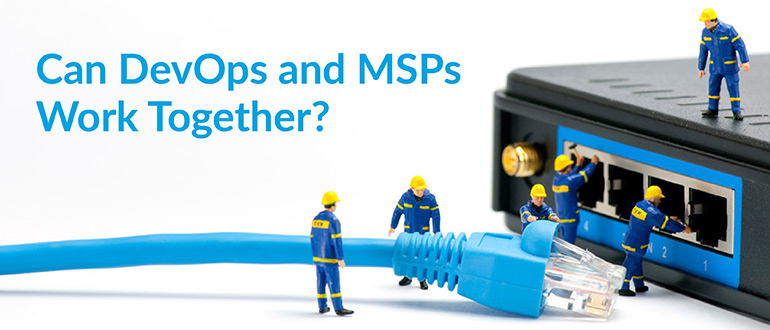
  • Can DevOps and MSPs Work Together?

    Can DevOps and MSPs Work Together?

    DevOps and the adoption of MSP-based IT operations are both surging trends in the IT industry today. They are also trends that contradict each other in some key respects. Here’s a look at what MSPs mean for DevOps, and vice versa.

    DevOps and MSPs: A Primer

    MSPs, or managed service providers, are companies that provide IT services on a contract basis. They’re a solution for organizations that want to outsource some or all of their IT needs. In turn, organizations can avoid maintaining IT staff in-house or reduce the size of their IT staff.

    DevOps, of course, is an approach to software delivery that emphasizes collaboration between developers and IT operations.

    MSP-based IT solutions and DevOps are both on the rise. The MSP market is growing by about 12.5% annually, while DevOps is growing at a rate of around 18.6%.

    Cross-Purposes?

    The markets surrounding MSPs and DevOps may both be growing. But that’s not because they feed each other. On the contrary—in one key respect, MSPs and DevOps are at odds.

    How? It’s simple. The more your company outsources IT operations to MSPs, the less it can embrace DevOps. That’s because, when IT operations are outsourced, companies lose control over the culture and process surrounding IT. Customers don’t typically dictate to their MSPs which culture, tools or processes to use. As a result, it’s not possible for companies with a heavy reliance on MSPs to “do DevOps.”

    To put it another way: You can’t do DevOps if you have no IT Ops department because you outsource IT operations to an MSP. Likewise, if you maintain some IT staff but rely on MSPs to provide IT services that your employees can’t deliver, you can only embrace DevOps insofar as your in-house IT staff can support it.

    DevOps-Friendly MSPs

    The fact that outsourcing IT operations to MSPs means surrendering control over your IT culture doesn’t mean that you can’t use MSPs and embrace DevOps at the same time. There are plenty of DevOps-friendly MSPs out there. If you’re into DevOps as well as the MSP model, you simply need to find an MSP company that works within the DevOps culture.

    Granted, DevOps is more complicated when some or all of your IT operations are run by a third-party provider. It’s more difficult to achieve the level of seamless communication and continuous feedback that DevOps demands when not all of your IT employees are in-house.

    But it’s not impossible, especially if you find an MSP who is committed to transparent communication, the sharing of data and collaboration in IT planning—as opposed to one that delivers managed IT services inside a sort of “black box,” without involving the client organization in any of its operations.

    Providing DevOps-friendly managed IT services requires more work on the part of MSPs. It also demands more initiative from their clients. But it can be done. And it’s an approach that more and more companies will need to embrace if the influence of both continues to rise within the IT industry.

    — Chris Tozzi

  • Which Desktop OS Is Best for DevOps?

    Which Desktop OS Is Best for DevOps?

    Which operating system (OS) is best for DevOps engineers to use on their workstations?

    That’s a weighty question. Talk about which OS is “best” for any purpose is always controversial.

    I’m not going to stick my neck out by saying that one OS is definitively better than others when it comes to doing DevOps work. But I would like to consider the strengths and weaknesses of each of the major desktop operating systems—Windows, Linux and macOS—for performing DevOps work.

    Windows

    Statistically speaking, Windows is the OS that most people use. By extension, it’s the OS that most DevOps engineers probably use. (I can’t confirm that fact, because I’ve yet to see a study of which OS DevOps engineers actually use.)

    As I see it, Windows has two main advantages from a DevOps perspective, including:

    • Popularity. This is a strength because DevOps is all about having freedom to pick and choose which tools to use. Given that Windows is so popular, almost everything is compatible with it. OS compatibility problems, therefore, don’t get in your way of doing DevOps as you see fit.
    • The Windows subsystem for Linux, which lets you run some Linux CLI tools on Windows. This feature is handy if you need to do DevOps work for both Linux and Windows server environments.

    The main drawback of relying on Windows is that, well, it’s Windows. Compared to Linux, Windows offers very little opportunity to customize, and that restraint can be a drawback from a DevOps perspective. When it comes to core tasks, such as working from the command line, you’re stuck with the tools Microsoft offers you. And you can’t do very much to harden your Windows system for security purposes.

    Linux

    For my money, Linux is the best OS for DevOps. But I say that only because I’m a die-hard Linux lover and I tend to think Linux is the best for everything.

    But even if you are not a Linux fanboi, you have to admit that it has certain advantages for doing DevOps work:

    • Linux is ultra-customizable. You can choose to set up your system in whichever way works best for your workflow. You can use a wide array of tools. You can make lots of changes to add extra security. Given that DevOps values choice, this is a big benefit.
    • In many cases, DevOps engineers are supporting software delivery pipelines that deploy to Linux server environments. Being able to work from a native Linux environment can make it easier to do things such as test and stage those applications on your local device when it becomes necessary to do so. You could, for example, spin up a Linux container on your local machine, which you couldn’t do with a Windows or macOS workstation.
    • On most mainstream Linux distributions, installing all of the DevOps tools you need is extremely fast and simple using repositories and package managers. It’s not exactly difficult to install most DevOps tools on other systems, either, but I don’t think any OS can beat the package management systems used by Linux distributions.

    Linux’s major limitation is that learning it takes some time, particularly for DevOps engineers weaned on Windows. You also run the risk of needing a tool that doesn’t support Linux, although I’m having a difficult time thinking of any DevOps tools that doesn’t work on Linux systems.

    MacOS

    Last but not least is macOS. Overall, I don’t think macOS is ideal for doing DevOps work. The only strength I can think of is:

    • It gives you a native Unix-like environment. You can’t run your Linux containers directly on a Mac, but you can at least use some native Unix tools.

    Drawbacks for macOS are many. It’s not very customizable. It lacks compatibility with some applications and tools. It comes with its own learning curve if you have never used a Mac before.

    Does OS Choice Even Matter?

    Now that I’ve weighed the pros and cons of Windows, Linux and macOS as operating systems for DevOps engineers, let me state the obvious: It’s 2019, and in many respects it no longer really matters which OS you run on your local machine. Lots of applications—including key DevOps tools, such as IDEs—now run in the cloud as often as not. Plus, there are a plethora of hardware virtualization tools out there that will let you run virtually any OS in a virtual machine within another type of OS. You can run Linux and Windows side-by-side as virtual machines on your Mac, if you want.

    Still, not everything runs in the cloud, and having to switch between virtual machines is not always practical. It’s therefore worth thinking hard about which desktop OS will best serve your DevOps needs and making that the one that controls your bare metal.

    — Chris Tozzi

  • Textbook DevOps vs. Real-World DevOps

    Textbook DevOps vs. Real-World DevOps

    DevOps is one of those things—like Marxism or baking macarons—that is easy to understand in theory, but much messier to implement in practice. Real-world DevOps rarely aligns with textbook DevOps or the DevOps practices that organizations should follow in theory.

    That is true for a number of reasons. Let’s walk through some of the biggest below.

    Your Company Is Not Organized in the Way DevOps Theory Assumes

    According to DevOps theory, every company has an IT department and a development department. Doing DevOps boils down to making those departments work well together.

    The reality, of course, is that not all companies organize their staff or technical operations in this way. Some don’t silo developers and IT engineers by default. Others (especially smaller companies) don’t have developers or IT staff on hand at all; they outsource that work.

    These companies can still benefit from DevOps principles such as collaboration and automation. But they should avoid fixating on DevOps teachings regarding the organization of technical work.

    Real DevOps Skills are Hard to Find (And Expensive to Obtain)

    “DevOps engineer” is now a trending job title. But few technical training programs have caught up with the demand for DevOps.

    Most universities still silo majors and courses in software development away from those that focus on IT. Other types of technical training programs function similarly.

    What this means is that it is more difficult to hire a DevOps engineer, or other technical staff with a broad set of development and IT skills, than it may first appear. DevOps engineers exist, but they are usually experienced staff who learned their real-world DevOps skills on the job. They’re more expensive to hire and difficult to poach from their current gigs.

    Full Automation Is a Pipe Dream

    The DevOps mantra tells us that we should automate everything, from software testing and builds to deployment, production-environment monitoring and incident response.

    Automation is great in theory. But the reality is that you can never automate everything. Human engineers will still need to respond to problems occasionally, or to unanticipated issues that arise during testing, deployment and production management.

    An important point to emphasize here is that even if you successfully automate virtually all of your processes, the mere fact that human engineers must be available to respond when something does go wrong undercuts the idea that you can rely on automation alone. Humans still have to watch the automated processes, even if they rarely need to intervene. The simple act of watching and being available to respond when necessary is a significant burden.

    Agility Conflicts With Simplicity and Reproducibility

    In some respects, DevOps is a contradiction. On the one hand, it prioritizes agility and scalability. On the other, it emphasizes simplicity and reproducibility.

    What this means in practice is that DevOps teams adopt microservices and containers in the interest of maximizing agility. But microservices and containers are much more complex to manage than monoliths and virtual machines.

    I suspect the reality is that most DevOps organizations end up erring toward more complex technologies and architectures. They ultimately find greater value in them than they do in keeping things simple.

    Still, the idea that you can be agile and be simple at the same time doesn’t apply well in the real world. (And sure, automation, infrastructure as code and the like can help in simplifying the management of complex agile technologies, but they only go so far.)

    Most Organizations Still Aren’t Doing DevOps

    If you spend your time surrounded by other people who have adopted DevOps and implemented it successfully, it’s easy to assume that the rest of the world is like you.

    The reality, however, is that we’re now a decade into the age of DevOps, and yet a majority of organizations have made only halting steps toward implementing basic DevOps processes. If DevOps were half as easy to implement as it appears to be when you read the latest book about how to do DevOps, many more companies would be doing CI/CD by now.

    Conclusion

    DevOps delivers real benefits, and it’s important to continue preaching the DevOps gospel to organizations that can benefit from DevOps philosophy and practices.

    However, it’s important to balance the conversation about DevOps with the reality: Real-world DevOps is much messier than it often seems in theory. Not many organizations have the configuration or resources to do textbook DevOps.

    — Chris Tozzi