Category: Features

  • Service virtualization – The hows and the whys.

    Service virtualization – The hows and the whys.

    Close your eyes and take a deep breath. You are on an island, smelling the iodine coming from the sea, the sun is gently caressing your cheeks and you are sipping on a cocktail in the middle of the afternoon. Your phone is off, in a place you forgot and you do not have direct access to the internet. You are a sysdamin and for the first time since the beginning of your career, you take a break, an actual break to reload your batteries and you are not even thinking about work because you KNOW. You know it is all going to be alright, as it has been since you implemented service virtualization in a really DevOps oriented way.

    What is service virtualization?

    First of all, let me say that service virtualization is not something new but many are still unaware of what it actually is and only a few good products are available.

    You can find a really good explanation of what it is in this post from Chris Riley: https://staging-devopsy.kinsta.cloud/blogs/service-virtualization-window-advanced-devops/ but I will try to sum it up.

    In order to avoid confusion, it is also necessary to briefly explain mocks and stubs. Mocks are usually programmers written tests that check the behaviour of a specific piece of code like which methods are called, in which order and if sub processes were created. Stubs on the other hand check that for any given input, the expected result is outed. I often refer to them as logic tests and I/O tests.

    Service virtualization has nothing to do with mocks or stubs. It mimics the entire behaviour of an application as if it was an actual one deployed on a server and connected to a database, backend etc. In order to enable this, data will be recorded from QA (and anonymized) and the whole behaviour of the application will be recorded. Going through security layers, calls to a database, updating some values, even timings can be recorded for performance testing. Absolutely every single operation is stored and if the test data is well chosen at the time of recording, all cases can be covered.

    For those of you who are into gaming, think of it as an emulator. You do not need a SNES, Genesis or Neo Geo to play your favourite oldies, instead, all you need is an emulator software and the ROMS. The emulator will behave like a gaming console on your computer, reproducing inputs and outputs with high fidelity and translating CPU instructions into different ones your computer can understand.

    If you are not into gaming, and that is a shame if you ask me, think about virtual machines. When you install a Fedora in a confined environment on top of your favourite edition of Windows (or Mac OS), what you do is pretty similar to service virtualization as well. Your Guest OS will send instructions to the different components of your computer which the virtual machine will catch, translate into commands your Host OS can understand and send to the concerned components. It sounds complicated but it works like a charm.

    What it can do for you.

    As it operates on local servers or even better, on containers (check out Docker if you have not done so yet), it is virtually always on. Downtime is a thing from the past and updates can be scheduled and performed when people are not at work. How much of your project you want to cover is up to you and your needs but once you have started the process, why not go all the automated way? If you do, that means that your programmers will have access 100 percent of the time to environments that are up, running and that reflect actual services.

    What is the point of having test environments then you might ask. And here is the answer you can give stakeholders: none. You can achieve good environment resilience, actual data tests and higher-than-ever response time through service virtualization. If well applied, and I really want to emphasize on that, service virtualization makes good ol’ test-environments obsolete.

    Once again here, the benefits mentionned by Chris Riley will speak for themselves: https://staging-devopsy.kinsta.cloud/blogs/service-virtualization-window-advanced-devops/

    Taking DevOps one step further.

    Like all great things, service virtualization comes at a cost. In order to fine tune it to your requirements, it is going to take great efforts. You have to decide which services, ideally all of them, you will provide your programmers, which data sets are representatives of a functional application and of course, install and configure it all. The biggest benefit that you can identify here already is that developers, testers and operations have to be involved and work in a close collaboration. This is your opportunity to make different teams understand what others do. Get them all together, make them work together in a form they are not necessarily familiar with: cross-teams brainstorming.

    Brainstorming, if well done, can be a very powerful tool to come up with creative solutions to problems that were not identified as such beforehand. It has to be directed though. To brainstorm doesn’t mean talking nonsense about non topic related things. Having a neutral person in the room who focuses the discussion around a few pre-established points and who keeps track of time is the way to go. Scrum masters are generally good at this since they have an overview of the project and its problems and can quickly identify the right persons for a task.

    Getting developers to update their own service virtualization server with the latest data from QA means better communication with testers. Operations have a critical role here too since they setup the environments and give the how-to to the different teams.

    Another glass sir?

    Once your teams work together on an almost 24/7 available server and understand how it works, all you have to do as a sysadmin, is to relax a bit for once and focus your brain and time on how to improve processes even more, enhance the quality of deliverables and tighten up the now-existing bonds with your colleagues. Oh yeah, and if you’re on holidays, stop worrying about that potential catastrophic phone call, just worry about yours and yourself.

  • DevOps Golden Rule: Writing More Code for Test Than For Production

    DevOps Golden Rule: Writing More Code for Test Than For Production

    Continuous improvement can help completely turnaround a staid IT organization into an innovation machine. But without effective test automation, that transformation is a non-starter. So says Gary Gruver, who has led DevOps journeys both at HP and Macy’s and now works as a consultant guiding other organizations through his firm, Practical Large Scale Agile.

    Last month at IBM InterConnect, Gruver gave audience tons of great big-picture advice on leading DevOps from the top of the food chain. But perhaps one of the best takeaways when drilling down into the details was his emphasis on test-driven development.

    “It needs to be reliable, it needs to be stable, it needs to be maintainable. i would say test automation is something that’s the most important if you’re going to transform your  organization,” Gruver said. “And it’s one of the things that’s most often done wrong. If you do it right it’s extremely valuable, if you do it wrong it’s going to be a maintenance nightmare.”

    He provided real world lessons he learned from his stints at Macy’s and HP, explaining, for example, a situation at HP where unstable tests and unstable codes on trunk had kept the team from checking in code for four days. With a $2 billion business “breathing down my neck,” Gruver admitted he was getting antsy at that point and found out that the instability prompted them to add even more tests to the process.

    “So we weren’t getting any better because no code was making it in to get fixed and what we really needed is a process that lets the good code in and keeps the bad code out,” explaining that his team eventually settled on gated commits. “That’s where if the code doesn’t pass the system tests it needs to for red build, then it doesn’t make it into SCM and doesn’t make it on to the trunk.”

    Meanwhile, when he got to Macy’s he was told there were 1,000 automated tests ready for use. But when he started marrying those tests with the burgeoning continuous delivery team, they found not a single one worked reliably enough to depend upon. He recommended to the audience to take a look at the architecture philosophy’s put forth in Jeff Morgan’s Cucumber and Cheese, which helped in his work at Macy’s, where by the end of his stint the IT department was running over 5,000 automated tests several times a day, versus 1,300 every 10 days.

    He explained that he’s a firm believer that quality assurance should be brought together with the architects to make sure the automation framework is sustainable for the long haul.

    “Get your lead architect on the development side to engage with your lead on the quality assurance side and think about how to architect your framework for your test automation where its maintainable,” he said. “If not, you’re going to die under the weight of test automation.”

    If done right, an organization will very well likely write more code for test than for running its product.

    “And that’s not a bad thing,” he says. “You’ll find when you write good test automation it forces you to write better code.”

  • Jeff Sussna on Design Thinking and DevOps

    Jeff Sussna on Design Thinking and DevOps

    Jeff SussnaWhat is Design Thinking, and just as importantly to you – why does it matter to DevOps? For answers to that, we recently turned to Jeff Sussna, founder at Ingineering.IT. Sussna combines engineering expertise with a knack to bridge business, creative, and technical perspectives.

    Sussna’s focus is on the intersection of development, operations, design, and business. He has more than 20 years of IT experience, and has led high-performance teams across Dev, QA, and Ops. Sussna is also the author of the forthcoming O’Reilly Media book Designing Delivery: Rethinking IT In the Digital Service Economy. The book is expected this May.


    staging-devopsy.kinsta.cloud: You’ve obviously placed considerable thought into design thinking, and it’s a subject that is coming up more and more within DevOps. I’m imagining a lot of people in IT, including developers and admins, wonder what design thinking means in the context of DevOps and IT.

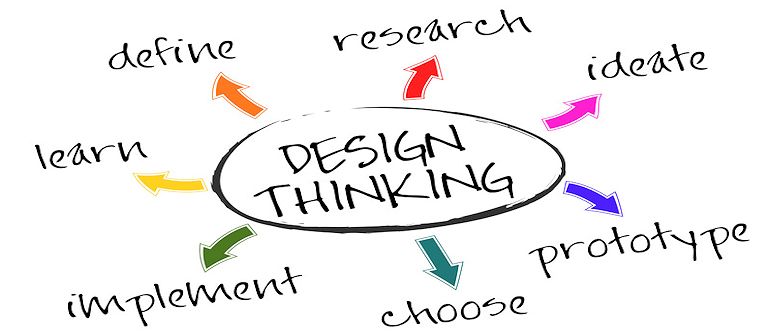
    Sussna: I’d start by simply explaining what design thinking is. The basic idea is that if you look at designers across a wide range of industries, whether it be architects, graphic designers, or UX designers there’s a general way that they approach creating solutions. And what design thinking really does is try and capture that in a way that we can apply it to a lot of different things besides how annual reports or web pages can be designed.

    So how do people do it? The basic approach behind any kind of user-centered design is very simply to try and understand the user and understand them from their own perspective. Design thinking is really centered on empathy, empathizing with the user. The way it works is often by taking an ethnographic approach, which very simply means actually getting out in the field and observing people.

    That means, if you’re an IT person and you want to design some internal application that employees are going to use to track time, for example, or to do some part of their job, you want to start by actually going and sitting with them and seeing how they do their job. This way you can understand their job and you can understand how they see things rather than how you see things. Everything drives from that.

    There’s a lot of focus on iterative design and user testing, but it’s really all focused on centering your solutions on what users are trying to accomplish and how they understand things and what their needs are.


    staging-devopsy.kinsta.cloud: How is it applied to DevOps?

    Sussna: We can apply that to DevOps in a very simple way. If you’re in Ops, for instance, you need to think, to some degree, about your customers being developers.

    So what is it that developers are trying to accomplish? How do they see the world? What do they need from you in order to get their job done more efficiently? And even when we look at things like platform as a service, what it’s trying to do is to make it easier for developers to deploy code. If you look at infrastructure as a service it’s trying to make it easier for Ops teams and DevOps organizations to cost effectively manage scalable systems.

    Conversely, if you’re a developer you need to think about things from the perspective of, “How does what I’m doing impact operations?” If I release some code and, A, the code isn’t secure and, B, the code isn’t scalable and, C, it takes 47 hours and 17 people in order to deploy my code, that’s not a very empathetic approach to operations.


    staging-devopsy.kinsta.cloud: It is increasingly the case that more of IT has to think about the external customer as well, in the context of everything they do.

    Sussna: IT is in the business of providing services to the company but more and more now to customers as well. And so we need to think of ourselves as being in the service business just like anybody else. It isn’t just an ISO definition of service. It’s really a business definition. If I run a shoe store, I’m in the service business. If I operate a bank, I’m in a service business. I have customers and I need to help them accomplish their goals and I need to think about customer satisfaction and I need to try and empathize with what their needs are.

    There’s a branch of design thinking that is called service design. Sometimes it’s called service design thinking. And it’s really about applying these same principles of empathy, ethnography, and creative problem solving and iterative design. It’s applying them to services. In our case, the services happen to be IT services, both internal and external.


    staging-devopsy.kinsta.cloud: How is this approach different than what IT has always done? IT has always tried, or at least stated that, the goal is to build apps and services that the business wants and needs to use.

    Sussna: I think too often we’ve done it from a technology first perspective as opposed to a human first perspective. There is an assumption, and it’s a very subtle assumption, but there’s this subtle expectation that it’s our job to adapt to the technology. And it’s not just about technology, the assumption is that it’s our job to adapt to the process.

    I’ll give you a perfect example. I went through a situation recently where I was having a problem with a laptop and so I filed a ticket in the ticketing system. And the response that came back was, “Well, your laptop, you can’t log in because your laptop got moved to a stale machine domain so we’ve moved it back to the correct domain and we’re closing the ticket.” And there was not even the question asked of, “Well, can you log in now?” It was, “We did the thing that we believe will fix the problem, therefore we’re declaring the problem fixed.”

    So the point is that the process of carrying out actions was central and the question of can the humans solve their problem was secondary.


    staging-devopsy.kinsta.cloud: That’s a great example, because it seems like the designer of that system just wanted to close tickets as fast as possible when you go through that example. There’s no indication of thought being given to the user at all.

    Sussna: The irony is that if you look at the back and forth that went on afterwards to ultimately get to the point where the problem was solved, it actually took more time and more energy and more ticket thrashing than if they had simply asked, “Hey, can you please verify that this solved your problem and let us know if it did.”

    So, yes, to some degree, you can say there was a focus on efficiency and volume of ticket closure and operational cost effectiveness and all of that. But I think that what design thinking is really trying to tell us is that if we think through the process and if we design things from a user-centered way, we can actually develop solutions that are more efficient for everybody.


    staging-devopsy.kinsta.cloud: What are the primary benefits of Design Thinking to DevOps teams?

    Sussna: I think the benefits are that you can design solutions that help people solve problems more effectively. And effectively both means that the user is satisfied and that the organization providing the service meets its needs as well. Design thinking works with a triangle, which is feasibility, viability and desirability and trying to solve for all of them. Desirability says, “This is the thing that works for me, I want to use it.” Because if I don’t want to use it, it will fail. Because even if IT says you have to do it this way, people will find workarounds if they know of a better way.

    Feasibility speaks to the ability to actually build something. And viability means that it will work from a business perspective. What design thinking does is try and solve for all of those. It’s a solution that’s effective for the users but it’s also supportable for the IT organization.


    staging-devopsy.kinsta.cloud: How do folks get started on that type of thinking?

    Sussna: In terms of how to get started, I think it’s very similar to how you get started in DevOps. I think what people are actually trying to do with DevOps, that they may not realize, is they’re redesigning how IT happens. I think with both of them, the way you start, the way I guide people in starting is to just get out of your silo and actually go talk to people.

    I’m working with a client right now and they are trying to build an integrated IT dashboard that will allow everybody in Dev and Ops to visualize what’s the state of their network, what’s the state of their servers, what’s the state of their application, and what’s the state of their data. And they’re getting excited about all of the different types of dials that they need. But I’m telling them, “No, stop. The first thing you need to do is figure out who you think is going to use this and go talk to them.”

    Don’t tell them what you’re going to to give them or maybe come up with some a very, very simplistic, crude fantasy of what you’re going to give them. Go talk to them and learn in detail about what they need to do, what things they are missing, and ultimately ask “Does this work for you?”

  • Sofico Adds DevOps Approaches, Updates CD, Part Two

    Sofico Adds DevOps Approaches, Updates CD, Part Two

    We recently geared up with Sofico’s existing CD process and the challenges it presented together with its search for a devops solution. Now read the conclusion as Sofico earns satisfaction through its own devops approaches.

    Sofico Adopts DevOps Methods / Tools

    Today, Sofico uses the Bamboo CI server to perform builds, deployments, and tests. Bamboo automates builds of the backend server, web interfaces, command line interfaces, and a Windows line. Sofico uses Bamboo to deploy its application builds. Sofico runs tests on software using tools such as Selenium for browser testing and functional tests.

    Sofico runs Dynatrace monitoring together with the functional tests to gather performance data. “This gives us correlations between the functional outcomes, the performance outcomes, and the expected outcomes of the testing,” says Jan Swaelens, Software Architect and Member of Solution Management, Sofico.

    “We actually created a custom Bamboo plug-in for that together with the people at Dynatrace in order to visualize the outputs of that correlation inside Bamboo,” says Swaelens. Sofico also uses JMeter to launch tests on servers and Dynatrace monitors those as well for performance metrics.

    Sofico uses application tools to manage its Agile inner workings and to run reports on that. Sofico uses Stash to manage its code repositories where its developers do feature branching for new features. “Developers use the Dynatrace server to monitor their performance metrics for the features they’re building. It enables proactive monitoring of what they create, even before they commit the change to central testing,” says Swaelens.

    So the developer does his regular testing and he also enables the agents that do the monitoring to identify errors. Sofico also does load testing using increasing loads for performance metrics, and performs tests for various use cases.

    Results

    Using DevOps to expedite builds, tests, and deployments significantly decreases the number of times that something will go into production and need to come back for a fix. “We actually manage to stop software with errors before it gets to our customer. This is very critical because in our sector when, for example, we make a major mistake in billing software and the customer actually has that in their production environment, their customers are impacted,” says Swaelens. This is very expensive for the customer and for Sofico because then they have to fix the issue in as little as a day, which is not always possible.

    The bumps in the road that Sofico experienced were in rolling out devops and adjusting to the new way of working. “We found that the impact on systems and processes was even larger than we were expecting. We restructured our old company at every layer from management down to the developers and testers,” says Swaelens.

    Sofico redesigned every process so everyone could work in devops teams. All of Sofico’s existing methods and processes were analyzed to determine how the company functioned, why it worked that way, and to make sure the end result was still providing the same or better results.

    The changes and improvements that devops made were far-reaching. Rather than making devops come to Sofico, Sofico had to gravitate towards devops, change its business culture, and break down all its silos. “We went all in to get to the next level and do more business globally. Because we’re not just one company, we had to spread devops across all our sub-companies around the world,” says Swaelens.

    Sofico can draw a straight line between adopting devops and the speed with which it can now grow globally to increase customer uptake of its offerings. The software quality and timeliness of delivery are where they should be. Sofico’s people are happier, too.

    Sofico has relocated its teams together into the same space. Consultants, developers, testers, and operations staff are sitting physically together in the same areas. People are working together and talking with each other to derive the best solutions and to improve efficiency. “We actually have cases of people blossoming because they are seeing whole new parts of the business and working in new ways that we could never have imagined,” says Swaelens. Where Sofico’s people once saw only their piece of the development puzzle, they now see the entire process. They know the full value of their work.

  • Linux Containers & Security Implications

    Linux Containers & Security Implications

    Does the word “container” intimate containment, suggesting that containers are inherently secure? If it does, any such assumption of security may be the broadest Docker vulnerability to date.

    aaron cois“One of the biggest threats I see with Docker is its positioning and the implied security in the language. The reality is that these containers don’t contain anything,” says Aaron Cois, Researcher, CERT Division, Software Engineering Institute, Carnegie Mellon University. Yet, that is the implication.

    Just as those who thought Linux or VMs were secure enough on their own were mistaken, so those who believe that containers put a lid on security will be sorely disappointed. Today, Linux environments require network, OS / host security, Internet security, and web application security measures similar to those used with other platforms. Tools like security auditing / PEN testing, firewalls / WAFs, anvi-virus and anti-malware tools, DLP, IDS/IPS, remediation tools, and really the gamut of security measures similar to what Microsoft environments require are increasingly needed to defend data in Linux environments. “Likewise, operations can give developers tools to log into the VSphere console to create and change VMs while limiting their privileges,” says Cois.

    And so, containers also require appropriate security measures. “Developers and non-admin operations staff don’t need to log into the host command line to work, and no one in security wants them to,” says Cois. But today’s Docker workflow not only permits but requires it.

    The Root of the Problem…


    –THIS STORY HAS BEEN MOVED TO CONTAINER JOURNAL–


  • Sofico Adds DevOps Approaches, Updates CD

    Sofico Adds DevOps Approaches, Updates CD

    Yes, you can have continuous delivery without DevOps. To understand why you wouldn’t want to, follow the journey of Sofico from its CD of olden days to its CD rooted in DevOps today.

    A Very Brief History of Sofico

    Its founders started Sofico 27-years ago as a small family company. Today Sofico is a multinational organization with approximately 170 employees. Sofico creates software for automotive financing, leasing, and fleet and mobility management. “We create software for companies that manage all aspects of leasing a car to, say, an employee for example, in case you get a car from your employer,” says Jan Swaelens, Software Architect & Member of Solution Management, Sofico.

    Sofico offers its customers websites where they can configure and quote the car they want from their boss. Sofico also creates back office software that processes orders and contracts and supports billing and accounting functions. “We offer a complete solution, which you could compare to a large ERP system like SAP, but specifically for the leasing sector,” says Swaelens.

    Sofico CD, Sans DevOps

    Sofico started out using CD / CI approaches about seven years ago, first migrating its old systems to do CI for software delivery. “We were using really ancient things like batch scripts to do our software builds and Windows timers to schedule them,” says Swaelens. Sofico took a lot of manual steps in deploying software.

    Sofico used Waterfall development methodologies, moving step-by-step through the development process in small chunks. The process was not interactive. “We had separate departments for the analysts, for the designers, with developers working solely with other developers, testers working only with testers, and business consultants working only with other business consultants,” says Swaelens. Sofico moved the work from one silo to the next, with several silos literally isolated by differing geographical locations.

    The Challenges of Manual CD

    This configuration of continuous development presented several challenges. “We had problems getting software done on a reasonable time scale. It took quite a while to get software built in the first place. Deployment was another matter,” says Swaelens. The quality assurance processes were manual, which created issues for large projects that required a lot of changes in short time periods. The CD process led to many functional and performance errors. “We had some serious technical regressions that caused malfunctions in the products,” says Swaelens.

    Staff in one group would return work to its originating group. Development would return work to the consultants who had created bad specifications. Operations would return work to development because it didn’t work right. “The customer bore the cost of these mistakes because his issue or feature either wasn’t done correctly or wasn’t done on time,” says Swaelens.

    These homely CD processes also affected Sofico in its growth into other countries. Sofico had to grow fast to gain momentum and succeed at its new locations. It was difficult for the company to pull all the knowledge necessary to work with those processes together fast enough to keep pace with its large projects to make sure those took off so that its new locations could thrive.

    Sofico In Search Of Something Better

    Automating stuff is one thing; getting people to work together efficiently is something else, according to Swaelens. Sofico was looking for a way to improve how its people worked as an organization. It was important to make customers happy, and to make employees happy. Working in those silos reduced people’s enjoyment of their work because they were stuck in one kind of job doing only one thing. “We hoped that switching to DevOps would also give them more rewarding jobs,” says Swaelens.

    Sofico also wanted to improve software quality by automating an increasing number and types of relevant tests such as testing for software performance. Delivering software functionality was not enough for Sofico. They wanted to guarantee internal and external software product performance to their customer. “In our market, that is very important. It directly impacts their end customer in a very visible way,” says Swaelens.

    Sofico sought faster go-to-market time, too. When under the old processes the customer called Sofico asking for a new feature set, Sofico had to reach out to each and every silo more than once with communications back and forth whenever there was not sufficient clarity about project requirements. “The advantage of what we were trying to achieve was that it would reduce the time required when crossing those silos just to get the right answer and to secure the prospect of project delivery,” says Swaelens.

    To learn what Sofico did to achieve DevOps nirvana, come back and read part two of “Sofico Adds DevOps Approaches, Updates CD”.

  • Happy Birthday staging-devopsy.kinsta.cloud and what a year it’s been

    Happy Birthday staging-devopsy.kinsta.cloud and what a year it’s been

    They say it’s your birthday
    We’re gonna have a good time,
    I’m glad it’s your birthday
    Happy birthday to you

    Wow, a whole year. To paraphrase the Grateful Dead, what a strange trip it’s been. We launched staging-devopsy.kinsta.cloud a year ago today with perhaps the naive notion that DevOps was going to really change the way organizations do IT and business. That it was almost inevitable that DevOps was going to move beyond the realm of early adopters and visionaries, beyond startups and Unicorns and see adoption by enterprises and businesses of all sizes and shapes. You know what? We were right!

    DevOps has skyrocketed onto the mainstream IT consciousness and we were lucky enough to have a first row seat here at staging-devopsy.kinsta.cloud. We are even proud of the fact that maybe we even played a small part in this adventure.

    But let’s be real. It hasn’t been all sprinkles and smiles. We have learned a lot of lessons along the year and usually the hard way. But sometimes the hard way is the best way to learn them. We knew that our audience was going to be a technical group. They would want to hear about and from people who had problems and issues similar to their own and how others solved or addressed the issues. We knew that they liked to find out about different tools that can help you keep the IT machine humming along.

    We defined our mission as pitching a big tent for DevOps. I said it in the very first post one year ago today. To me personally pitching that big tent meant that we weren’t just about the existing DevOps community, many of which were early adopters, thought leaders and visionaries in the space. In my mind this group represented only about 15% at most of the eventual DevOps community. I realized that though some people were talking about and instituting DevOps principles for some years already, the majority of our audience was going to be new to DevOps. I wanted staging-devopsy.kinsta.cloud to have a place for everyone interested in DevOps.

    That right there has also been the source of some of our biggest mistakes and angst over the year. We definitely took some time finding our legs under us. Finding people with the credibility that others would respect, striking the right tone, fine tuning the mix of articles and topics. At each step along the way we made some missteps. Many in the community didn’t mince words in pointing out what they didn’t like. Others remained silent and just ignored us. We took our lumps for sure, but we just kept putting one foot in front of the other, putting out new fresh content every day.

    Many times readers or just people piling on via Twitter took us to task about what people wrote in their articles. We had and still have no problem with readers disagreeing with what an author writes here on staging-devopsy.kinsta.cloud. It is healthy to have debate. But we were surprised that people would think that we wrote the particular post or article. Or that is what we espoused. Just not the case. We don’t agree with what everyone writes here. However we think people have the right to write what they believe in. We think giving people a place to write means not censoring or telling them what to write.

    Finally we started catching stride. Since the summer months our entire business has been on a rocket like trajectory. Here are some salient metrics:

    1. We are on track for a 100k view month for March. This represents a 100% increase over just November 2014.
    2. Our twitter, facebook, Google +, Linkedin following has grown exponentially
    3. We have published over 630 articles in the past year, by well over 125 different authors!
    4. We have produced or been media sponsor for 10+ events (with many more coming this year)
    5. We have produced 8 webinars
    6. A DevOps salary survey
    7. Fulfilled our goal of becoming the single largest collection of original DevOps related content on the Internet.
    8. We published over 50 newsletters and now offer several options on how you want to receive your staging-devopsy.kinsta.cloud news.

    At a time when media companies like GigaOm are going under. When other media outlets are laying off paid writers, relying on unpaid bloggers, staging-devopsy.kinsta.cloud is adding to our featured writers. At the same time continuing to publish more fresh, original DevOps content than anyone. Other sites have taken to syndicating blog posts from others, republishing stories from elsewhere. At staging-devopsy.kinsta.cloud you can be sure that when we publish a story it is the first time that content has appeared on the Internet.

    We have spent a lot of time thinking and planning for the coming year. We think that 2015 and 2016 will be big years for DevOps. We want to make sure we do our part and continue our growth. Look for many new features and new takes on distributing DevOps content and engaging the community this year.

    If you look in our about section today you will see a near final draft of our editorial calendar. Our new media kits is also almost ready. You can see a near final draft of that in our sponsor page. Yes, 2015 promises to be even better than 2014. I am sure there will be some missteps this year as well. Hopefully we have learned from our past and there will be less.

    Most of all on behalf of everyone associated with staging-devopsy.kinsta.cloud, I want to thank each and every one of you reading this article for your support this year. Without your support, none of the amazing things that has happened so far would be possible.

    So happy birthday staging-devopsy.kinsta.cloud. Here is to many more. Also did I mention the first 50 people who tweet with #happybirthdaydevopsdotcom will receive a special edition t-shirt. Thanks again!

  • Red Hat launches platform to support Docker, Kubernetes and enterprise-grade containerization

    Red Hat launches platform to support Docker, Kubernetes and enterprise-grade containerization

    Red Hat continued its momentum to capture a piece of the containerization market last week with the official launch of its new Red Hat Enterprise Linux Atomic Host operating system. According to Red Hat executives, this is a natural progression in the Red Hat ecosystem as more of the company’s customers embrace Docker and other containerization technologies.

    “Today, with the launch of Red Hat Enterprise Linux 7 Atomic Host, we are doing the same for Linux containers, bridging innovative open technology with the stability and security required by the enterprise,” said Jim Totton, vice president and general manager of the platforms business unit at Red Hat. “More than just an addition to the Red Hat Enterprise Linux portfolio, Red Hat Enterprise Linux 7 Atomic Host showcases the future of the enterprise application, a powerful, flexible application greater than the sum of its parts, and entirely fueled by the power of open innovation.”


    –THIS STORY HAS BEEN MOVED TO CONTAINER JOURNAL–


  • DevOps Dogfood: IBM’s internal DevOps transformation

    DevOps Dogfood: IBM’s internal DevOps transformation

    When detractors argue the impossibility of doing DevOps at enterprise scale, IBM Matt Ellis has got the perfect case study to disprove that argument. It comes from looking in the mirror. At the recent IBM InterConnect conference, Ellis explained how Big Blue itself is showing how DevOps can rejuvenate even the largest software development operations by undertaking its own DevOps transformation.

    If ever there was a stress-test of scale, it’d be at IBM, which has some 36,000 software engineers developing in 110 locations, Ellis said. They’re running code on top of 44,000 physical servers and 116,000 virtual machines. All told, they’re working on 519  major product lines, 150 of which are SaaS offerings, many of them also supported by mobile apps.

    “That is enterprise scale,” Ellis said, explaining that IBM has taken this massive workforce from classic development patterns, through an adoption of Agile and on to the delivery of “a true DevOps experience.”

    It was all driven by the need to improve business outcomes. As Ellis explained, enterprises of all types are increasingly required to lock horns with small, disruptive competitors that are better able to react quickly to market demands.

    “People are getting interested in DevOps is because of this rate and pace of change that’s being forced on organizations by smaller startups that are potentially causing  disintermediation of  classic enterprise businesses,” he said.

    Ellis detailed some of the example drivers and outcomes that played a part in IBM’s own specific DevOps journey:

    Backlog Clearing

    Back in 2008, IBM realized it’s method of delivering software was hurting its abililty to deliver features in tune with timely market needs.

    “We’d build a project road map that runs maybe 12 to 18 months and we were  getting a backlog,” he said, explaining that clients and partners in the audience probably experienced that frustration first-hand.

    Project Initiation Times

    Something as simple as project initiation to decide on new features and functions could involve up to 30-dayy discussions. Now IBM is able to run two-day iteration of deciding what goes into the next sprint for projects, Ellis explained.

    Build Time

    Build time was dragging down the process. Now IBM has reduced the process of making sure what’s built stands up and is integrated properly down to under an hour.

    “So on the same morning that I run the compilation on build, I can confirm that it is hung together and works as a package,” he said.

    Ultimately, the DevOps and continuous integration journey has enabled IBM to shorten release cycles for its on-premises products from a 12-month cycle down to quarterly releases.

    “We’ve shortened it to support a release cycle—if we needed it—where the train leaves every three months,” Ellis said.

  • Five Areas Every e-Commerce Business Should Monitor Using Log Data

    Five Areas Every e-Commerce Business Should Monitor Using Log Data

    If you’re responsible for an e-commerce website, I guarantee you’ve been asked about, told about, or wondered about what kind of information and events you should be logging. Important things are happening all the time, and you need to know what’s going on! Right? Are they bad things, good things, or “nobody cares” things?

    So what do you do? Log all the things! Right?! If you’ve ever found yourself awake at 3:00am wondering why you decided to become a software engineer instead of [insert any job that lets you sleep during the night here], chances are it’s because you decided to log everything. Having said that, guess who has two thumbs and logs all the things? This guy.

    You need to focus. It’s okay to log all the things, but you need to focus your attention on the stuff that matters the most, and a simple tool for aggregating IIS logs isn’t enough. A scalable and easy-to-use service that will alert you and provide an interface for surfacing the events that matter the most is critical to ensuring a constant revenue stream and the best possible experience for your customers. Yes, there are lots of components and potential events that really matter when it comes to developing or hosting an e-commerce website. So where should you start? I’m going to break this down into the top five areas that should be the initial focus of your log data efforts. You should not only log these types of events but also put an alerting system in place so you’re aware about things that require your immediate attention. (We use Loggly for this.)

    1. Checkout. We’ll go with the lowest hanging fruit first. If you’re an e-commerce website, your job is to convert customers. Conversion means pushing your customers through the checkout funnel and completing an order. All checkout errors should be logged, and you should instantly be alerted if any part of the checkout process fails.

    This seems obvious, but it’s important you focus on each minute piece of the process including:

    • Address data collection
    • Inventory availability checks
    • Payment processing (Even if you use a third-party service, you need to log any events in addition to protecting yourself from service failures – more on this later.)
    • Authentication and authorization logic
    • Shipping estimation
    • Tax calculation

    …and the list goes on. Not all checkout failures will prevent your user from physically completing the checkout process if you’re doing it right, but many of them decrease the probability that your customer will complete their order. Any squeak in the cog of the checkout process can result in revenue loss.

    1. Add-to-cart. You can’t place an order if you can’t add products to your shopping cart or bag. This is a huge duh(!), but there are cases where shopping cart issues are intermittent and aren’t completely preventing people from adding products to their carts. The bigger danger lies in these occasional or even moderately frequent product adds that fail without your knowledge because orders continue to flow through your website. Causes might include bad inventory availability checks, bad data, or an intermittent bug that’s difficult to reproduce. Protect yourself by logging all add-to-cart failures when they occur, send out an alert, and investigate the problem ASAP. Honorable mention goes out here to logging Wish List and Favorites errors as well. These features are about customer experience, but they’re also proven winners when it comes to converting customers.
    1. Online Catalog/Product Page. Your customers can’t add items to their shopping cart if they can’t find your products. Similar to adding to their shopping carts, the danger here is the intermittent problem that doesn’t always rear its head in an obvious manner. The larger your online catalog, the greater the chance you’re going to miss errors with specific product lines, markets, or other logical groups of products. Bad data is a likely suspect here, especially if you’re dealing with very old data and/or integration with legacy software that has forced you to compromise a bit on data storage constraints. In addition to product and category pages themselves, consider logging issues with suggested, related, and recently viewed products. You’re missing out on impressions and potential revenue if any of these processes fail.
    1. Email Signup. Any marketing director worth their salt will stress the importance of collecting email addresses at every opportunity. Sometimes an email address is the only thing you know about a potential customer, and sometimes it’s all you need to turn a shopper into a buyer. Any break in this process should be identified and fixed immediately. If your website gets a lot of traffic, it doesn’t take much to lose out on collecting a significant number of email addresses and a significant amount of potential future revenue. The trick here is that much of your business logic for presenting email signup to customers may exist client-side. Don’t forget to catch and log those exceptions as well as server-side issues.
    1. Login & Registration. Well, you want to get to know your customers much better, right? Of course you do! All the better to turn wonderful customers into wonderful repeat customers by providing additional features and more relevant content. Failures here can lead to frustration and exits from your website as well as a degradation in your ability to provide a more personalized experience. Pay attention to your authentication and authorization logic as a whole, meaning you need to go beyond evaluating simple form data submission and validation issues. Social media login errors, out-of-sync authentication and authorization cookies, and errors generated by any additional authentication checks should be logged.

    I’ll wrap this up with a short discussion about third-party services. They’re not specifically called out in my top five areas listed above, but they can definitely impact the performance and user experience of your website. There’s a good chance you’re using at least one or more third-party services as a solution for different business problems your company needs solved, and it’s likely these third-party services are an integral component of critical website features. Whether you’re using a third-party service for calculating shipping, sending emails, or finding and displaying the cutest cat GIF of the day, the success of your site is depending on something that’s outside your control.

    Protect yourself from these services. You should know their unscheduled “maintenance” periods better than they do. Chances are you’re in the position to decide which third-party services your company uses or you have significant influence over that decision. Either way, be informed as to how they perform and have data to illustrate where their services are falling short. Are they reliable and worth the eleventy billion dollars they cost, or should your company be looking elsewhere for that cute animated kitty GIF service? It’s likely you’re already protecting yourself from failures here with some fallback business logic, but make sure you’re logging and alerting yourself when exceptions occur. They can have a serious impact on your customer’s experience and could prevent shoppers from becoming future buyers. That’s especially true if these services play in the five areas I describe above (e.g. shipping, tax, payment, personalization, etc.)

    And my last parting thought: The same considerations regarding third-party services apply when your e-commerce platform becomes more of a distributed solution where those distributed services and applications are your own. You will almost certainly have other performance monitoring and metrics in place for your own services, but you still need to log, aggregate, alert, and protect yourself from yourself!

    About the author/Aaron Remaklus:

    aaron rAaron Remaklus is chief architect and development manager for Speedway Motors, Inc. He leads agile development teams building high availability, extensible e-commerce platforms. A Nebraska Wesleyan alumnus, Remaklus taps into a diverse background in business, marketing, training, and software development in tackling large-scale problems.