Operational Stability is one of the main concerns in organizations. Especially some larger organization struggle to get a more stable IT landscape. Too often it’s political discussions that are preventing them from doing something about it. Organizations that have DevOps teams in place can just smile because they are enabled to be in control of their entire delivery chain from development to production. Read about what DevOps teams do in order to be real DevOps and why they’re smiling all day long.
Category: Features
-

Top 3 DevOps Practices for Operational Stability
-

Bigdata – Understanding Hadoop and Its Ecosystem
It is quite interesting to envision how we could adopt the Hadoop eco system within the realms of DevOps. I will try to cover it in upcoming series. Hadoop managed by the Apache Foundation is a powerful open-source platform written in java that is capable of processing large amounts of heterogeneous data-sets at scale in a distributive fashion on cluster of computers using simple programming models. It is designed to scale up from single server to thousands of machines, each offering local computation and storage and has become an in-demand technical skill. Hadoop is an Apache top-level project being built and used by a global community of contributors and users.
Hadoop Architecture:
The Apache Hadoop framework includes following four modules:
- Hadoop Common: Contains Java libraries and utilities needed by other Hadoop modules. These libraries give filesystem and OS level abstraction and comprise of the essential Java files and scripts that are required to start Hadoop.
- Hadoop Distributed File System (HDFS): A distributed file-system that provides high-throughput access to application data on the community machines thus providing very high aggregate bandwidth across the cluster.
- Hadoop YARN: A resource-management framework responsible for job scheduling and cluster resource management.
- Hadoop MapReduce: This is a YARN- based programming model for parallel processing of large data sets.
Below diagram portray four components that are available in Hadoop framework.

All the modules in Hadoop are designed with a fundamental assumption i.e., hardware failure, so should be automatically controlled in software by the framework. Beyond HDFS, YARN and MapReduce, the entire Apache Hadoop “platform” is now commonly considered to consist of a number of related projects as well: Apache Pig, Apache Hive, Apache HBase, and others.
Hadoop Ecosystem:
Hadoop has gained its popularity due to its ability of storing, analyzing and accessing large amount of data, quickly and cost effectively through clusters of commodity hardware. It wont be wrong if we say that Apache Hadoop is actually a collection of several components and not just a single product.
With Hadoop Ecosystem there are several commercial along with an open source products which are broadly used to make Hadoop laymen accessible and more usable.
The following sections provide additional information on the individual components:
MapReduce
Hadoop MapReduce is a software framework for easily writing applications which process big amounts of data in-parallel on large clusters of commodity hardware in a reliable, fault-tolerant manner. In terms of programming, there are two functions which are most common in MapReduce.
- The Map Task: Master computer or node takes input and convert it into divide it into smaller parts and distribute it on other worker nodes. All worker nodes solve their own small problem and give answer to the master node.
- The Reduce Task: Master node combines all answers coming from worker node and forms it in some form of output which is answer of our big distributed problem.
Generally both the input and the output are reserved in a file-system. The framework is responsible for scheduling tasks, monitoring them and even re-executes the failed tasks.
Hadoop Distributed File System (HDFS)
HDFS is a distributed file-system that provides high throughput access to data. When data is pushed to HDFS, it automatically splits up into multiple blocks and stores/replicates the data thus ensuring high availability and fault tolerance.
Note: A file consists of many blocks (large blocks of 64MB and above).
Here are the main components of HDFS:
- NameNode: It acts as the master of the system. It maintains the name system i.e., directories and files and manages the blocks which are present on the DataNodes.
- DataNodes: They are the slaves which are deployed on each machine and provide the actual storage. They are responsible for serving read and write requests for the clients.
- Secondary NameNode: It is responsible for performing periodic checkpoints. In the event of NameNode failure, you can restart the NameNode using the checkpoint.
Hive
Hive is part of the Hadoop ecosystem and provides an SQL like interface to Hadoop. It is a data warehouse system for Hadoop that facilitates easy data summarization, ad-hoc queries, and the analysis of large datasets stored in Hadoop compatible file systems.
It provides a mechanism to project structure onto this data and query the data using a SQL-like language called HiveQL. Hive also allows traditional map/reduce programmers to plug in their custom mappers and reducers when it is inconvenient or inefficient to express this logic in HiveQL.
The main building blocks of Hive are –
- Metastore – To store metadata about columns, partition and system catalogue.
- Driver – To manage the lifecycle of a HiveQL statement
- Query Compiler – To compiles HiveQL into a directed acyclic graph.
- Execution Engine – To execute the tasks in proper order which are produced by the compiler.
- HiveServer – To provide a Thrift interface and a JDBC / ODBC server.
HBase (Hadoop DataBase)
HBase is a distributed, column oriented database and uses HDFS for the underlying storage. As said earlier, HDFS works on write once and read many times pattern, but this isn’t a case always. We may require real time read/write random access for huge dataset; this is where HBase comes into the picture. HBase is built on top of HDFS and distributed on column-oriented database.
Here are the main components of HBase:
- HBase Master: It is responsible for negotiating load balancing across all RegionServers and maintains the state of the cluster. It is not part of the actual data storage or retrieval path.
- RegionServer: It is deployed on each machine and hosts data and processes I/O requests.
Zookeeper
ZooKeeper is a centralized service for maintaining configuration information, naming, providing distributed synchronization and providing group services which are very useful for a variety of distributed systems. HBase is not operational without ZooKeeper.
Mahout
Mahout is a scalable machine learning library that implements various different approaches machine learning. At present Mahout contains four main groups of algorithms:
- Recommendations, also known as collective filtering
- Classifications, also known as categorization
- Clustering
- Frequent itemset mining, also known as parallel frequent pattern mining
Algorithms in the Mahout library belong to the subset that can be executed in a distributed fashion and have been written to be executable in MapReduce. Mahout is scalable along three dimensions: It scales to reasonably large data sets by leveraging algorithm properties or implementing versions based on Apache Hadoop.
Sqoop (SQL-to-Hadoop)
Sqoop is a tool designed for efficiently transferring structured data from SQL Server and SQL Azure to HDFS and then uses it in MapReduce and Hive jobs. One can even use Sqoop to move data from HDFS to SQL Server.
Apache Spark:
Apache Spark is a general compute engine that offers fast data analysis on a large scale. Spark is built on HDFS but bypasses MapReduce and instead uses its own data processing framework. Common uses cases for Apache Spark include real-time queries, event stream processing, iterative algorithms, complex operations and machine learning.
Pig
Pig is a platform for analyzing and querying huge data sets that consist of a high-level language for expressing data analysis programs, coupled with infrastructure for evaluating these programs. Pig’s built-in operations can make sense of semi-structured data, such as log files, and the language is extensible using Java to add support for custom data types and transformations.
Pig has three main key properties:
- Extensibility
- Optimization opportunities
- Ease of programming
The salient property of Pig programs is that their structure is amenable to substantial parallelization, which in turns enables them to handle very large data sets. At the present time, Pig’s infrastructure layer consists of a compiler that produces sequences of MapReduce programs.
Oozie
Apache Oozie is a workflow/coordination system to manage Hadoop jobs.
Flume
Flume is a framework for harvesting, aggregating and moving huge amounts of log data or text files in and out of Hadoop. Agents are populated throughout ones IT infrastructure inside web servers, application servers and mobile devices. Flume itself has a query processing engine, so it’s easy to transform each new batch of data before it is shuttled to the intended sink.
Ambari:
Ambari was created to help manage Hadoop. It offers support for many of the tools in the Hadoop ecosystem including Hive, HBase, Pig, Sqoop and Zookeeper. The tool features a management dashboard that keeps track of cluster health and can help diagnose performance issues.
Conclusion
Hadoop is powerful because it is extensible and it is easy to integrate with any component. Its popularity is due in part to its ability to store, analyze and access large amounts of data, quickly and cost effectively across clusters of commodity hardware. Apache Hadoop is not actually a single product but instead a collection of several components. When all these components are merged, it makes the Hadoop very user friendly.
-

Surprise! Broad Agreement on the Definition of DevOps
For the past few years, the conventional wisdom has been that DevOps has no agreed upon definition. Instead, everyone has their own interpretation. However, the conventional wisdom is wrong.
While everyone supplies slightly different words, the same working understanding of DevOps is nearly universal. Our understanding of DevOps goes back to a handful of common touch-points. There is the “CAMS” (Culture, Automation, Measurement and Sharing) acronym popularized by John Willis and Damon Edwards. CAMS has been extended repeatedly – Eveline Oehrlich of Forrester is now discussing CALMSS. Gene Kim offers his “3 Ways” and Patrick Debois has codified “4 Areas”. Allspaw and Hammond had 10 deploys a day, and Etsy made technologists fascinated by a virtual crafts bazaar.
Analysts, authors, industry, and community leaders all agree. The ideas are big and mutually supportive. In short:
- DevOps exists to help the business win
- The scope is broad, but centered on IT
- The foundations are found in Agile and Lean.
- Culture is very important
- Feedback is fuel for innovation
- Automation helps
Why: To help the business win
The most popular DevOps book today is The Phoenix Project, with a subtitle “A Novel about IT, DevOps and Helping Your Business Win”. DevOps is not a navel gazing IT methodology for making IT better for IT. It is focused on how stuff involving the technologists can deliver better results for the business.
As Patrick Debois writes in his excellent post,”DevOps Areas – Codifying devops practices“:
As rightly pointed out by Damon Edwards, devops is not about a technology, devops is about a business problem. The theory of Constraints tells us to optimize the whole and not the individual ‘silos’. For me that whole is the business to customer problem, or in lean speaks, the whole value chain.
At IBM, our definition of DevOps calls out enabling the business to “seize market opportunities”.
Today, technology is critically important to how a wide variety of companies compete. Retailers who neglected e-commerce have gone out of business. Logistics companies like UPS find a competitive edge by creating software to shave miles off delivery routes. In the automotive space, Ford is at tech conferences recruiting companies to write apps for its cars and Tesla’s first fix for their flammable battery problem was an over the air software update.
DevOps is a response to what the IT is experiencing – from a back-office concern that needed to “keep the lights on” to key part in how the business competes every day.
Who: A Broad Scope, beyond development and operations.
Yes, DevOps is a portmanteau that brings development and operations together. Yes, the classic DevOps concern is the Wall of Confusion between development and operations. However, with the focus on business value, the scope must include everyone who is involved in taking an idea through IT to business value.
In recent years, there’s been something of a cottage industry of community leaders and analysts writing, “No, no it really should be Dev_____Ops” where the blank is filled in by their own specialty. Examples: DevQAOps, DevOpsSec, DevSecOps, BizDevOps and of course Bussdevtestqanetsecnetops.
When a Finance department must approve the provisioning of each new test environment, slowing the delivery of new applications by weeks or months, there is a DevOps problem that leaves narrow confines of development and operations. It leaves IT. Patrick’s quote above talks about optimizing the whole value chain. In that post he describes DevOps as being about “collaboration, optimization across the whole organization. Even beyond IT (HR, Finance…) and company borders (Suppliers)”.
Based On: Agile and Lean
In answering why he didn’t support a manifesto for DevOps, Patrick Debois points people back to the Agile manifesto and asks them to reread it more broadly. Agile’s shift towards a faster delivery of software, and focus on the end goals make it a natural spiritual ancestor for DevOps. However, from the perspective of Ops teams, Agile represented the barbarians at the gates. Agile generally took root in development side of the house, enabling it to create something the business wanted faster. But with operations still moving at a pace suited to waterfall, pressures grew and the need for something like DevOps became clear.
Where much of DevOps energy seems to come from its Agile roots, the intellectual side of the movement is more rooted in Lean. It seems no accident that many of the Phoenix Project’s lessons are taught away from the cube farm and instead from the factory floor. While we can intuit that faster feedback is better, and the “continuous” in CI and CD is convenient because it lets us map feedback to fewer changes, it is in the Lean literature where we encounter Little’s Law. It provides the queue theory mathematics supporting the idea that smaller batch sizes supports shorter cycle time. And so Reinertsen’s “The Principals of Product Development Flow: 2nd Generation Lean Production Development” has become popular in DevOps circles and is well cited by Jez Humble in his new Lean Enterprise book.
Culture: Collaboration and Experimentation
The Agile and Lean roots show through in the DevOps culture as well. Lean and Agile are both focused on people first, systems second and heavily cross-train or work in cross-functional teams. They also emphasize continual improvement (kaizen) through approaches like retrospectives.
In DevOps circles, collaboration is preached as an antidote to thinking in siloes which has resulted in antagonism between development and operations. For the systems thinking required to deliver for the business, teamwork is required. Developers make better decisions when they take advantage of operations knowledge (Patrick’s Area 3) and operations does better when application knowledge is embedded with them (Area 4).
The other cultural emphasis is a push towards experimentation, constant learning and improvement. This is Gene Kim’s third way of DevOps. The Lean Startup ideas of Eric Reis permeate the DevOps world. Intuit has made great strides in showing how these approaches work in established companies by running experiments in the midst of tax season resulting in improved business outcomes.
These cultural trends come together in things like blameless postmortems discussed by Etsy and Jake Loomis in Web Operations. When things go wrong, organizations need to understand why and take corrective action. In troubled corporate cultures, the messenger reporting the problem might be shot, and the hunt to assign blame for the problem will begin. Healthy organizations look to learn from failure and try to improve the systems that allowed (or guided) people to make a series of mistakes that lead to the failure.
Feedback: Yes. Lots please!
Experimentation, adaptation and learning tend to do better when there is ample feedback. Otherwise, there is too little to learn from. Developers tend to be more productive as well with rapid feedback. Their thirst to know whether the latest change diminished quality led to the practice of continuous integration and the tools that support CI and continuous delivery. That CD ends up facilitating faster delivery of value to the customer is something of a happy accident.
Amplifying feedback loops is Gene’s “second way“. The “CAMS” concepts of measurement and sharing point to feedback. You gather lots of information, and make sure people see it so they have an opportunity to learn from it. And when Elisabeth Hendrickson presents at DevOps Enterprise 2014, as Cloud Foundry’s Director of Quality Engineering at Pivotal, she describes her job as “to see to the care and feeding of the feedback cycles“.
As expected with a collaborative culture with ample sharing, feedback must cross the traditional silo lines. That means the awesome production monitoring that had lived in Ops land, is radiated back to development. This is “Area 2” in Patrick Debois codification.
Automation: Of course.
The “A” in CAMS is automation. Patrick’s “Area 1” points to continuous delivery techniques, well described by Dave Farley and Jez Humble in their book. A Lean initiative looking at IT will find waste in wait times, errors, and more and move towards automation as a natural result. Feedback craves automated deployment of changes, and automated tests or production monitoring that validates them. Automation is what makes a lot of DevOps possible. It doesn’t make cooperation between development and operations happen, but tensions are reduced when Ops gets out of the business of arguing about the SLA they have with Dev around server provisioning and instead provide Dev a button to press.
DevOps isn’t about automation. Automation is just the natural result of DevOps.
Additional Resources not cited above
DevOps for Dummies – by Sanjeev Sharma
8 Best Practices for DevOps – Ashok Reddy’s overview of the Forrester Report
About the Author/ Eric Minick
 Eric Minick is a Technical Evangelist. He joined IBM through its acquisition of UrbanCode. He has spent the last ten years helping organizations – large and small – adopt continuous integration, delivery and now –DevOps. He is a frequent speaker on the topic, and co-authored Application Release and Deployment For Dummies.
Prior to consulting, Eric was a developer, test automation engineer and support engineer, and has contributed to multiple generations of UrbanCode products. Follow him on Twitter at @ericminick.
-

Step-By-Step: How DataArt Processes Application Backlogs, Converting Legacy Apps with DevOps
DataArt designs and custom builds software for industries such as travel & hospitality, media, IoT, financial services, and healthcare. “We build new products and services, improving existing solutions, re-engineering legacy systems, and providing expertise in technological and industrial domains,” says Anton Krasikov, Project Manager, DataArt.
How DataArt Uses DevOps
DataArt quickly delivers high quality software in support of operations performance. DataArt’s DevOps process enlists version control systems like Git and build systems such as Ant, Maven, and Gradle. “Almost every project relies on using these build systems inside CI servers like Jenkins, TeamCity, or TFS,” says Krasikov.
DataArt’s development process also requires a lot of unit and integration testing using frameworks like TestNG and Junit. “There are also projects where we prefer TDD or BDD approaches, with the use of specific frameworks such as Selenium for UI testing,” says Krasikov. By using Puppet, Vagrant, and Chef, DataArt can swiftly deploy the development environment in the CD pipeline. DataArt applies these select DevOps development tools using methodologies, which could include Kanban or Scrum (Scrum was most frequently mentioned by DataArt for this story).
Previously, DataArt relied on manual processes or scripting tools for build systems, source code, and unit tests. “It took a lot of management effort to tie everything including development, quality assurance, and operations together,” says Krasikov.
Challenges to Adding Backlogged Applications to Those You Develop Using DevOps Approaches
In the instance where DataArt returns to work on existing systems that include some legacy applications, it is possible to use agile development in maintaining these as they are, but excessive software dependencies could make it hard to align the software releases / release cycles.
“Legacy software may not have good test coverage or a proper build system, so we usually take steps in a DevOps direction, if not to achieve continuous delivery, at least to implement proper continuous integration,” says Krasikov.
There are challenges to adding backlogged apps to a DevOps development process. “These kinds of non-DevOps applications usually suffer from several issues, or in worst case scenarios from all of them,” says Krasikov. Backlogged apps waiting in a pre-DevOps state and hungry for transformation may have any or all of the following symptoms, according to Krasikov:
*many dependencies between system modules
*no automated environments
*no continuous integration
*no test automation
*no build system or inefficient usageTransforming an Application, Step-By-Step
To add apps to DevOps approaches, says Krasikov, start by analyzing the existing source code, system dependencies, and system environments. The steps that follow come from an example with a recent Java project that DataArt did.
A) Select a source code control system such as Git.
B) Do refactoring and perform unit tests. “These go hand-in-hand, so the main business logic was covered with tests. It does not make sense to rush to 100% test coverage, but we tested the main bits. This also allowed us to reduce system complexity and decouple system components,” says Krasikov.
C) Build system – “The original application used huge and confusing Ant scripts to produce deployable packages. After we completed the refactoring, we split the application into modules with Maven as the build and dependency management system,” says Krasikov.
D) Integration tests – “We introduced these as a separate test automation suite to ensure that application modules work correctly as a whole,” says Krasikov.
E) Continuous Integration – DataArt set up a Jenkins server for multiple build jobs, building with each commit and targeting deployments to their intended environments with overnight integration testing. “CI allowed us to identify non-working builds early to save time on investigations,” says Krasikov.
F) Environment setup – Finally, DataArt implemented infrastructure as code. The new development environment uses Puppet with Vagrant to check out source code, spin up a VM box / template, and deploy fast, according to Krasikov.
DataArt runs some steps in parallel for additional time savings, for example moving to virtualized provisioned environments along with source code migration, according to Krasikov.
DevOps Helps DataArt Speed Projects to Their Customers’ Delight
By increasingly converting backlogged apps to DevOps development approaches, the enterprise benefits by achieving project goals and delivering a working software iteration with each pass through the DevOps processes. “The high level of automation reduces the risk of human errors and helps us to fail early in the development cycle. With continuous delivery, it is much easier for our clients to see the immediate impact of their ideas,” says Krasikov.
-

George Jetson Automation: Chasing the Dream
“His job was one simple thing—press a button. That’s all he had to do; press one button and sit back.” – Joe Barbera
I wanted to be George Jetson when I grew up. Back in the days when watching Saturday morning cartoons in footed pajamas was the high point of my week, George’s life looked as sweet as a bowl of Super Sugar Crisp cereal. Flying cars, robots, and a two-hour-a-day, three-day work week lightened even further by 100% push-button automation.

Contrariwise, my first tech job out of high school was a classic study in manual labor. From 9pm to 5am, I was solitary “Night Backup Operator” for a small data storage company, lone man responsible for continuously swapping reel-to-reel tapes on and off a literal wall of old magnetic drives.

It was repetitive, monotonous and boring, and the tapes were prone to jamming and tearing. A lot.

One night I was thumbing through a tech catalog and came across a listing for a new cassette backup system. I mentioned to my boss the following day that our reel drives could potentially be replaced by a unit the size of a large book. He took it to heart, made a purchase, and one evening shortly afterwards I came to work, popped in a blank cassette, hit a button, and kicked back for the next eight hours as 100% of my work was done for me. It was a George Jetson moment. The future had finally arrived. I was blissfully complete.
They fired me, of course. It actually took them a few weeks to realize that I’d been automated completely out of a job. To their credit, they were appreciative and regretful in parting, but there was hardly any point in paying me to sit on my can reading pulp SF for eight hours every night.
Regardless, I’ve been chasing that George Jetson moment ever since.
The magic behind the button
In the decades since, with a number of (slightly more professional) IT automation projects behind me, I’ve discovered that the “automate-everything” button is usually a lot tougher to achieve, and near-impossible to buy off the shelf. To even get close, you often end up building a significant amount of infrastructure up from scratch.
But say you could buy a “George Jetson” button; a self-contained, perfect automation solution off the shelf; what do you look for? Setting aside the nuts and bolts of a specific IT problem or project, what does an “automate-everything” button need to do, in essence?
1. “Do No Harm”
At the first sign of an incident, Mr. Spacely (voiced by Mel Blanc, “Man of a Thousand Voices”) pops up and begins motivating with the bellow “JETSONNNNN!”. (I once worked outage calls with an IT director who had the same management style, I kid you not). We don’t want this to happen. So our “automate-everything” button needs, first and foremost, to mitigate risk.
Security should be the first consideration in risk management, yet it’s an area where (oddly enough) a number of automation solutions fall flat out of the gate. Managed user accounts (ideally, integration with established account management systems), role-based permissions (for pushing the button in various situations, IT environments, and scheduled times), and sensitive information handling should all be covered.
The ideal automation solution’s back-end infrastructure should be robust, flexible, and professionally engineered. If any pieces are open-source or community-designed, what they do and don’t do should be well-documented, including an understanding of potential situations likely to result in unintended consequences.
We also want the automation button, once pushed, to never perform the action again if there’s no need to do so. This is idempotence, a valuable concept that’s been around for a long time but has risen to prominence over the last year. Idempotence is particularly important once you start to consider auto-remediation (why push the button manually if it can run automatically?), and efficiency (why spend effort building an automation action that can only be run once?).
2. “CYA”
“Cover Your Automation.” George isn’t particularly smart for a computer operator. But maybe he doesn’t need to be. Let’s say he’s supported by a lower floor full of smart engineering robots. The robots set up the automation actions and push them into an approval queue with just enough information to make a decision on whether an action is needed or not.
George evaluates each situation and pushes the button if everything looks good to him. Now, the “automate-everything” button becomes more of an “approval” button in a formal change management system. There might be more approvers besides George, each laying eyes on the proposed automation action and passing it along to the next approver as appropriate.
Most operators aren’t as dumb as George, but everybody has “dumb moments”. Change management needs to be a core part of any automation system.
Accountability supported by thorough logging is also a key “CYA” aspect of the ideal automation system. “What” happened, “when” did it happen, “who” did it, and so on… if your automation system doesn’t track all essential information, you might not be able to return to your job after Spacely mistakenly fires you.
3. “KISS”
“Keep It Simple, Stupid.” Dealing with complex automation workflows is tricky if they involve a lot of step-by-step actions, as they traditionally have in the past. When complexity clashes with modern, large-scale IT environments, situations arise that are literally impossible to manage manually. “Scale x Complexity > Effort” is the equation desperately slashed across whiteboards in planning meetings these days. Modern automation systems often attempt to reduce complexity and equalize scale through a form of orchestrated states.
The idea depends on two parts. A desired state is a recent Microsoft-championed concept where the steps required to reach an end result are black boxed in favor of defining a system’s state itself. The usual example: rather than considering a step-by-step recipe for a birthday cake, you describe “a white cake with pink frosting” as your desired outcome and pop your request into an automated system to make it happen. Recent configuration management solutions have made excellent headway in this area.
But desired states aren’t enough in and of themselves. They almost always need to be orchestrated to reach the final goal. An orchestrated states effort runs more along the lines of: “I need a white cake with pink frosting at the same time as a bowl of orange punch, before the time of the birthday party, but after the house cleaning. Also, yellow balloons.” Real-life IT infrastructure requires at least this level of complexity and timing.
For a complete “automate-everything” solution, our ubiquitous button needs to orchestrate the states of all necessary systems and services in a way that’s easy for George, our hapless operator, to process, and considers both transitory states and final states as well as the interactions between them.

When evaluating whether an IT automation solution is right for you, you may not be able to find the ideal “automate-everything” button, but make sure you consider it from these three perspectives. The perfect solution may, in the end, just be a dream to be chased by the laziest as we move from one IT automation project to the next. But it sure is fun seeing how close we can come to that blissful, futuristic George Jetson moment.
-

Hyper-V Containers combine virtualization with containerization
Containers are all the rage these days. You’re just not cool if you’re not using Docker or some other container technology to build and deploy your IT infrastructure. Traditional containers, however, lack sufficient security for some industries and companies, so Microsoft developed Hyper-V Containers.
Container platforms like Docker and Rocket have significant momentum and have quickly become established as a de facto way of developing and deploying applications. Microsoft already entered into an arrangement to bring native Docker container support to Windows Server, but now it is going a step farther by creating Hyper-V Containers that combine the agility of containers with the security of virtualization.
Hyper-V Containers ensure that code running in one container object remains completely isolated. The Hyper-V Container object cannot impact other container objects or the host operating system, or vice versa, because it is a separate virtualized container. Mike Neil, general manager of Windows Server for Microsoft, explained in a blog post, “Leveraging our deep virtualization experience, Microsoft will now offer containers with a new level of isolation previously reserved only for fully dedicated physical or virtual machines, while maintaining an agile and efficient experience with full Docker cross-platform integration.”
IT admins will appreciate the fact that Hyper-V Containers can be created and deployed using the same development and management tools used for traditional Windows Server Containers and that they integrate with Docker for cross-platform deployment. Neil points out that applications developed as Windows Server Containers can easily be deployed as Hyper-V Containers without any modification—enabling organizations to take existing containerized apps and re-deploy them in a more secure manner.
It seems like security is always an afterthought to any new technology concept, and containers is no exception. It started out as a good idea that caught fire, but it wasn’t until it hit critical mass and achieved mainstream adoption that security became a factor. As larger companies, or organizations in highly-regulated industries look at jumping on the container bandwagon, though, security becomes a mandatory component.
Virtualization has been used in hosted environments for years as a means of isolating different systems running on the same physical hardware or network. Microsoft’s Hyper-V Containers take those same principles and apply them at the container app level so that security-conscious organizations can have some peace of mind and remain compliant with security mandates as they embrace containerization.
Microsoft’s strategy of integrating Windows Server Containers and native Docker support in Windows Server and Azure was a big step in the right direction. Adding the security of Hyper-V Containers is brilliant. Microsoft is doing an excellent job of pivoting its business model and not just embracing cloud and DevOps technologies, but raising the bar and taking the lead.
As a side note Microsoft also announced Nano Server—a new minimal footprint implementation of Windows Server optimized for cloud hosting and container technologies. The Nano Server installation includes the bare minimum components necessary. Microsoft claims the result is smaller server images, faster deployment times, decreased network bandwidth consumption, and reduced administrative overhead. In other words a Nano Server installation of Windows Server will just do what it’s supposed to do with minimal interaction or oversight so IT personnel can focus on more important things like the Hyper-V Container apps running on it.
-

The Return of Workflows
Recently workflows have emerged as a fundamental part of the operational wiring at companies as diverse as AWS, Facebook, HP, LinkedIn, Spotify, and Pinterest, which just open sourced Pinball. We’ve witnessed a spike of interest in workflow-based automation, and a few interesting implementations coming to the open-source world in just the last year or two: Mistral and TaskFlow from OpenStack ecosystem, Score from HP, Azkaban from LinkedIn, Luigi from Spotify, and dray.it by CenturyLink for the Docker ecosystem, to name a few.
Workflows are used to orchestrate operations in infrastructure and applications, automate complex CI/CD processes, coordinate map/reduce jobs, and handle jobs to containers.
It is not surprising that when it comes to higher level automation and orchestration, workflows are widely used. To quote the Pinterest blog: “In realistic settings it’s not uncommon to encounter a workflow composed of hundreds of nodes. Building, running and maintaining workflows of that complexity requires specialized tools. A Bash script won’t do.” Workflows are superior to scripts in concept and in practicality.
-

Puppet Labs talks Docker and containerization
Last week Puppet Labs released a new version of Puppet Enterprise that brought forward a number of new features, including those to Puppet Node manager that helps automate the provisioning of infrastructure from containers to bare metal, as well as a new AWS module that helps automate provisioning, configuration and management of AWS resources using Puppet. As a part of the release, Puppet announced it was officially supporting a Puppet module for Docker that has been kicking around Puppet Forge since the containerization tool went open source. With 90,000 downloads behind it and many more customers clamoring for advice on how to better automate workflows in Puppet-controlled infrastructure while using Docker, the module had gained critical mass. staging-devopsy.kinsta.cloud took the announcement as an opportunity to catch up with Gareth Rushgrove, senior software engineer with Puppet and author of the Docker module, to discuss containerization and how Puppet is working to help customers take better advantage of container environments.
What do you consider some of the biggest challenges when deploying containers in the real world? And how is Puppet Labs hoping to help customers get the most out of Docker?
I think the first thing is really just…
–THIS STORY HAS BEEN MOVED TO CONTAINER JOURNAL–
-
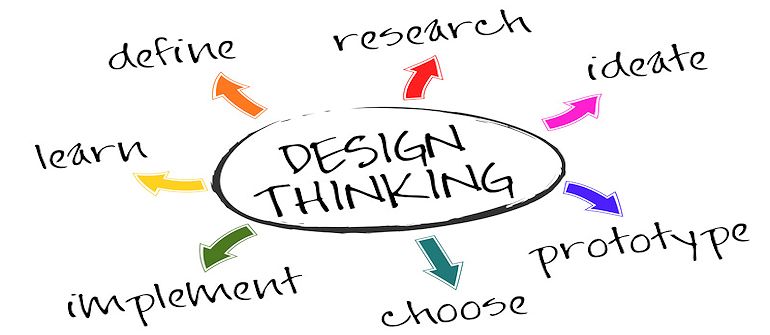
Jeff Sussna on Design Thinking and DevOps
 What is Design Thinking, and just as importantly to you – why does it matter to DevOps? For answers to that, we recently turned to Jeff Sussna, founder at Ingineering.IT. Sussna combines engineering expertise with a knack to bridge business, creative, and technical perspectives.
Sussna’s focus is on the intersection of development, operations, design, and business. He has more than 20 years of IT experience, and has led high-performance teams across Dev, QA, and Ops. Sussna is also the author of the forthcoming O’Reilly Media book Designing Delivery: Rethinking IT In the Digital Service Economy. The book is expected this May.
staging-devopsy.kinsta.cloud: You’ve obviously placed considerable thought into design thinking, and it’s a subject that is coming up more and more within DevOps. I’m imagining a lot of people in IT, including developers and admins, wonder what design thinking means in the context of DevOps and IT.
Sussna: I’d start by simply explaining what design thinking is. The basic idea is that if you look at designers across a wide range of industries, whether it be architects, graphic designers, or UX designers there’s a general way that they approach creating solutions. And what design thinking really does is try and capture that in a way that we can apply it to a lot of different things besides how annual reports or web pages can be designed.
So how do people do it? The basic approach behind any kind of user-centered design is very simply to try and understand the user and understand them from their own perspective. Design thinking is really centered on empathy, empathizing with the user. The way it works is often by taking an ethnographic approach, which very simply means actually getting out in the field and observing people.
That means, if you’re an IT person and you want to design some internal application that employees are going to use to track time, for example, or to do some part of their job, you want to start by actually going and sitting with them and seeing how they do their job. This way you can understand their job and you can understand how they see things rather than how you see things. Everything drives from that.
There’s a lot of focus on iterative design and user testing, but it’s really all focused on centering your solutions on what users are trying to accomplish and how they understand things and what their needs are.
staging-devopsy.kinsta.cloud: How is it applied to DevOps?
Sussna: We can apply that to DevOps in a very simple way. If you’re in Ops, for instance, you need to think, to some degree, about your customers being developers.
So what is it that developers are trying to accomplish? How do they see the world? What do they need from you in order to get their job done more efficiently? And even when we look at things like platform as a service, what it’s trying to do is to make it easier for developers to deploy code. If you look at infrastructure as a service it’s trying to make it easier for Ops teams and DevOps organizations to cost effectively manage scalable systems.
Conversely, if you’re a developer you need to think about things from the perspective of, “How does what I’m doing impact operations?” If I release some code and, A, the code isn’t secure and, B, the code isn’t scalable and, C, it takes 47 hours and 17 people in order to deploy my code, that’s not a very empathetic approach to operations.
staging-devopsy.kinsta.cloud: It is increasingly the case that more of IT has to think about the external customer as well, in the context of everything they do.
Sussna: IT is in the business of providing services to the company but more and more now to customers as well. And so we need to think of ourselves as being in the service business just like anybody else. It isn’t just an ISO definition of service. It’s really a business definition. If I run a shoe store, I’m in the service business. If I operate a bank, I’m in a service business. I have customers and I need to help them accomplish their goals and I need to think about customer satisfaction and I need to try and empathize with what their needs are.
There’s a branch of design thinking that is called service design. Sometimes it’s called service design thinking. And it’s really about applying these same principles of empathy, ethnography, and creative problem solving and iterative design. It’s applying them to services. In our case, the services happen to be IT services, both internal and external.
staging-devopsy.kinsta.cloud: How is this approach different than what IT has always done? IT has always tried, or at least stated that, the goal is to build apps and services that the business wants and needs to use.
Sussna: I think too often we’ve done it from a technology first perspective as opposed to a human first perspective. There is an assumption, and it’s a very subtle assumption, but there’s this subtle expectation that it’s our job to adapt to the technology. And it’s not just about technology, the assumption is that it’s our job to adapt to the process.
I’ll give you a perfect example. I went through a situation recently where I was having a problem with a laptop and so I filed a ticket in the ticketing system. And the response that came back was, “Well, your laptop, you can’t log in because your laptop got moved to a stale machine domain so we’ve moved it back to the correct domain and we’re closing the ticket.” And there was not even the question asked of, “Well, can you log in now?” It was, “We did the thing that we believe will fix the problem, therefore we’re declaring the problem fixed.”
So the point is that the process of carrying out actions was central and the question of can the humans solve their problem was secondary.
staging-devopsy.kinsta.cloud: That’s a great example, because it seems like the designer of that system just wanted to close tickets as fast as possible when you go through that example. There’s no indication of thought being given to the user at all.
Sussna: The irony is that if you look at the back and forth that went on afterwards to ultimately get to the point where the problem was solved, it actually took more time and more energy and more ticket thrashing than if they had simply asked, “Hey, can you please verify that this solved your problem and let us know if it did.”
So, yes, to some degree, you can say there was a focus on efficiency and volume of ticket closure and operational cost effectiveness and all of that. But I think that what design thinking is really trying to tell us is that if we think through the process and if we design things from a user-centered way, we can actually develop solutions that are more efficient for everybody.
staging-devopsy.kinsta.cloud: What are the primary benefits of Design Thinking to DevOps teams?
Sussna: I think the benefits are that you can design solutions that help people solve problems more effectively. And effectively both means that the user is satisfied and that the organization providing the service meets its needs as well. Design thinking works with a triangle, which is feasibility, viability and desirability and trying to solve for all of them. Desirability says, “This is the thing that works for me, I want to use it.” Because if I don’t want to use it, it will fail. Because even if IT says you have to do it this way, people will find workarounds if they know of a better way.
Feasibility speaks to the ability to actually build something. And viability means that it will work from a business perspective. What design thinking does is try and solve for all of those. It’s a solution that’s effective for the users but it’s also supportable for the IT organization.
staging-devopsy.kinsta.cloud: How do folks get started on that type of thinking?
Sussna: In terms of how to get started, I think it’s very similar to how you get started in DevOps. I think what people are actually trying to do with DevOps, that they may not realize, is they’re redesigning how IT happens. I think with both of them, the way you start, the way I guide people in starting is to just get out of your silo and actually go talk to people.
I’m working with a client right now and they are trying to build an integrated IT dashboard that will allow everybody in Dev and Ops to visualize what’s the state of their network, what’s the state of their servers, what’s the state of their application, and what’s the state of their data. And they’re getting excited about all of the different types of dials that they need. But I’m telling them, “No, stop. The first thing you need to do is figure out who you think is going to use this and go talk to them.”
Don’t tell them what you’re going to to give them or maybe come up with some a very, very simplistic, crude fantasy of what you’re going to give them. Go talk to them and learn in detail about what they need to do, what things they are missing, and ultimately ask “Does this work for you?”
-
Linux Containers & Security Implications
Does the word “container” intimate containment, suggesting that containers are inherently secure? If it does, any such assumption of security may be the broadest Docker vulnerability to date.
 “One of the biggest threats I see with Docker is its positioning and the implied security in the language. The reality is that these containers don’t contain anything,” says Aaron Cois, Researcher, CERT Division, Software Engineering Institute, Carnegie Mellon University. Yet, that is the implication.
Just as those who thought Linux or VMs were secure enough on their own were mistaken, so those who believe that containers put a lid on security will be sorely disappointed. Today, Linux environments require network, OS / host security, Internet security, and web application security measures similar to those used with other platforms. Tools like security auditing / PEN testing, firewalls / WAFs, anvi-virus and anti-malware tools, DLP, IDS/IPS, remediation tools, and really the gamut of security measures similar to what Microsoft environments require are increasingly needed to defend data in Linux environments. “Likewise, operations can give developers tools to log into the VSphere console to create and change VMs while limiting their privileges,” says Cois.
And so, containers also require appropriate security measures. “Developers and non-admin operations staff don’t need to log into the host command line to work, and no one in security wants them to,” says Cois. But today’s Docker workflow not only permits but requires it.
The Root of the Problem…
–THIS STORY HAS BEEN MOVED TO CONTAINER JOURNAL–