Tag: cloud storage
-

Why Object Storage is Best for Cloud-Native Apps
A crucial question that plagues cloud application developers is, “What kind of storage should we use for our app?” Unlike other choices like compute runtimes—Lambda/serverless, containers or virtual machines—data storage choice is highly sticky and makes future application improvements and migrations much harder.
All three hyperscalers have storage services that present block, file and object-based data access. Each of these storage services are mature and offer different advantages, making the choice even harder. Though block and file-based storage has existed for multiple decades, in this article we will illustrate some key differentiators that should make object storage your default storage choice for new applications written in the cloud.
Storage Type/Cloud Provider Google Cloud Amazon Web Services Microsoft Azure Block Persistent Disk Elastic Block Storage Disk Storage File Filestore Elastic File System Files Object Cloud Storage Simple Storage Service (S3) Blob Storage Easy Scaling
Scalability is an important requirement for most cloud applications. It is expected that horizontally increasing the amount of compute power available to an application increases its ability to process requests, users, etc. to handle peak workload. Most cloud providers also make it easy to scale up compute resources to meet peak demand. As compute resources are scaled,
block and file-based storage need to be mounted/attached to the new compute instances.However, a cursory search will show that these operations can fail or even hang indefinitely for multiple reasons. They also are often hard to debug. The other issue with using file and block storage solutions is that teardown of the compute instance may fail or hang for the same reasons. These issues immediately negate the application’s ability to scale freely as required. This is, however, not an issue with object-based storage, since there is no mount step involved. Your object storage is instantly accessible to the newly-created compute instances.
Sharing and Consistency
Data sharing and consistency are where object storage really shines compared to other storage types. In both block and file-based data storage, one instance of an application can end up seeing partial data written by another instance. Application developers end up having to use persistent locks to get around this issue. However, such schemes come with their own sets of challenges: Performance, correctness, etc. Persistent locks end up making an application severely complicated; I have seen even experienced storage engineers make mistakes while using persistent locks. Object storage avoids this problem by not exposing partially-written objects or objects actively being written. Also, note that objects are typically immutable, so once written they can only be overwritten as a whole and not in parts. This means updating data requires expensive read-modify-write cycles. However, most cloud providers help avoid these additional reads via special APIs that can create an object from portions of an existing object like GCS compose, Azure’s put page blob and AWS multipart upload.
Data Protection
Errors are bound to happen during application development or rollouts. These errors can end up impacting critical data and potentially disrupt normal application operations. This is why it is essential to have some sort of backup/snapshots configured on the storage that you use.
Though most storage services have some form of backup/snapshot mechanism, most don’t make it very easy to configure or restore from them (that is, both require multiple steps or the involvement of a cloud administrator). All cloud object services support native data/object versioning capabilities which are extremely easy to enable. So, basically anytime an application updates and/or deletes, the object storage service preserves the older copy of the data. In case an older copy of the data needs to be restored, you can just read the old version and write it as the new object. The careful reader might see that if an application writes/deletes data often, there may be a lot of older versions of the data left behind. One might think these would be hard to identify and remove when not needed. However, all cloud providers support policy-based data life cycle management (see next section) so you can set up policies to delete unnecessary copies. Note that object versioning also provides an excellent defense against ransomware attacks.
Policy-Based Data Life Cycle Management
The amount of data being generated by applications is only going to keep increasing with each passing year. This is the reason all the cloud providers support policy-based data life cycle management for their object storage services. Even if you don’t expect to use more than a few gigabytes of data, policy-based life cycle management can help you keep your storage costs in
check and can help reduce your code complexity around handling application crashes. Policy-based life cycle management especially comes in handy when you or your cloud admin decide to enable features like object versioning and object holds for data protection and compliance reasons. These policies are very simple to set up and can easily be customized to the needs of
the individual organizations/applications/developers requirements.Conclusion
As one can see from the above, object storage services have been built to enable the development of simple and scalable applications. So, if you are writing a new application from scratch, choose object-based storage to keep your applications simple and easy to maintain.
-

The Forces Massing Against the Data Center
We’ve come a long way over the last few decades. A ton of stuff about IT has changed, even in the last five years. And it is true in IT that the only constant is change.
We like to have control of our environment to provide the most stable platform for user satisfaction that we can and simplify troubleshooting when things do go wrong. But even such a simple desire has been stripped away in the flood of changes we face. To be certain, some areas of IT within most enterprises are very stable environments that only change after careful consideration, but much of the rest of IT–both within and outside of the enterprise–has become the wild west again.
And there is a lot of good in this cycle. Trying new things solves old problems and drives innovation, there can be no doubt. The changes we’re making address things like, “There was never enough testing,” or “We don’t have the security staff,” which means our apps are better because of the wave of changes we’re currently riding. The cloud is a standard option for new development even in the most stodgy enterprises, and some enterprises are moving older apps to the cloud as time permits.
That last bit is going to force some hard choices in the future. As many of you know, I spent several years writing exclusively about storage, so when I see something happening in the storage space, I get interested. A former coworker of mine recently wrote about Kubernetes storage options from an angle I hadn’t considered before, and it drove me to look deeper into what’s going on today.
In case you missed it, storage–specifically, data gravity–has tethered a large number of applications to enterprise data centers. The app needs access to the data; if the data is in the data center, the app has to be there and have secure, ready access to the data somehow. Cloud and containers offered some options/workarounds to deal with this issue, but they’ve lagged far behind the rest of the agile infrastructure.
That is changing. Higher-speed, distributed datasets are here and are being used. I have not followed the space closely, but my immediate thought is, “They have to be proven.” They’re going to have to show that they’re as stable and secure as the DBMS in the data center and that you can get your data out of them no matter what. In the end, data is a company resource–a very valuable company resource. In some cases, the data a company owns is worth more than the company’s products. So, total control and security of that data is imperative and must be proven on the ground.
But it will be. Because there is a need. And that will be the final step in making data centers far less critical for the average enterprise. Some enterprises already don’t need a data center, but most still do, largely because of data control and the resulting data gravity. Apps can be shifted from cloud to cloud or cloud to on-premises, or from cloud to hosting via Kubernetes, almost as an afterthought. But data is far less agile. In the end, a couple terabytes (or petabytes, depending on dataset) of data aren’t just flung over to a new cloud. Distributed, though; copies could be done in parallel, at high speed, making them far more mobile.
Vendors already recognize that subscription models are easier to sell, with far fewer user maintenance headaches. IT enjoys not having to go through huge checklists to make sure every bit of supporting software is up-to-date with the right version–in a hosted environment, it’s done for you. Enterprises already recognize that a fair number of applications can be cloud-native and are putting them out there. Slowly, over time, more and more applications–even data-heavy applications–will be viable in the cloud for your average organization. The bottleneck, as I see it, will be cloud storage costs. Cloud storage is both more cryptic than other cloud costs and more expensive. Ingress, egress, storage, instance … all these things add up, and the more instances required to achieve parallelism, the more they cost. Until that issue is resolved, don’t expect any mass migrations. But migrations will come, eventually. Kubernetes is preparing to do its part and make data easier to use and move; cloud vendors will just have to find a way to rationalize the bandwidth implications with the costs we, the users, are charged.
But over time, it will be less profitable to produce hardware and software targeted at individual enterprises. We’ve already seen some moves to hosted models that should open your eyes to the direction your vendors are headed–Atlassian and pretty much the entire source code scanning industry, for example, come to mind.
For most organizations that have been around awhile, the key to making the move will come from internal motivations. They’ll have to figure out how to manage containers with virtual storage internally, in their data center, before they’re comfortable throwing that architecture out onto the public cloud. It’s a good path, but for the short to mid-term, data gravity will slow or even halt the “To The Cloud!” charge for core applications.
For most large and established organizations, the ROI just isn’t there to move tons of data around. The core systems that work will be kept and may be improved, and only when they need to be replaced will things like a full-on container architecture be considered. But, again, this is likely to be an internal architecture, to start, (and often, will be forever) simply because that’s where the important data is.
For newer organizations, the opposite will be true for the short to mid-term. As the data lake grows in the cloud, the costs to keep it there grow in a non-linear fashion, eventually biting into profitability. This group will also want to understand how to run a fully agile container infrastructure internally, complete with virtual data access.
Whichever group you belong to, consider adding on-site Kubernetes or local cloud skills to your talent repertoire. Those are the skills that overlap; the juncture where all of these paths seem to cross, and the agility that full-on container automation with storage offers will not negatively impact the organization.
And keep rocking it. We’re enjoying your apps. Thank you for keeping them humming along!
-

Lightbend Launches Serverless Managed DevOps Service
Lightbend today unfurled a cloud service based on a serverless framework that provides developers with a managed DevOps platform to build applications that dynamically scale resources up and down as required.
Brad Murdoch, executive vice president for strategy at Lightbend, said Akka Serverless provides access to its Java development platform environment that runs atop Kubernetes via a declarative application programming interface (API) based on the gRPC protocol. Support for additional open APIs, such as GraphQL, is planned, added Murdoch.
At the same time, Lightbend revealed today that Jonas Bonér has assumed the role of CEO in place of Mark Brewer. Previously CTO and founder of the Akka Project, Bonér is a co-author of a reactive manifesto that defines the core principles required to build applications using a reactive programming model.
Akka Serverless, available via an open beta program that provides access to limited amounts of storage, is scheduled to be generally available in the fourth quarter on the Google Cloud Platform (GCP), with support for additional cloud services planned.

The service is made possible because Lightbend extended an existing open source Cloudstate serverless framework to create a platform-as-a-service (PaaS) environment to support large amounts of distributed stateful data that developers employ to build applications, noted Murdoch. That capability overcomes the performance limitations of existing function-as-a-service approaches, based on other serverless computing frameworks, that don’t support stateful application development, added Murdoch.
In fact, one of the reasons that adoption of serverless frameworks has been limited thus far is the inability to be employed within the context of a stateful application that requires a lot of access to data, said Murdoch.
Lightbend addressed that issue by enabling event sourced entities persist each change in state as an event that Akka Serverless writes to a journal. That journal can be used to replay events to reconstruct state at a particular time, debug or provide an audit. At runtime, a key distinguishes each entity instance from all others.
Akka Serverless is the latest in a series of managed DevOps services that automatically scales as developers request new resources. There is no need for developers to configure and manage a database on which to build their application. Many organizations are migrating to these services because they would rather focus their time and effort on building applications versus managing a DevOps platform, said Murdoch.
It’s not clear to what degree organizations will embrace managed DevOps services, which are starting to appear on various cloud platforms. However, the implication is that by choosing these types of services, organizations may not need to hire, for example, as many site reliability engineers (SREs). The challenge, however, going forward is that most of the managed DevOps platforms are currently tied to a specific cloud service at a time when most organizations are routinely using more than one cloud.
Of course, developers will need to continue to manage continuous integration (CI) processes, but, in time, the continuous delivery side of the DevOps equation may be incorporated within a managed service. Regardless of the path forward, as DevOps processes continue to become more automated, the pace at which applications can be deployed is about to significantly accelerate.
-

Tiering Cold Data to the Cloud Without Tears
The cloud provides inexpensive storage. But like everything else in the cloud, there are hidden costs. Cloud storage providers (CSPs) charge to put data into and retrieve data from the cloud. They charge for the API calls and they generally charge an egress cost when the data is extracted from the CSP. So, to keep enterprise storage costs low, infrequently accessed data such as snapshots, logs, backups and cold data are best suited for tiering to the cloud.
By tiering data, on-premises storage arrays need to only keep hot data and the most recent logs and snapshots. Typically, 60% to 80% of enterprise data has not been accessed in over a year. By tiering the cold data as well as older log files and snapshots, the capacity of the storage array, mirrored storage array (if mirroring/replication is being used) and backup storage is reduced dramatically. This is why tiering cold data can reduce overall storage costs by as much as 70%.
The many advantages of this approach include:
- Lower acquisition cost. Flash storage, used for fast access to hot data, is expensive. By tiering off infrequently used data, you can purchase a much smaller amount of flash storage, thereby reducing acquisition costs.
- Lower backup and mirroring costs. By continuously tiering cold data, you can reduce your footprint, license costs and storage costs for backups and replication if the cold data is placed in robust storage (such as that provided by the major CSPs).
- Improve performance and lower capacity of your storage array. By running storage at a lower capacity and by moving access to cold data to another storage device or service, you can increase the performance of your storage array and get by with a smaller storage array.
- Enable processing of cold data without burdening the storage array. Processing and feeding your cold data into your AI/ML/BI engines is critical to staying competitive. With cold data in the cloud, you’re also reducing the load on your storage array, thereby extending its life.
Know First, Then Tier
A key challenge of cloud tiering is determining what data to tier. End users should not have to decide which data to archive or handle the management of shared files. This issue may result in IT organizations keeping too much data in expensive, hot storage. One way around this is to automate the process through business policies dictating when and how the process is applied. It’s also helpful to provide transparency of the data by keeping it in the existing namespace. Users can still find the data and access it as if it had never been tiered. Transparency enables IT to tier cold data continuously and systemically across all storage devices in the entire organization without requiring end user assistance.
To help IT make the right decisions, analytics is needed to see just how much data you have, and how much has not been touched in three, six or 12 months. It will be even more compelling if IT can run what-if scenarios to determine how much they will save with cloud tiering. The last thing you want to do is tier data in the dark. Take time to understand your data assets before you invest in the effort.
Here are other considerations, beyond analytics, when embarking on a cloud tiering initiative:
- Transparent, continuous tiering. Tiering should be transparent to the user. If someone can still search for and access data that’s tiered without any change to the experience, IT can realistically tier data systemically across the enterprise. Without transparent tiering, it’s an onerous process to tier data because you will need user permissions.
- Flexible tiering policies. You need the flexibility to exclude certain data sets, include others and select from a large range of data ages. Be aware that many tiering solutions provide an extremely limited set of policies.
- Tiering across multi-vendor storage arrays. Most enterprises have storage arrays from multiple vendors, and each appliance will have different tiering solutions if any. This makes it difficult to roll out a consistent, global tiering policy across the organization. Look for a solution which can encompass all the storage devices you have today and might acquire tomorrow.
- Fast access to tiered data. Accessing data from the cloud will incur a much higher latency than accessing data on the local storage array. But once the cold data has been retrieved you can cache it locally to eliminate future latency and reduce egress costs. If the data set is large, the tiering solution should stream it so that users can access it even while the rest of it is being recalled.
- Native cloud access to tiered data. The tiering solution should allow access to the cold data directly using the cloud storages native access tools. For instance, if you tier cold data to AWS S3, you should be able to access the data directly from AWS using a standard S3 browser like CloudBerry. Unfortunately, most storage array tiering devices store the data in a proprietary format, meaning that you can only access it from the source storage array.
Cloud tiering is a practical and easy step on the path to the cloud. When done right, it gets you into the cloud while reducing storage costs. There are new solutions available that make this approach seamless with no disruption to users and your existing data protection workflows. By running an analysis of data assets across your storage ecosystem, and setting up policies for migration of cold data, you can ensure that data is always living in the best places from both a cost and business perspective.
-
DevOps’ Data Storage Problem
The technology sector has always been about problem-solving. When the value of big data was finally embraced, thanks to new analysis capabilities developed in the late nineties and early aughts, the industry adapted its mindset toward storage by investing in on-premises data centers to help store the data that would drive better business decisions. When this rise of data accelerated software development and deployment, creating organizational silos between developers and operations, the industry responded by creating DevOps to improve collaboration.
Now DevOps has revolutionized the way companies do work by eliminating silos, increasing agility and creating greater visibility, resulting in faster deployments and better service overall. These new work styles have only increased the amount of data produced and the necessity to access it anytime, anywhere has made migrating to the cloud the only real viable solution to any successful DevOps team. Unfortunately, this has spawned a new challenge for the technology industry to solve: the cloud.
Data and the Cloud Predicament
Early DevOps adopters quickly leveraged the benefits of the cloud in increasing collaboration brought on by improved data accessibility. However, these early adopters typically entered agreements with the big three cloud vendors that offered increased storage capacity and a seemingly more flexible and accessible format. In most cases, these agreements provide instant gratification, but as DevOps expands over time new pain points are discovered as service and egress fees pile up and teams are forced to either increase budgets to accommodate storage needs or risk meeting limits and data loss.
This situation created a cloud storage predicament: Companies either pay for more cloud storage than they’ll ever need or have to choose what data was kept and what was deleted. These unsustainable vendor agreements introduce financial pain points for scaling up or scaling down storage space, outweighing the benefits of keeping all of the valuable data being produced and collected day-to-day. As a result, most are stuck thinking about how much and what to store instead of using all of its data to drive the business forward.
This form of vendor lock-in is a detriment to DevOps teams that rely on seemingly endless amounts of data to experiment, conduct maintenance and develop and deploy new applications.
Accelerating DevOps With a Bottomless Mindset
An IDC report recently indicated that the amount of data stored is now expected to hit 59 zettabytes this year alone, with the next three years of creation and consumption almost eclipsing that of the previous 30 years combined. And while DevOps has certainly contributed to this spike, the reality of our digital worlds is that data is king, and a company’s ability to seamlessly store, access and leverage it is what will set it apart from the competition.
The problem with this growth is finding ways to sustainably store this data in the cloud, particularly when teams are handcuffed to existing storage agreements that are draining budgets. This starts with DevOps teams rethinking their approach. Instead of thinking of cloud storage and accessibility as a recurring cycle of bills and service limit notifications, cloud strategies need to focus on the ability to only pay for the space needed at any given time without the worry of additional fees for accessing archived data. Need to scale up storage capacity? Great! Add as much as you’d like. Need to scale down for a particular reason? Don’t stress over unused real estate just sitting in your vendor’s data center. Need to access archived data at a moment’s notice? Don’t hesitate out of fear of a knee-buckling egress fee.
With this shift, DevOps teams can move away from conserving, archiving and destroying data toward gathering and utilizing all of it to drive the data-driven insights required in today’s digital economy. This change in mindset toward a “bottomless” cloud removes constraints and enables the ability to innovate at a faster and more sustainable rate.
Unlocking DevOps Innovation
Too often people think of DevOps and data management as being separate entities, but as software and application development evolves to include capabilities such as predictive analytics, it’s clear that a marriage between the two entities is needed. By rethinking its data strategy and embracing a bottomless approach, DevOps teams can unlock even greater efficiencies, leading to the next revolution in technology innovation.
-

Accurics Adds Compliance Control Support to Code Analyzer
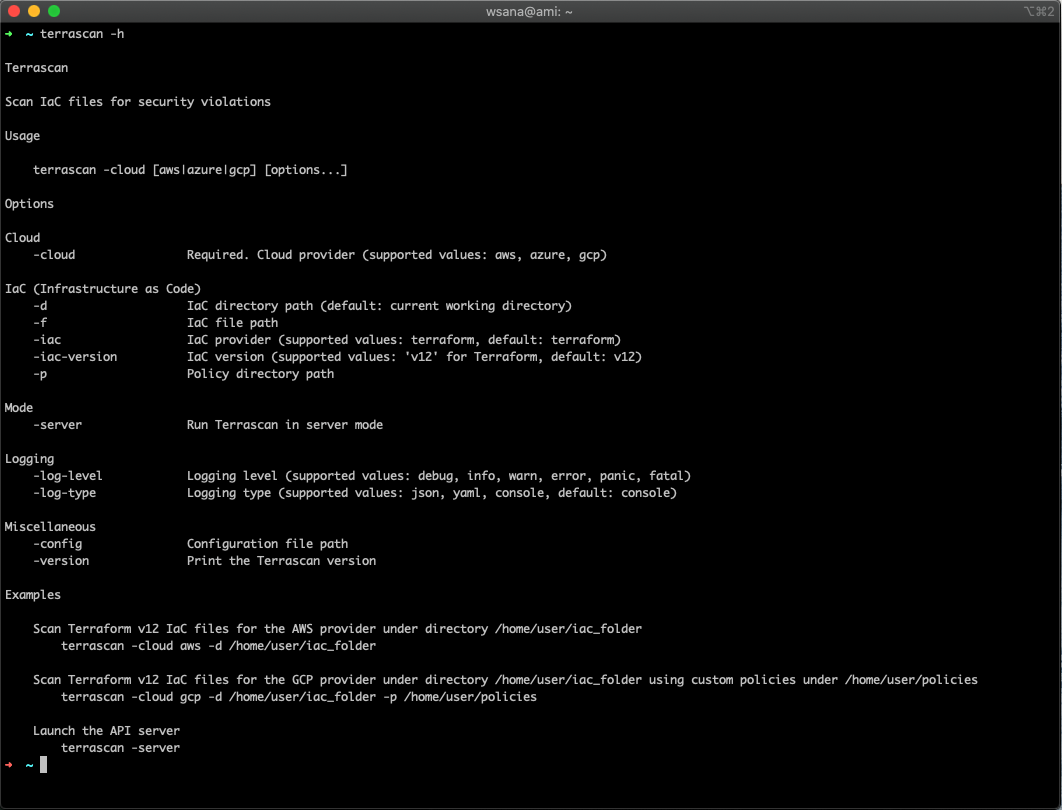
Accurics, at the online KubeCon + CloudNativeCon 2020 conference today, launched an update to its open source Terrascan static code analyzer that adds support for Open Policy Agent (OPA) engine to make it easier for developers to create custom compliance policies in addition to leveraging more than 500 out-of-the-box policies based on the CIS Benchmark.
In addition, Terrascan is now available as a GitHub Action and is included in the popular Super-Linter GitHub Action. It can be installed as a pre-commit hook to help detect issues before code is pushed into a repository as part of a DevOps workflow.
Cesar Rodriguez, head of developer advocacy at Accurics, said the latest version of Terrascan has also been rewritten in the Go programming language to improve overall performance.
Terrascan analyzes the code created to manage infrastructure as code for vulnerabilities as well as indicators of drift. It then creates a threat model for cloud application workloads and, if necessary, will share data with third-party tools to automatically roll back cloud settings to their last known approved state. Once the model is constructed, Accurics monitors the application workload for changes that introduce risks and generates a topology for each workload in real-time to identify any potential indicators of drift.
A recent report based on an analysis of cloud services published by Accurics finds misconfigured cloud storage services are commonplace in a stunning 93% of the cloud deployments analyzed, with most also having at least one network exposure in which a security group was left wide open.
The report also finds hardcoded private keys turned up in 72% of the deployments analyzed. Unprotected credentials stored in container configuration files were found in half of these deployments. A total of 41% of the organizations had high privileges associated with hardcoded keys. In 100% of deployments, an altered routing rule exposed a private subnet containing sensitive resources such as databases to the internet.
Overall, the report suggests that only 6% of cloud configuration issues are being addressed using manual remediation processes.
Ideally, developers should be implementing cybersecurity and compliance controls as they deploy applications in the cloud. The challenge is that while developers have ready access to tools to automate the configuration of those services, not many of them have tools to verify whether those services have been implemented properly.
IT organizations will still need to scan for vulnerabilities in runtime environments. However, tools such as Terrascan will enable IT teams to advance the adoption of best DevSecOps practices by providing developers with access to scanning tools that can be incorporated easily with a continuous integration (CI) workflow.
Of course, the biggest DevSecOps issue remains culture. However, most developers don’t intentionally want to deploy insecure cloud applications. If given access to the right tools, most developers will do the right thing as long as it feels like a natural extension of an existing workflow rather than an unnatural act that was defined by a cybersecurity team that has little to no idea how applications are actually constructed.
-

Humio Adds Unlimited Ingest Plan to Log Management Service
Fresh off raising an additional $20 million in funding, Humio, a provider of a platform for analyzing log data, has added an unlimited ingest plan to a cloud-based service to make it easier for organizations to retain massive amounts of log data.
The unlimited ingest plan for the company’s cloud service extends a similar option Humio already makes available to customers that deploy its log management platform in an on-premises environment.
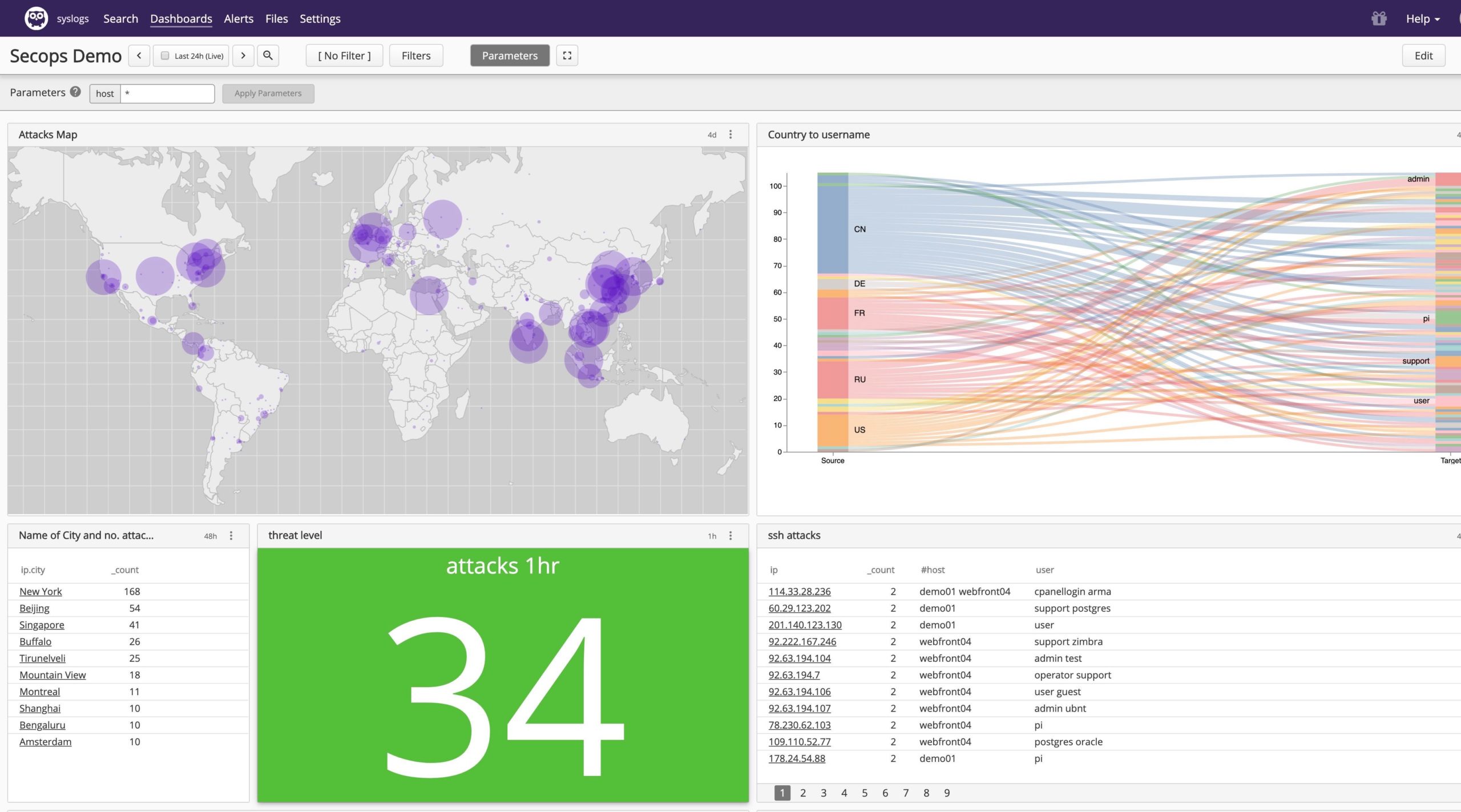
Morten Gram, executive vice president for Humio, said one of the significant limitations of rival log management platforms is they charge customers based on the amount of data ingested. That approach only serves to dissuade organizations from ingesting data to limit their costs. The trouble is that organizations won’t be able to discover outlier issues in data they never see in the first place, he said, noting issue becomes even more problematic as organizations embrace best DevOps practices to deploy more applications both in the cloud and in on-premises IT environments. The Humio Bucket Storage can retain more than a petabyte of log data.
Given the scale and scope of modern applications, Morten said organizations are now using log data to drive a wide variety of analytics tools to automate processes in real-time. Log data is also playing a critical role when it comes to applying artificial intelligence (AI) to IT management. The more log data made available, the more accurate the AI models being employed become, he noted.
In addition, Gram said that because Humio doesn’t rely on an index engine to organize data for a search engine, IT teams can launch any type of query they like. In contrast, rival platforms are optimized for specific types of queries, he said, which also substantially reduces the amount of compute and storage required to analyze log data. That capability is why Humio can offer unlimited ingest of data and still remain profitable, as long as there are enough customers to enable Humio to operate at scale, he noted.
Given the current need for many IT employees to work from home to help combat the COVID-19 pandemic, it’s clear more organizations will be relying on tools hosted in the cloud to manage IT environments. Many of those organizations will also be a lot more sensitive to costs given the impact the COVID-19 pandemic is having on the economy. Of course, it’s probable many organizations will postpone new application development projects until sometime after the COVID-19 pandemic subsides. However, as more organizations start to appreciate the extent to which people may adopt social distancing, many of them will soon be re-engineering business processes to adjust to a new reality. As such, it may now only be a matter of time before there are even more digital business transformation projects being launched than ever before.
-
Why Reinvent Deduplication? Isn’t Cloud Storage Cheap?
Most people assume cloud storage is cheaper than on-premises storage. After all, why wouldn’t they? You can rent object storage for $276 per terabyte per year or less, depending on your performance and access requirements. Enterprise storage costs between $2,500 to $4,000 per terabyte per year, according to analysts at Gartner and ESG.
This comparison makes sense for primary data, but what happens when you make backups or copies of data for other reasons in the cloud? Imagine that an enterprise needs to retain three years of monthly backups of a 100TB data set. In the cloud, this can be easily equate to 3.6PB of raw backup data, or a monthly bill of more than $83,000. That’s about $1 million a year, even before factoring in and data access or retrieval charges.
That is precisely why efficient deduplication is hugely important for both on-premise and cloud storage, especially when enterprises want to retain their secondary data (backup, archival, long-term retention) for weeks, months and years. Cloud storage costs can add up quickly, surprising even astute IT professionals, especially as data sizes get bigger with web-scale architectures—data gets replicated and they discover it can’t be deduplicated in the cloud.
The Promise of Cloud Storage: Cheap, Scalable, Forever Available
Cloud storage is viewed as cheap, reliable and infinitely scalable—which is generally true. Object storage such as AWS S3 is available at just $23/TB per month for the standard tier, or $12.50/TB for the Infrequent Access tier. Many modern applications can take advantage of object storage. Cloud providers offer their own file or block options, such as AWS EBS (Elastic Block Storage) that starts at $100/TB per month, prorated hourly. Third-party solutions also exist that connect traditional file or block storage to object storage as a back end.
Even AWS EBS, at $1,200/TB per year, compares favorably to on-premises solutions that cost 2 to 3 times as much and require high upfront capital expenditures. To recap, enterprises are gravitating to the cloud because the OPEX costs are significantly lower, there’s minimal upfront cost and you pay as you go (vs. traditional storage, which you have to buy far ahead of actual need).
Copies, Copies Everywhere: How Cloud Storage Costs Skyrocket
The direct cost comparison between cloud storage and traditional on-premises storage can distract from managing storage costs in the cloud, particularly as more and more data and applications move there. There are three components to cloud storage costs to consider:
- Cost for storing the primary data, either on object or block storage
- Cost for any copies, snapshots, backups or archive copies of data
- Transfer charges for data.
We’ve covered the first one. Let’s look at the other two.
Copies of data. It’s not how much data you put into the cloud; uploading data is free, and storing a single copy is cheap. It’s when you start making multiple copies of data—for backups, archives or any other reason—that costs spiral if you’re not careful. Even if you don’t make actual copies of the data, applications or databases often have built-in data redundancy and replicate data (or, in database parlance, a Replication Factor).
In the cloud, each copy you make of an object incurs the same cost as the original. Cloud providers may do some deduplication or compression behind the scenes, but this isn’t generally credited back to the customer. For example, in a consumer cloud storage service such as DropBox, if you make one copy or 10 copies of a file, each copy counts against your storage quota.
For enterprises, this means data snapshots, backups and archived data all incur additional costs. As an example, AWS EBS charges $0.05/GB per month for storing snapshots. While the snapshots are compressed and only store incremental data, they’re not deduplicated. Storing a snapshot of that 100TB dataset could cost $60,000 per year, and that’s assuming it doesn’t grow at all.
Data access. Public cloud providers generally charge for data transfer either between cloud regions or out of the cloud. For example, moving or copying a TB of AWS S3 data between Amazon regions costs $20, and transferring a TB of data out to the internet costs $90. Combined with GET, PUT, POST, LIST and DELETE request charges, data access costs can really add up.
Why Deduplication in the Cloud Matters
Cloud applications are distributed by design and are deployed on non-relational massively scalable databases as a standard. In non-relational databases, most data is redundant before you even make a copy. There are common blocks, objects and databases such as MongoDB or Cassandra that have replication factor (RF) of 3 to ensure data integrity in a distributed cluster, so you start out with three copies.
Backups or secondary copies are usually created and maintained via snapshots (for example, using EBS snapshots as noted earlier). The database architecture means that when you take a snapshot, you’re really making three copies of the data. Without any deduplication, this gets really expensive. And existing solutions, designed for on-premises legacy storage, can’t help.
Not Just Deduplication — Semantic Deduplication
Most deduplication technology works at the storage layer, deduplicating blocks of data. This is highly efficient on centralized SAN or NAS storage, but breaks down if the data layer is abstracted from the storage—as it is in a distributed database such as MongoDB. Deduplication in this world needs to address two fundamental issues:
- It has to work at the data layer, not the storage layer. To deduplicate data from a distributed cluster, the software has to understand and interpret the underlying data structure.
- It has to eliminate redundant data before it gets written to the database. Once data is written, it gets replicated within the cluster, so it needs to be deduplicated in-flight.
The good news is there is semantic deduplication technology that works efficiently with distributed cloud applications that can help cut storage costs by up to 80 percent for databases such as MongoDB and Cassandra.