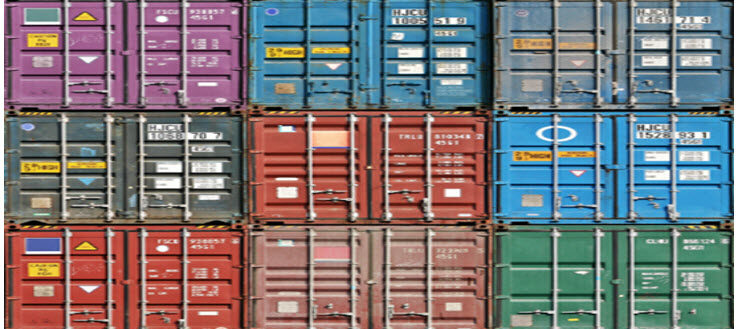
Tag: container management

  • It’s Funny How We Forgot About Container Sprawl

    It’s Funny How We Forgot About Container Sprawl

    …Because it sure as heck did not forget about us.

    We are (thankfully) past the days when everything was a container. At least, most of us are. Just like anything else, some orgs will continue that approach for reasons both great and terrible. And all of us still use far more containers than we need, I would say. “One container, one function,” works if you are talking about one whole application, and maybe sometimes for busy parts of an application, but it certainly isn’t needed to host a couple of low-use APIs, for example. My favorite example is separate instances of the same exact application for different teams (not business units – that is a good method to separate business units).

    Thankfully, technology is once again saving us from ourselves and our misdeeds. Processing power is no longer an issue, meaning we can spin up a million containers and keep them running until our public cloud bill arrives. So, it’s not about processing power. I cannot remember the last time that an org was bandwidth-limited, so it’s not about the network. The biggest issue is still security. More containers means a bigger footprint, which inevitably creates more vulnerabilities. Right behind that is container inventory management. What is running where, what images are available and what state are they in, which running containers have drifted from their definition, etc.

    I’m a developer that has sometimes done support for the apps I develop. That means that I laugh at your “Our images do not drift because we’re agile and build-driven.” Of course they do, because troubleshooting is real. The real question is, can you get them back into alignment when the ticket closes? The DevOps toolchain is pretty darned good at that if you let it. Changing a running image and telling no one is a terrible idea that still happens nearly every day across our industry. But technology has brought us drift monitoring. We can be notified of changes as they happen. For those in highly sensitive spaces like FinTech, changes can be blocked in production, but for most of us, we want to know when it is happening and who made the change. And we can get that today.

    Technology has also brought us some wonderful scanning tools from SBOM to SCA to Registry. These tools can give us a list of things for security to worry about in our images. In order to reliably generate these lists, we still have to know what images we are keeping and where—but choose a reliable registry or two, fit them into your DevOps processes and scan on commit. Simple and thorough—as long as everyone uses them.

    Thanks to policy and regulation,  container management tools can offer you a detailed list of not just what instances they’re hosting, but metadata like what image they came from. That helps manage inventory, and by now we are all building hierarchies of images from base to application specific.

    So, we can tell what is running, what images are available to run, how far running images have drifted, what known vulnerabilities exist in both our images and our instances and how compliant we are WRT containers. Dunno about you, but it seems technology has our back yet again.

    You are cranking it out, keeping the lights on, and dreaming of more you could be doing. Use the tools we already have to make it easier and the resulting systems more secure and reliable. You won’t regret it. And once again for those of you whose users never say it: Thank you.


  • What We Don’t Know is Dangerous

    What We Don’t Know is Dangerous

    Pop quiz: How many database management systems (be they RDBMS or NoSQL or even flat file) do you have running in your overall organization? Not actual databases, but management systems?

    How many containers do you have that are exposed to the internet, directly or indirectly? Not container management systems, because you’re only running a couple of those and they’re all relatively new, but actual containers?

    The questions could go on and on. Not too long ago, because there was an identifiable cost associated with it, cloud inventory management became a popular thing – finding and removing cloud instances, services and storage that were no longer necessary became a part of normal operations for organizations that had even a mid-sized cloud presence.

    But now, we have sprawl all over the place. So let’s extend inventory management to all software, and get rid of what isn’t needed on a regular basis … because it does indeed build up quickly.

    Yes, there are a few companies out there trying to do just this, and I encourage you to check them out. I have not, because our inventory at Ingrained Tech is manageable without that level of overhead. Our development and ops time is limited, so we keep a tight rein on what is out there and the maintenance it requires.

    But for larger organizations, the more you have out there, the larger attack surface and potential data sieves you have in place. So make sure if it isn’t needed, it’s gone. In the age of containers, this actually requires a fair amount of investigation; first, a list of all containers part of an ongoing project (and in even a mid-sized company, “They’re all together for each app,” won’t create this list because random containers are out there, too). And then a list of all containers not associated with a known project that can be gone through and usage determined.

    It’s not glamorous. It’s a bit of a slog. It’s in the organization’s best interests, though, and the slog should motivate your teams to put a policy in place to manage container life cycles. Like notes in Docker files that say when the container is no longer needed, or what it is needed for, so future you can easily get rid of it without stress.

    If you are in a containerized environment, this problem is growing almost by the day. Seriously. On our last project, we had 12 active containers before we pared it down to the five we needed long-term. The others were R&D along the way or tools we were using before focusing on a different method of achieving the same goals. Since we’re a small team, we just cleaned up when the project was coming into focus, but a larger org needs to be more focused on cleaning things up as they go.

    Meanwhile, those assets are letting customers get to your org, and allowing employees to manage the systems. Keep rocking it, and just remember to pick up, particularly after cutting-edge new projects, but also occasionally as just a normal cleanup step.

  • DevOps and Containers

    DevOps and Containers

    “Works on my machine!”

    We’ve all had that co-worker. I have had one at pretty much every company I’ve worked for. At several jobs, it devolved into a running joke.

    There is a belief that containers alleviate this issue. And they may—or they may simply mask the issue. The choice is up to IT.

    Inevitably, something that works on one machine and not another can be traced back to on-the-fly configuration changes. If “we use containers for DevOps” means that developers have full control of the container environment, then it must also mean that any configuration changes be codified into a documented container image that can be spun up repeatedly and even recreated in a Dockerfile if needed.

    If, instead, it means that devs have a playground in containers and, once they get it going, they can chuck it into production—even if you don’t say it that bluntly—then you are making things worse with containers, not better. At least in the days of “works on my machine,” the issues had to be resolved because the only time you heard that phrase was if something didn’t work on the machines it needed to be deployed to!

    As a developer, it is tempting in both container and virtual environments to upgrade a package or tweak a setting without documenting it. But a clean DevOps environment needs to be able to build the product from Dockerfiles, not from a pre-existing image. Yes, you can just clone the existing image, but then there is no documentation of what has actually been changed and it takes a lot more work for those following you and debugging future problems.

    So take the time; keep an up-to-date Dockerfile (or whatever equivalent script is used to build your containers). It is not that significant an investment to stop for a minute, open a file and type a few lines. And it pays off in spades if, in the future, someone is trying to figure out what the heck is going on in there. Consider it self-documenting configuration. I’m not a fan of “self-documenting code,” but for config, it is pretty clear if you go, “Oh, we needed version 10.2, not version 10.1; let me update the init script.”

    There are a fair number of shops out there that modify things running in production, and the world hasn’t ended yet—though that may well be how it happens. So, a good practice that will help those trying to follow behind you is clearly not a necessity. But each of us has gone back after a year and said, “Why did we do that this way?” which was (or wasn’t) then answered with, “Oh, here is exactly how the environment was configured.” But it might help answer the ‘why.’

    Your apps are powering the world—or your specific apps are powering your little piece of it. And you’re kicking it just keeping them running. Now, go make them better! Consolidate changes, manage configuration through Dockerfiles, Ansible, init-scripts, whatever combination you use … And keep rocking.