Tag: object storage

  • Why Object Storage is Best for Cloud-Native Apps

    Why Object Storage is Best for Cloud-Native Apps

    A crucial question that plagues cloud application developers is, “What kind of storage should we use for our app?” Unlike other choices like compute runtimes—Lambda/serverless, containers or virtual machines—data storage choice is highly sticky and makes future application improvements and migrations much harder.

    All three hyperscalers have storage services that present block, file and object-based data access. Each of these storage services are mature and offer different advantages, making the choice even harder. Though block and file-based storage has existed for multiple decades, in this article we will illustrate some key differentiators that should make object storage your default storage choice for new applications written in the cloud.

    Storage Type/Cloud Provider Google Cloud Amazon Web Services Microsoft Azure
    Block Persistent Disk Elastic Block Storage Disk Storage
    File Filestore Elastic File System Files
    Object Cloud Storage Simple Storage Service (S3) Blob Storage

    Easy Scaling

    Scalability is an important requirement for most cloud applications. It is expected that horizontally increasing the amount of compute power available to an application increases its ability to process requests, users, etc. to handle peak workload. Most cloud providers also make it easy to scale up compute resources to meet peak demand. As compute resources are scaled,
    block and file-based storage need to be mounted/attached to the new compute instances.

    However, a cursory search will show that these operations can fail or even hang indefinitely for multiple reasons. They also are often hard to debug. The other issue with using file and block storage solutions is that teardown of the compute instance may fail or hang for the same reasons. These issues immediately negate the application’s ability to scale freely as required. This is, however, not an issue with object-based storage, since there is no mount step involved. Your object storage is instantly accessible to the newly-created compute instances.

    Sharing and Consistency

    Data sharing and consistency are where object storage really shines compared to other storage types. In both block and file-based data storage, one instance of an application can end up seeing partial data written by another instance. Application developers end up having to use persistent locks to get around this issue. However, such schemes come with their own sets of challenges: Performance, correctness, etc. Persistent locks end up making an application severely complicated; I have seen even experienced storage engineers make mistakes while using persistent locks. Object storage avoids this problem by not exposing partially-written objects or objects actively being written. Also, note that objects are typically immutable, so once written they can only be overwritten as a whole and not in parts. This means updating data requires expensive read-modify-write cycles. However, most cloud providers help avoid these additional reads via special APIs that can create an object from portions of an existing object like GCS compose, Azure’s put page blob and AWS multipart upload.

    Data Protection

    Errors are bound to happen during application development or rollouts. These errors can end up impacting critical data and potentially disrupt normal application operations. This is why it is essential to have some sort of backup/snapshots configured on the storage that you use.

    Though most storage services have some form of backup/snapshot mechanism, most don’t make it very easy to configure or restore from them (that is, both require multiple steps or the involvement of a cloud administrator). All cloud object services support native data/object versioning capabilities which are extremely easy to enable. So, basically anytime an application updates and/or deletes, the object storage service preserves the older copy of the data. In case an older copy of the data needs to be restored, you can just read the old version and write it as the new object. The careful reader might see that if an application writes/deletes data often, there may be a lot of older versions of the data left behind. One might think these would be hard to identify and remove when not needed. However, all cloud providers support policy-based data life cycle management (see next section) so you can set up policies to delete unnecessary copies. Note that object versioning also provides an excellent defense against ransomware attacks.

    Policy-Based Data Life Cycle Management

    The amount of data being generated by applications is only going to keep increasing with each passing year. This is the reason all the cloud providers support policy-based data life cycle management for their object storage services. Even if you don’t expect to use more than a few gigabytes of data, policy-based life cycle management can help you keep your storage costs in
    check and can help reduce your code complexity around handling application crashes. Policy-based life cycle management especially comes in handy when you or your cloud admin decide to enable features like object versioning and object holds for data protection and compliance reasons. These policies are very simple to set up and can easily be customized to the needs of
    the individual organizations/applications/developers requirements.

    Conclusion

    As one can see from the above, object storage services have been built to enable the development of simple and scalable applications. So, if you are writing a new application from scratch, choose object-based storage to keep your applications simple and easy to maintain.


  • Fast Object Storage Key to Backup and DR Strategy

    Fast Object Storage Key to Backup and DR Strategy

    The massive shift to remote work necessitated by the COVID-19 pandemic kickstarted many companies’ digital transformation. While this transition had already begun for most organizations, the pandemic sped up the timeline. These events also had an impact on how storage and backup is done. Let’s look at why the right storage solution is key to your backup and disaster recovery strategy, especially when it comes to today’s work-from-home and hybrid scenarios.

    Hybrid Cloud and Storage

    While most companies have moved to the cloud in some form or another, many are relying on a hybrid approach. Enterprises may want to maintain their primary data storage on-premises for performance, security and compliance reasons. The public cloud, though, offers compelling services that can enhance this on-premises data.

    Using both the public cloud and on-premises storage allows for hybrid cloud use cases that are changing the way enterprise IT leaders think about data management and data protection. Enterprises are implementing hybrid cloud architectures to take advantage of cloud archive services, to maintain full copies of their on-premises data for disaster recovery, to protect against ransomware attacks, to take advantage of cloud service bursting and more.

    Businesses retain greater control over their private data by using hybrid cloud services. An organization can store sensitive data on a private cloud or local data center and, at the same time, make use of the robust computational resources of a managed public cloud. A hybrid cloud relies on a single plane of management, unlike a multi-cloud strategy that forces administrators to manage each cloud environment separately.

    Remote Work has Changed the Backup and Recovery Game

    Companies risk losing their most valuable assets – their data – if they lack strong backup and recovery infrastructure. Data loss affects businesses directly, when assets can no longer be leveraged, or indirectly, via loss of customer confidence and regulatory fines and penalties.

    The shift to remote work means that the way storage and backup is done has also changed. If the majority of a workforce is remote now, how do you back up laptops? How do you back up phones? Previously, employees would go to an office and their laptop and other devices would get backed up there – but now, that’s not the case. And with remote work in place for the long haul for many companies, backup methods have to change and adapt.

    Remote work opens up greater risks of information being stolen or lost. If an employee is at home, for instance, and they lose a file on their computer – and they’re used to having their computer backed up by the company – how do they restart that backup? If they have to go through IT, that seemingly simple act can take weeks.

    Self-Service Backup and Recovery

    Organizations need to have more flexibility – a way for individuals to perform backups in a self-service way without having to deal with centralized IT. In this way, people can protect their data themselves.

    With the right storage solution, authentication is built in; storage and backup are designed with security and data protection in mind. Unlike other storage solutions, object storage gives you your own keys and your own passwords, and you only see what you should. It’s very well protected. It’s also very siloed, so that employees can only do what the company wants them to be able to do, and they only have the minimum access they need. So, object storage can help organizations adopt a more fine-grained authentication and security posture; more so than with a typical file storage solution.

    In addition, having this kind of solution in place opens opportunities to provide your employees with the kind of self-service backup and recovery they need in a remote world where speed is of the essence and efficiency is front-and-center.

    Success in a Hybrid World

    The shift to the cloud is in full swing for many organizations, brought on by a variety of business factors and accelerated, in many instances, by the pandemic. It makes sense that the hybrid storage approach would become popular, as organizations naturally want to keep certain kinds of data close to the vest for security and/or compliance reasons. Performance is another consideration when it comes to where data should be stored.

    This gives organizations a lot to think and strategize about – including how to handle backup and recovery in a WFH world. Remote work increases security threats, so organizations need the option to empower employees to protect their own data. Object storage makes this possible with both speed and efficiency. There are many options available today for both cloud and storage configurations, so consider the above points when making decisions that will affect the security, compliance and performance needs of your organization.

  • MongoDB, Storj Labs Work to Reduce Data Security Costs

    MongoDB, Storj Labs Work to Reduce Data Security Costs

    MongoDB Inc. and Storj Labs announced today they have jointly created a backup service for the open source MongoDB database that leverages a global network for excess storage capacity.

    Storj Labs has created a Tardigrade Decentralized Cloud Storage Service based on an open source object storage system that is compatible with the S3 application programming interface (API) defined by Amazon Web Services (AWS). That object storage system distributes 80 slices of a file across a subset of thousands of nodes that each contain only a slice of the data required to reconstruct that file when needed. Only 29 of those slices are needed to reconstruct a file, which enables IT teams to secure data without having to manage encryption keys.

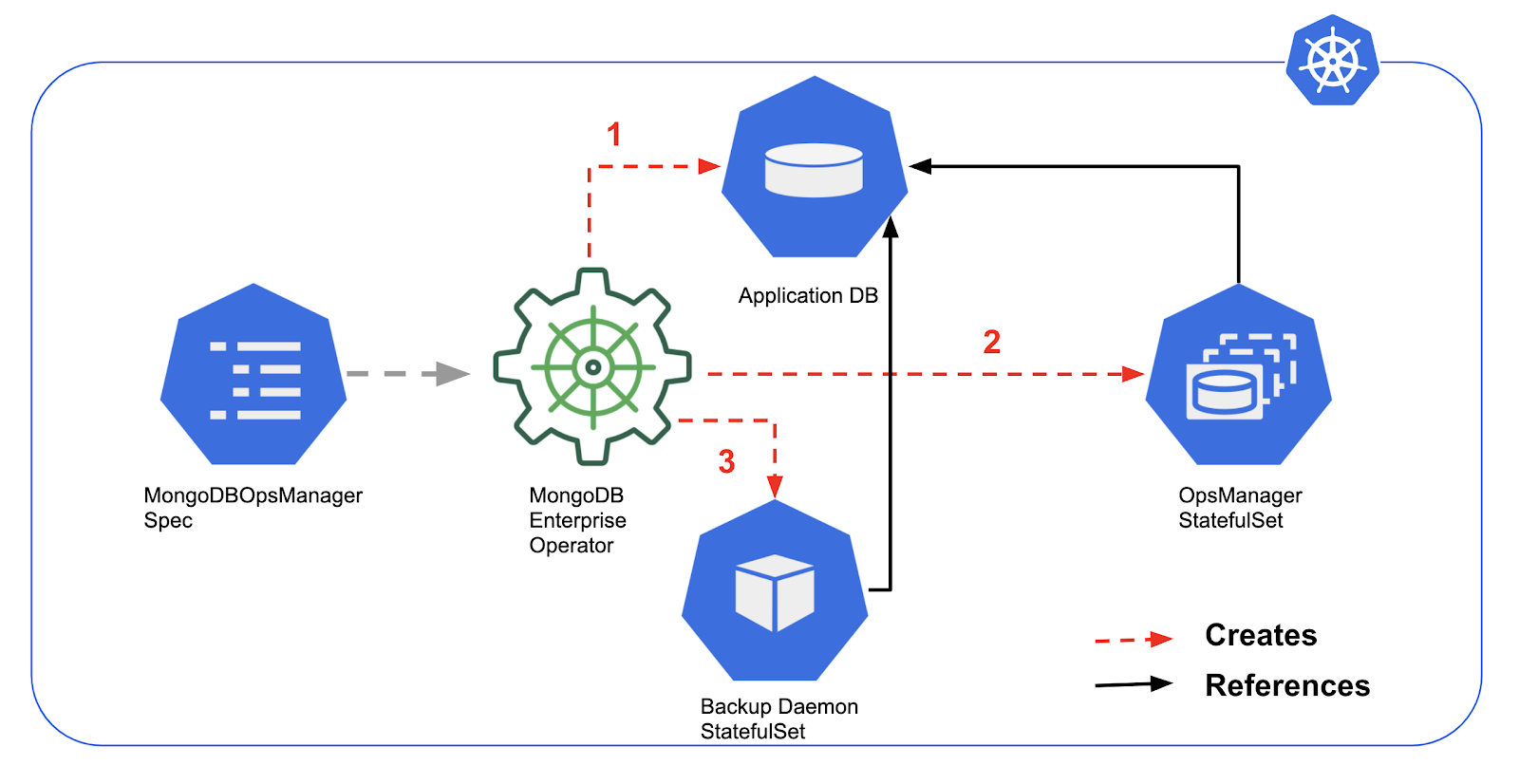
    Via a connector from Storj Labs, the Tardigrade Decentralized Cloud Storage Service now can be invoked via MongoDB DevOps Manager, which is made available in the commercially supported enterprise edition of the open source databases provided by MongoDB Inc.

    Storj Labs CEO Ben Golub said the Tardigrade Decentralized Cloud Storage Service provides a less expensive alternative to backup and recovery platforms based on the cloud, as excess capacity on devices ranging from servers to individual desktops is readily available, The challenge has been finding a way to marshal all that excess capacity in a way that makes it simple for IT organizations to consume, he said.

    IT organizations, Golub said, should expect Storj Labs to build additional connectors to databases and other platforms that require a less expensive approach to data protection. In the wake of the economic downturn brought on by the COVID-19 pandemic, he noted, more organizations than ever are open to innovative approaches to reducing storage costs.

    Of course, most IT teams are well-used to employing a range of data protection platforms to back up and recover data. The Tardigrade Decentralized Cloud Storage Service is likely to be viewed as one more option that might find traction at a time when the number and types of databases being deployed across the enterprise continue to expand rapidly. Developers are especially fond of adopting open source document databases that don’t require a database administrator (DBA) to get approval for a license from a central purchasing organization. It’s usually not too long, however, before developers look for help from central IT to manage all those databases, especially after an application is deployed in a production environment.

    Naturally, not all those applications are of equal value, so given the current economic climate, there might be a greater willingness to at the very least experiment with alternative approaches to data protection.

    Regardless of platform, however, the one thing that is clear is data protection alongside the rest of IT infrastructure is being driven more by APIs. As such, responsibility for data protection is also being pushed further left toward DevOps teams, who have the expertise required to continuously automate back up and recover using APIs. That might not always sit well with traditional IT administrators who have been using tools based on graphical user interfaces (GUIs) for decades. Nevertheless, IT times are clearly changing.