Category: Blogs

  • The Importance of the Bus Driver

    The Importance of the Bus Driver

    The topic of DevOps has been a topic for many a debate over recent months years. Without adding fuel to the fire I’d like to present a slightly different take on the DevOps culture.

    The phrase ‘what if I was hit by a bus?’ can often be heard within the vicinity of software development teams. It relates to a measurement known as the ‘bus factor‘. Individual talent should not be discouraged, however when it becomes silo’d that talent translates to risk for a business. Try to think back over your career – do the following sound familiar?

    “I don’t know how to do that, X usually does that”

    “X is away at the moment so we’ll need to put that on hold”

    “X left yesterday and didn’t cover this in their handover”

    If you have read ‘Phoenix Project‘ – think of Brent…

    Using the fated bus driver I’d like to take us on a journey (excuse the pun) through a DevOps culture.

    In-sourcing the bus driver

    You work for a small green minded startup. Being green minded and wanting to help your staff, you decide to buy a bus to get everyone to work in the morning. Realising that you don’t actually have a dedicated bus driver, you decide to take it in turns to drive the bus in the morning. Everyone gets involved, everyone knows how to drive the bus, everyone knows which route is best.

    Idea 1

    Don’t over engineer your processes. At this stage you’re already exhibiting DevOps characteristics!

    The talented bus driver

    Your small team has performed really well, people like what you do and now your team isn’t quite so small. There are now over 50 people on your bus in the morning. It wasn’t long until you realised that Sarah is the best bus driver you have. Inevitably, Sarah usually just takes up driving the bus each and every morning.

    If Sarah is off, Mike takes over but he often makes people late for work and tends to hit a lot of parked cars.

    Furthermore the bus recently broke down when Sarah was off, Mike and your bus passengers all took a look at the engine and tried to help but there seemed to be a ‘magic’ piece of string holding two parts together.

    When they consulted the bus manufacturer manual, this piece of string was no where to be seen. Mike had to call Sarah whilst on holiday!

    Mike calls the bus company to ask for a replacement bus, to be told it will be 2 hours until a second bus arrives. The team sit and wait patiently.

    Idea 2

    Try to identify your tipping point. Some key indicators are reliance on individuals, information silo’s, phrases such as ‘oh I didn’t know it functioned like that in production’, production environments start to diverge (without communication) from development environments.

    How many production environments have the web server, app server, database, load balancer et al all running on the same machine? Is this how your development teams work? Does this differ to the view of the operations team?

    Your bus stops

    We’ve identified a few problems but lets focus on the positives. Firstly, let’s celebrate actually spotting the problem, it is very easy to continue with the status quo. Our second success was the reaction of our bus passengers. When the bus broke down, instead of complaining, the bus passengers tried to help mend the bus.

    Idea 3

    When and where your bus stops is less important than who it stops for. It might be stating the obvious, however if you wish to move towards a DevOps culture you need talented team members. You need people that care for the organisation and their profession. A desire to share knowledge for a greater goal.

    If your team are not interested or do not care, then no matter how much you say DevOps you need to boost their interest first.

    Hopefully you’ll start to hear your teams utter phrases such as “What does production look like?”, “You could do this slightly differently you know”…

    What if your talented bus driver has an RTA?

    There are no doubting Sarah’s talents – I mean come on, she was able to fix a bus engine with a piece of string, knew the best bus routes and always got your team to work on time…

    What would we do if Sarah left or was, somewhat ironically, hit by a bus?

    Idea 4

    Could your organisation raise the value of sharing and encourage knowledge share?

    Assuming you’ve got the right people on the bus, you might also find that other staff members have ideas for improvement when you explain the current process. Your Sarah(s) should not fear sharing their knowledge and should be rewarded/encouraged for doing so.

    One of your passengers may even know a faster journey to work or a better way to fix the bus engine.

    The bus seating plan

    Although you didn’t enforce it, you start to find groups forming on your bus journey, all your teenagers are sat together at the back playing music on their phones…..

    Idea 5

    Don’t let job titles restrict conversations. Water cooler chats are incredibly productive and help teams share ideas.

    Replacement bus service

    When the bus broke down Mike was able to order a replacement but it had a 2 hour turnaround time.

    Would it be better if we always had 2 or 3 buses running? If each bus had enough capacity for all 50 passengers we’d probably always make sure people were on time for work.

    It would be even better if all bus drivers knew the routes that Sarah used, all buses had the same piece of magic string and all bus drivers knew what the magic string did.

    Idea 6

    Something my team often hear me say is ‘Design for failure, don’t just react to it‘. When designing your applications and services try to think how the system can accommodate failing services better rather than what actions you might take in the event of failure.

    The same might be said for your human resources. Have your teams got a shared knowledge? What would your bus factor score be?

    Journey times

    Try to keep your passengers informed of your progress – you could let them know their ETA for work. Informed passengers tend to be more engaged and understanding. For example when telephoning a business, do you prefer to know what position you are in ‘the queue’ or would you rather sit on the line waiting without knowledge of when you may be spoken to?

    Idea 7

    Monitoring might be considered a key technical section of DevOps adoption. There are many, many tools that can help with this such as StatsD, Graphite, Librato, New relic, AppDynamics etc but whichever medium you choose, try to make sure your ops stats are in full view of your various teams not simply your ops staff. Get them in front of your dev team, support team, sales team, HR team they impact every member of staff.

    Hopefully, you will be surprised at an increased level of employee engagement. When ops are in war rooms fire fighting problems, each team member will understand the pressures they are under, some team members will also express a desire to help.

    You have arrived at your destination

    At this stage I may have flogged the bus concept a little too far. Are the concepts here a guide for the adoption of a DevOps culture? Does the ‘D’ word have to be attached to the guidelines above? I’ll let the community decide.

  • Parallel Evolution of DevOps Enterprise Patterns

    Parallel Evolution of DevOps Enterprise Patterns

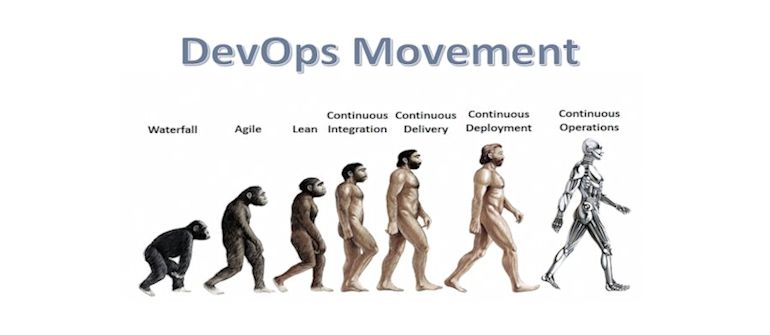
    The DevOps evolution (Revolution!) has a great story; a story of winning the hearts and minds of people of all experiences who all anxiously strive to achieve their goals in amazing new and opportunistic ways. This story isn’t that of throwing everything away and starting over, nor is it a story of always having to start from scratch and do things from the ground up. It’s a story that reflects the hard work, critical thinking, scientific processes and deep analysis of your business needs with your goal in mind.  The concepts of the classic DevOps cloud business and the classic Enterprise all evolve in different ways but end up with the same evolutionary cognitive artifact, the focus on improvement and adding value through technology.

    When it comes to talking about Enterprise patterns vs the more spoken about “Cloud” patterns, we sort of speak to them as if their exclusively different, almost denying them an existence by choice.  One sees an “Enterprise” shop and almost cringes at the thought of them being DevOps out of an ideological view more than an evolutionary view.  However, when studying a “DevOps Enterprise” and “Cloud” company  from the ten thousand foot view we can see them as being much more similar.

    Cloud Patterns

    Develop -> Build -> Test -> Deploy

    Enterprise Patterns

    Develop -> Build -> Test -> Deploy

    Visually, this pattern while overly simplified is the same but how people get from develop to deploy may be entirely different.   In a developer centric “cloud pattern” you may be developing a web application to offer self service functionality to your end users but in a corporate environment you may be less developer centric as a business analyst adding features in a corporate resource planning application.  The end result is still creating value for your customer, developing functionality, building that functionality, testing that functionality and deploying that functionality and doing so in a very “DevOps Way”. Taking a closer look at the Enterprise through a slightly stronger magnifying glass, we would see something more like this for a typical enterprise deployment pattern:

    Storage -> Physical Host > Hypervisor ->  Virtual Host -> Database  <-> Application -> Customer

    Everything that composes this pattern could be made of of all sorts of parts from many vendors, open source projects, COTS systems and value add resellers. The components aren’t really what matters.  It’s the technology that an organization has acquired in doing business and the processes they have developed to meet the demands of their organization over their years of growing. It’s grown organically just as our concepts of IT have grown over there years and its done so creating and growing value too (at least, that’s the expectation). It’s evolved.  For better or worse, there is something we’ve encoded in these concepts and transmitted in an artifact we call “Enterprise”.

    The end result of applying DevOps to an Enterprise “Develop -> Build -> Test -> Deploy” pattern is to add value to this pattern, align this pattern to the business and to optimize the flow of this pattern. It’s really no different than applying these ideas to a “Cloud” business. One could optimize the Enterprise pattern of their Oracle Financials application by doing continuous integration just as cloud operations strive for continuous integration, but the CI you see in Oracle world  may be drastically different than that of typical Cloud Ops CI. Enterprise CI may be more of a “validation” experiment, a “Safe to fail” experiment. It may be more business process oriented – you may see people experimenting with BPEL or other tools to wrap business requirements and compliance around tasks/alerts/metrics/services/data.  The more we talk about Enterprise DevOps patterns the more we realize that we can benefit from these experiences in all DevOps patterns! There is a lot we can parallel in our views and see value from. Just because the “Enterprise” and the “Cloud” may appear differently, doesn’t mean they’re exclusively different by mandate or incapable of converging ideas.

    Looking more closely at the Cloud, we see this a mode of operations:

    Virtual Host -> Database  <-> Application -> Customer

    More frequently, depending on which type of cloud you seek out, you could simply see:

    Database  <-> Application -> Customer or simply just  Application -> Customer

    I feel it’s important to look at this evolution as parallel or even somewhat convergent (the differences being arbitrary if you ask me) because the end results are the same, that all-powerful “Goal”.    How one gets there, is how you tell your own story, but that story is your own evolution of services and what worked for you and your survival. The common hereditary artifacts of this separate but in the end parallel evolution of services is that they appear to build upon each other; sharing similar services, using APIs, using abstractions when needed, using automation when needed, building up “self-service” type systems/frameworks and doing so with the end user in mind and creating value (surviving!). To the customers in an Enterprise business, all they see is “application” or “service” just as in the cloud services organization your customer  sees “application” or “service”.  DevOps is the patterns that create/add value/optimize flow regardless of the service to the customer.

    Some people call the Enterprise applications and services we all know so well as the “Dinosaurs” of the computing age. Let me remind you, dinosaurs ruled the earth for 230 million years;  that’s 229+ million more years than humans! Dinosaurs weren’t stagnant by any means, they continually evolved and grew with staggering variations and abilities to survive.  If you stopped evolving, you went extinct.  Beyond the extinction of the dinosaurs, many species from the same era did survive and they survived not just because they had the winning combination of hereditary traits for survival but because they evolved through the changes that continued to happen regardless of their will to survive. Dinosaurs had an evolutionary dead end not because they did the wrong things or had the wrong design, but because couldn’t survive against the external forces that happened upon them.  The Cloud business could just as well be a dinosaur, soon to be extinct if that business fails to evolve for its own survival. Same for the Enterprise business.  We’re all evolved from dinosaurs in the end and if some have figured out how to survive through their cosmic collisions and still appear to outsiders as a metaphorical dinosaur, then that survival should be seen as having value in and of itself. The cognitive ability of reason should win, not an ideological opinion thereof.

    DevOps at “Big Giant and often cumbersome Corporation” may be different in scale/ideas, but the goal is just as much the same  and the experiences we can learn from each other, are just as much the same. Join my efforts in documenting DevOps in the enterprise, and help work on Enterprise DevOps patterns or DevOps Audit Defense concepts.  Both of these are open to participation and aren’t in any way specific to any technology or service other than sharing experiences that are common in the arbitrary “Classic Enterprise” or “Classic Corporate IT” shop.

    Through the parallel evolution of Cloud and Enterprise systems, convergence may be the end result, but it certainly isn’t the mandate. Keep evolving! Mother nature has done it for billions of years and she isn’t stopping anytime soon.

  • How to Evolve to DevOps

    How to Evolve to DevOps

    What is DevOps, and how do we do it?

    It’s a question I’m often asked, with confusion around job titles, team structures, tooling, personnel responsibilities, office layout and more as potential ingredients for a successful devops recipe. The first step in evolving an existing organization to a devops mentality is to take a step back, and level up your thinking, far from the tactics mentioned above.

    The first thing to recognize is that this is a cultural and professional movement of technology workers wanting to be more impactful for their businesses and be personally happier themselves, and this movement has three key strategic pillars of success: cultural, structural, and tooling. When we get all three right, we enable a devops mentality, the benefit of which is a business that can respond quickly to customer or market feedback (i.e., agility).

    devops-pillars

    The three pillars are foundational to the collaboration among technologists to enable this business agility.

    Evolving to DevOps

    You have a status quo of culture, structure and tools. Regardless of whether you explicitly defined each, or allowed some to more implicitly evolve than others, the fact remains that you have a status quo. How do you evolve? You need to tackle each pillar in turn, understanding your status quo, and what helps or hinders a devops mentality for your organization. The first pillar is the most critical: culture. Let’s speak to that first.

    A Culture to Enable DevOps

    What happens at your company when things go wrong? Be really honest. Do folks become defensive about their role in contributing to a problem? Do they blame others for problems? Do fingers point outward before they point inward? Do you ever hear, “It’s not my servers, it’s the change you made to the code!”, or the converse, “It’s not the code, something’s wrong with the servers!”.

    If any of the above holds true, stop everything right now, get everyone together, and talk about what you see in how you interact with each other. Your goal is to enable a shared outcome mentality across functions and jobs and roles (i.e., we all succeed or fail together), and a culture of self-improvement and introspection where the first thought when things go wrong is “what could I have done to prevent this from happening, and how do I want to change what I do in the future to make it better?”. When you get it right, people will gravitate TO problems and collaborate on solutions, not distance themselves AWAY from them to avoid blame.

    So what do you say? How do you say it? What’s necessary to evolve the culture? Every situation is unique, and you’re going to need to chart your own personal and organizational evolution to foster a culture that can enable devops. If you’re the leader of the team or business, start surrounding yourself with mentors and peers in other companies that have achieved this, and ask to learn from them.

    If you’re not the leader, again, surround yourself with mentors and peers that have built this culture, and ask to learn from them. Then be the change you seek in your organization, and lead a cultural shift from within. Either way, you’ll begin to discover your own unique path of learning, supported by many readings and mentoring conversations, that will empower you with the skills and conviction to bring about cultural change.

    If you’re the current leader of the team or business, and you’re not willing to undergo this difficult process of personal and organizational evolution of your culture, I have a rude awakening for you: you won’t be the leader for the long term. Over a period of years, either your business will succumb to competitors who are able to get this right, or a member of your team will take over for you as the rightful cultural steward. Choose wisely.

    A Structure to Enable DevOps

    Within your company, look at your organization chart, and look at the people that you are physically near or collaborate with the most, and answer the question: what are we responsible for? Now look at other parts of the organizational chart or office layout for departments or functions of the organization that you are dependent on for collective success. What you’re looking for is a physical or proverbial wall in the organization that draws boundaries on what one group of people are responsible for, and what the next group of people are responsible for; these walls create a “that’s someone else’s problem” mentality. In the most classic devops sense, we’re talking organizational (i.e., you report in to different parts of the organization from a managerial perspective, or you are accountable to metrics that put you at odds with another part of the company) and physical (i.e., you sit in different areas of the office) silos separating developers from operators. If you’ve ever heard the phrase “developers toss the code over the wall for operators to run,” you know what I’m talking about.

    Some of these physical and proverbial walls will make sense in the organization, while others you’re going to need to question why they are there. You may even find some walls that don’t make sense with other parts of your organization (say product management, or security, but we’re going to stick to the classic developers and operators example for brevity). Physical and proverbial walls that hinder collaboration toward shared outcomes must be evaluated for removal.

    The classic example from a proverbial perspective is a development function of an organization being held accountable for performance metrics such as number of features released, while an operational function of an organization being held accountable for reliability metrics. Clearly, there will be tension and angst as these metrics can easily pit two groups of people against one another. In this example, a common solution is to focus on shared outcomes, and hold everyone accountable for both feature velocity and reliability. Another common solution is to have both developers and operators report in to the same person. Another common solution is to put developers “on call”. The tactics will vary on the situation, the strategy remains the same: break down the physical and proverbial barriers to collaboration and embracing shared outcomes. If there is a wall that prevents people from working together to improve the business, tear it down.

    Tooling to Enable DevOps

    How effective are you on 3 hours sleep after being paged all night? How strategic is your thinking while typing in a command for the Nth repetitive time? How demotivating is it to put all of your energy into treading water without signs of visible forward progress? Even the greatest collaborative culture with a structure reinforcing shared outcomes will fail if everyone is burning out debugging problems and performing the same mundane tasks over and over. This is where you need to evaluate your tooling.

    Start with the repetition. Every time some task comes up a second time, make a commitment organization wide to automate it and track changes in revision control. Use this as a foundation to eventually drive to fully automated configuration management from revision control, but you have to start somewhere, and you will free up significant time and frustration over the long haul with this simple mentality shift. We’re going to invest this newly found time into the followup tooling activities.

    With that executing over time, turn your attention to telemetry. Are you collecting the right data from the right places to let you understand where problems are? Data debunks all blame, and properly aligns people toward investigating problems in a collaborative manner. Consider “monitoring” as the definition of thresholds on the right telemetry data, and “notifications” as the definition of who needs to know and when. Be diligent on getting the right threshold and right notifications; set thresholds too aggressive or notifications too broad, and folks will become numb to the system and lose trust, while setting thresholds too passive or notifications too narrow, and important issues affecting customers could get missed. Over time, improved telemetry will enable you to predict problems before they happen, and the right thresholds and notifications will ensure the right people know what to do to fix what problems right away, freeing up more time to go into the final phase of tooling.

    With common tasks automated, and a good, clear understanding of how well your systems are performing and where problems lie, you can focus your energy on improvements that will enable resilience for the future, both in your technical systems and in your teams. On technical systems, you’ll investigate refactored architectures that are more scalable and fault tolerant (e.g., horizontal scale, multi-datacenter load balancing). For your teams, you’ll invest in better collaboration systems (e.g., wiki, chat, ticketing, etc.).

    You’re Never Done

    While I’ve provided a framework to systematically tackle common barriers to enabling the business agility that comes from a devops mentality, truth be told, there will always be more to do, and there will always be more personal, organizational and technical improvement to be had. Embrace this journey, be proud for each new milestone along the evolution, celebrate every victory, and deliver wonderful things for your customers.

  • Collaboration – A DevOps Tenet

    Collaboration – A DevOps Tenet

    You can’t turn around in the tech space without hearing about collaboration. Whether it has to do with the new economy being built around collaboration or the platforms designed to improve it or the various strategies one might implement to spur more of it on your team, collaboration is the hot new term, especially when it comes to DevOps.

    All that being said, what is collaboration exactly? And the deeper question…can you get to an answer to a problem faster if more viewpoints are involved? Can you cut through space and time to overcome physical barriers and find the specific knowledge someone on the team has that others do not? Can you make the practices of DevOps, which are already more nimble, even faster by getting more eyes on the situation?

    Here’s what we talk about when we talk about collaboration internally at VictorOps:

    • remote engagement – In order for collaboration to work, you need to be able to get folks involved no matter their physical location. Collaboration doesn’t happen just between 9-5 and doesn’t take place just in the office setting. Team members want to help out (especially during a firefight) but they may not want to give up everything in their life in order to do it.

    • real-time troubleshooting – As anyone who has used Salesforce or JIRA can attest, effective collaboration doesn’t happen in a ticketing system. If you want to work together, you need a communication channel that allows for synchronous discussion that keeps everyone on the same page, at the same time. Immediacy is a crucial factor in figuring out the cause of a problem and synchronous messaging, which closely resembles face-to-face conversation, is one of the best means of expressing that.

    • the right tools – These days, if you want your team to adopt a collaboration tool, you have to keep two things in mind: the tool must be mobile and the tool must feel natural to use. Without these two things, you’re going to have a hard time getting everyone on board. If a tool is clunky or requires a steep learning curve, no one will actually use it, making for very ineffective collaboration.

    • solving problems faster – The end result of effective collaboration is coming to a solution in a quicker manner. Whether it’s because you’re getting the right eyes on the problem, noticing data patterns or reducing new participant spool-up time, collaboration should help the entire team do their jobs better while achieving company objectives.

    Collaboration can become just another marketing term or vague business concept without any concrete examples of why it’s important. In our next post, we’ll talk about different types of collaboration (vertical vs. horizontal, asynchronous vs. synchronous) and why collaboration works best when it’s vertical.

  • Systems of Things

    Systems of Things

    What do Chevy V8s and DevOps have in common?  They’re both complex systems with many interactions between their moving parts.

    The first time I did minor surgery on a Chevy engine I learned a lot about systems.  The engine was a tired 283 cubic inch V8 in a 1966 Chevy Malibu  which my grandfather purchased new in 1966 and passed it on to my (much older) brother around 1980.  During my brother’s ownership it was driven hard and received a less than flattering paint job.  By the time it was passed to me it ran about as well as it looked, which is it say it was rough.  A buddy of mine who thought he knew something about engines convinced me to replace the valve train with parts from a junkyard.  The results were not good; we only succeeded in making it run worse.

    Interchangeable Parts

     The problem was that valve train components are not interchangeable after they wear-in.  Sure, when they’re brand new the parts are interchangeable.  But after a while the parts wear together and become fitted to their neighbor.  Had I better understood this complex system I wouldn’t have expected old valve-train parts to improve the engines performance.

    In “The Phoenix Project”, we are encouraged to think of DevOps as an interconnected system, in the same way “The Goal” taught us to think about manufacturing processes.  In an interconnected system, the parts have to work together with precision to achieve the goal.  In DevOps, we talk about shortening cycle-time and increasing release frequency, requiring Dev and Ops processes to work together with precision timing.

    Unexpected Results

    How many times have you made a change to something (anything) and afterwards thought to yourself, “That didn’t go as planned”?  I know I have had the experience on more than one occasion.    Taking the time to understand the system is hard, but it pays off over time.  Just as Erik in “The Phoenix Project” reminds us, “…Step 1 is to identify the constraint”.

    Be mindful of the system and seek to understand before suggesting improvements.  Failing fast and fixing twice makes sense when talking about features, but not so much when talking about system availability.

    Getting Better All the Time

    Embrace the system of things… seek to understand the interaction between the moving parts.  Try to be aware of processes that have become fitted to their neighbor and what will happen if just one of those processes is changed.  Avoid the urge to suggest changes without first understanding the system.

    I got better at rebuilding engines as I learned the underlying systems.  Knowing the systems allowed for changes that improved performance.  Understanding the tradeoffs in the system was also important; an engine tuned to develop maximum horsepower at full throttle will run rough at idle.

    Take the time to understand the interconnected systems we are attempting to improve.

  • Dev, Ops and Security Collaboration: Bring the body and the mind will follow

    Dev, Ops and Security Collaboration: Bring the body and the mind will follow

    Complexity has a way of muddying even the clearest of waters, and this has certainly been the case with IT Operations. While Dev, Ops and Security teams share a common purpose, the silos between them are so deeply entrenched, it’s easy to see how they have forgotten that they are working towards the same end.  Fortunately, the rise of DevOps has provided the opportunity to break down those silos and leverage automation to increase agility, efficiency AND security.  But accomplishing that requires an alignment that is only possible through a sustained, collaborative effort. So, I wanted to dig into more detail into the stakes Security, Dev and Ops all share, as I am certain the benefits of working together will become startlingly apparent.

    First, let’s take a look at where each group is coming from:

    • Developers want fast, automated application deployments. They only care about infrastructure as it relates to their ability to roll out applications.
    • Operations folks (network managers) live, eat and breathe infrastructure. When it comes to application deployment, they need clear technical requirements to reduce “redos.”
    • Security folks need to make sure policy & process are enforced with auditable security controls that also can ensure compliance.

    A big part of the problem is that until now, security has been introduced at the tail end of the development lifecycle, after risky practices have been introduced into application delivery architecture. Security comes in after the fact, implementing fixes and controls the best they can.  Obviously this slows things down, and creates a dynamic in which security is perceived as an obstacle, and security teams are pigeonholed as “the folks who are always saying no.”

    The good news is that automation can ensure that security is woven into Dev and Ops processes from the get go, and to great benefit.  But technology alone won’t change the underlying problem.  Breaking down silos requires cultural shifts that don’t happen overnight.  The first step to changing these dynamics is to better understand the relationship that exists between applications and infrastructure.   This does not mean security folks need to become domain experts in agile development, or that developers need to become network security experts. In fact, even a basic understanding of the collective impact of these trends should create the common ground needed to move towards a more collaborative model.

    As the DevOps movement reaches critical mass, the increased agility, greater efficiency and substantial security improvements it can deliver are being talked, written and Tweeted about in depth, and with increasing frequency.  And most importantly, these benefits are not just marketing buzzwords – they are tangible and multifaceted, as is illustrated in Steve Hall’s Jan 2014 blog post:

    “Business people completely understand ‘release my product faster’, ‘time to market’ and ‘make more money’ which are some of the outcomes that DevOps pontificates on. This is why DevOps as a movement has a higher probability of succeeding than other investment choices because there is a direct correlation between it and top/bottom line revenue. So if you’re an InfoSec leader, a good bet is to align yourself to the DevOps initiative (or spearhead it yourself for that matter) and help the business understand the value of security in a way that doesn’t measure things by # of incidents, time lapse from vulnerability to patch, or compliance score.”

    As for the shared stakes between Dev and Ops, check out John Allspaw and Paul Hammond’s Velocity 2009 talk on how cooperation between Dev and Ops enabled 10+ deploys per day at Flicker.  If that doesn’t demonstrate what “increased agility” looks like, I don’t know what does.

    These are just a sampling of the myriad ways Security, Dev and Ops can reap greater benefits by working together. But…. it takes time and effort to get the ball rolling.  Perhaps the best way to get started is to make sure Dev, Ops and Security start talking, literally.   Once a week.  Every week. No matter what! Get the bodies there, and I promise you, their minds will follow.

    Based on our customers’ experience, a few quick wins is all that is needed to get the ball rolling.  Once Dev, Ops and Security folks experience the upside for themselves, those silos will start to crumble.  In my next post, I’ll provide some examples where automation can enable Dev, Ops, and Security to gain those quick wins and build momentum for further cultural change.

  • Mobile Apps and Big Data Megatrends Drive Application Performance Management

    Mobile Apps and Big Data Megatrends Drive Application Performance Management

    As the megatrends of Big Data, mobility and cloud continue to reshape the IT landscape many companies are responding by refocusing their solutions to provide better visibility and support for these technologies.  Case in point is AppDynamics new Spring 2014 release announced yesterday (full disclosure, AppDynamics is a sponsor on staging-devopsy.kinsta.cloud but that sponsorship has nothing to do with editorial content, just banners).

    Jyoti Final_1I had a chance to catch up with Jyoti Bansal, founder and CEO of AppDynamics yesterday. Jyoti made it very plain that mobile applications are quickly tipping the bar in terms of what types of applications his customers are asking for support on. That along with enhanced NoSQL support and support of some for some of the hottest languages being used in development today (Node.js and Scala) lead the way in his company’s latest release.

    Gartner has weighed in on the increasing importance of monitoring mobile app performance.  Jonah Kowall, research vice president at Gartner, in a recent report states, “driven by the increasing significance of mobile application endpoints and increasingly dynamic Web technologies, end-user-experience monitoring will become even more important to enterprises. In fact, it is likely to shift its center of gravity from monitoring the end-user experience of individual applications to monitoring and analyzing end-user behaviors across the entire portfolio of applications available to an end-user at any given endpoint.”

    Personally I don’t think any of us need Gartner to tell us that there is an app for just about anything and many of them are mobile. Mobility is changing the way so many of us work. Mobile apps are poised to overtake web browsing sometime this year says Jyoti.

    If anything is bigger than mobile though it may be Big Data. It seems that Big Data is everywhere. I saw an interesting stat the other day, something along the lines of 90% of all the data stored in the world is less than two years old. I guess that explains why we didn’t hear as much about Big Data before that.  In any event there is big money being poured into Big Data solutions. Evidence of this is Intel’s Cloudera investment, $740m for 18% of the company. Cloudera is a Hadoop distributor of course and part of the AppDynamics new Big Data support is for enhanced Hadoop features.

    NoSQL companies have also been a big beneficiary of the Big Data megatrend  and VC investment of course. One of the biggest beneficiaries is MongoDB (again in full disclosure, staging-devopsy.kinsta.cloud is a media sponsor of MongoDB World).  Matt Asay who has written here on staging-devopsy.kinsta.cloud and is also the VP of Marketing and Business Development had this to say about AppDynamics new NoSQL support. “Together with AppDynamics and MongoDB, organizations can now leverage application performance management solutions to gain further insight into their MongoDB-based applications. This partnership allows users end-to-end visibility for optimal performance in production, an important feature for companies as they scale their MongoDB deployments.”

    To be accurate all of these new features in the Spring 2014 release of AppDynamics have actually been available already for at least a few weeks or months. In my conversation with Bansal I asked him that if he didn’t see a little irony in the fact that a DevOps enabler like AppDynamics still did somewhat traditional software releases instead of some sort of continuous delivery.  Bansal said that these once a quarter releases are really just packaging up features that are released in a continuous fashion over the preceding quarter.  These quarterly releases serve as a checkpoint, version control if you will.  In actuality though AppDynamic customers have been getting this functionality as it comes out.

    Application Performance Management seems to be a very hot area. In large part because of the mega trends of Big Data, mobility and cloud. It remains to be seen if these solutions will become part of (by acquisition or partnership) the bigger Application Development Lifecycle Management (ALM) market.

  • MongoDB Replication Pro-tips: Reporting Instances

    MongoDB Replication Pro-tips: Reporting Instances

    Any shop that has a DevOps culture, and that has MongoDB backed applications, uses replica sets… not just for production applications, but for those still in the prototyping phase. Replication is critical for uptime, so your Ops team has been working with your Devs all through the development of your project, and you didn’t defer a replication strategy until after you had a working app.

    Nor did you neglect to plan for your reporting needs. It is a given that beyond running your app, you need to get analytics on user behavior, general use, and other business-specific metrics. You can’t just run reports against your live database, (for reasons I detail below, in case they are not yet obvious to you). In your DevOps shop, developers and admins discussed, at the inception of the project, the plan for sequestering reporting tasks so that they do not interfere with production tasks.

    Keeping Reporting Reads Away From Production

    Limiting reporting queries to dedicated nodes is a canonical example, used all over the MongoDB replication documentation. Reporting does not require writes, and permits eventually consistent data. Daily summaries do not suffer if they are derived from data which is seconds or minutes stale. It does not change the fundamental meaning of user behavior reports if your counts are missing a few actions, and some tallies are slightly misaligned.

    But why is it so important to take advantage of this?

    Aside: The Problem With Mingling Production and Analytics

    Skip this section if this is already a no-brainer for you. If you want some background, read on.

    Consider the working set, the subset of your entire database that MongoDB reads from and writes to over any given time span. Your production environment will have a set of active users, and the documents pertaining to their data will be what the OS attempts to keep in physical memory.

    (Do not let your working set grow larger than RAM! If it’s heading there, you need to shard, so capacity planning is critical. But that’s a separate lesson. Monitor your instances with MongoDB’s free monitoring servicee, and maybe take an upcoming webinar in capacity planning.)

    Even if your database is hundreds or thousands of times the size of your available memory, if you have planned your schema and indices well, MongoDB will run efficiently because the data outside the working set can remain untouched on disk. As users become idle, their documents will fall out of use, and the RAM they occupy will become available to contain documents for new active users.

    Reporting jobs, though, read a wide range of data, do not visit the same data repeatedly, and each reporting task may address completely different data sets. On any database of decent size, this means these jobs require constant ejection of recently used documents from RAM to make room for new documents to be read. If you run these jobs on the same instance that is backing your production work load, your reporting jobs will fight with your production apps for RAM footprint, continuously ejecting your live users’ data, while your app continuously reloads it. Congratulations, you have built a thrashing machine.

    Replica Sets With Dedicated Reporting Instances

    You can build dedicated reporting nodes atop MongoDB replication by taking advantage of hidden replica set members, or tag sets in concert with read preferences. The first method is simpler, the second is more flexible.

    Reviewing MongoDB Replica Sets

    MongoDB Replica Sets create uptime durability by replicating data to all the nodes in a set, and providing seamless fail-over to clients. They contain one primary node that allows writes, while the rest are read-only secondaries. They manage among themselves which is primary, holding elections to determine which node should be primary when conditions require. Replica sets should contain an odd number of members to facilitate rapid elections without ties.

    It is fundamentally not knowable whether unreachable machines are down or if the network has been partitioned, so if a majority of the nodes in a replica set go offline (say, 2 out of a 3-member set), even if a healthy primary remains, it will step down to a read-only secondary. Not doing so could lead to multiple machines declaring themselves primary in the case of a network partition, and horrific data inconsistencies.

    Thus a replica set contains a minimum of 3 members, providing a fault tolerance of one machine failure.

    Reporting Instance, Hidden Member

    Hidden members of a replica set are configured to be priority: 0, to prevent them from ever being elected primary, and to be hidden: true, which prevents clients connected to the replica set from routing reads to it, even if they specify a read preference of secondary.

    To read from this hidden member, you will use a standalone connection, rather than the MongoReplicaSetClient type, and specify slave_ok.

    Hidden Member Setup

    We can use the mongo shell to hide a member of an existing replica set:

    # connect to primary directly
    Kusanagi:~ avery$ mongo --port 29019
    MongoDB shell version: 2.4.3
    connecting to: 127.0.0.1:29019/test
    
    // using my local replica set playground
    PRIMARY> conf = rs.config()
    {
        "_id" : "test",
        "version" : 21,
        "members" : [
            {
                "_id" : 0,
                "host" : "Kusanagi.local:29017",
            },
            {
                "_id" : 1,
                "host" : "Kusanagi.local:29018",
            },
            {
                "_id" : 2,
                "host" : "Kusanagi.local:29019",
            }
        ]
    }
    
    // we'll use members[1], the instance on port 29018
    PRIMARY> conf.members[1].priority = 0
    PRIMARY> conf.members[1].hidden = true
    PRIMARY> conf.version += 1
    PRIMARY> rs.reconfig(conf)
    Tue Apr  1 12:24:34.045 DBClientCursor::init call() failed
    Tue Apr  1 12:24:34.046 trying reconnect to 127.0.0.1:29019
    Tue Apr  1 12:24:34.047 reconnect 127.0.0.1:29019 ok
    reconnected to server after rs command (which is normal)

    Kusanagi.local:29018 is now hidden. It will continue to replicate and vote in elections as usual, but clients connecting to the replica set will never read from it, even if Kusanagi.local:29019 is taken down:

    irb(main):012:0> rs = Mongo::MongoReplicaSetClient.new(["Kusanagi.local:29017", "Kusanagi.local:29018", "Kusanagi.local:29019"])
    => <Mongo::MongoReplicaSetClient:0x3fe06e4fe564 @seeds=[["Kusanagi.local", 29017], ["Kusanagi.local", 29018], ["Kusanagi.local", 29019]] @connected=true>
    irb(main):013:0> rs.primary
    => ["Kusanagi.local", 29017]
    irb(main):014:0> rs.secondaries
    => #<Set: {}>
    # an empty set -- as far as this connection is concerned, there are no secondaries.

    Reporting code would look like this (in Ruby):

    require 'mongo'
    reporting = Mongo::MongoClient.new("Kusanagi.local", "29018", slave_ok: true)
    
    # error checking goes here
    
    reporting['my_application']['users'].aggregate(...)

    Considerations

    Using a hidden member is the simplest way to set up an instance for a dedicated workload such as reporting, however:

    Hidden Members Cannot Be Read From In Case of Emergency

    With 2 ordinary and one hidden member in a replica set, fault tolerance for writing is identical to a regular 3-member set. However, should you lose two nodes, your production application will not be able to gracefully degrade to read-only mode, because your hidden member will not allow replica set client reads. If you just like the simplicity of a hidden member, and cost is not an issue, use a 5-member set (with one member hidden) instead.

    Wrapper Code for Replica Sets Cannot Be Used

    Many teams create application-specific wrappers to add infrastructure knowledge to the clients provided by MongoDB drivers. Since you need to address your reporting instance with a stand-alone connection, you will not be able to reuse this investment, which will make you sad.

    Reporting Instance, Tagged Member

    The more complex, but flexible, method for routing reporting queries to a dedicated node is to use tagging and read preferences.

    As with the hidden member, set one member to priority: 0, but do not set it to be hidden. Instead, assign a tag of use: reporting:

    PRIMARY> conf = rs.config()
    {
        "_id" : "test",
        "version" : 21,
        "members" : [
            {
                "_id" : 0,
                "host" : "Kusanagi.local:29017",
            },
            {
                "_id" : 1,
                "host" : "Kusanagi.local:29018",
            },
            {
                "_id" : 2,
                "host" : "Kusanagi.local:29019",
            }
        ]
    }
    
    // we'll use members[1], the instance on port 29018
    PRIMARY> conf.members[1].priority = 0
    PRIMARY> conf.members[1].tags = { "use": "reporting" }
    PRIMARY> conf.version += 1
    PRIMARY> rs.reconfig(conf)
    [...]

    As before, Kusanagi.local:29018 will never become primary; however, in the case that the other two machines become unreachable, your application will be able to issue reads to the reporting server. It should go without saying that your reporting should be suspended during such an event.

    Your reporting code will look something like this (in Python, this time):

    from pymongo import MongoReplicaSetClient
    from pymongo.read_preferences import ReadPreference
    
    rep_set = MongoReplicaSetClient(
        'Kusanagi.local:29017,Kusanagi.local:29018,Kusanagi.local:29019',
        replicaSet = 'test',
        read_preference = ReadPreference.SECONDARY,
        tag_sets = [{'use':'reporting'}]
    )
    # check to ensure we're not running reporting against the sole remaining secondary
    if rep_set.primary is not None:
        rep_set.my_application.users.aggregate(...)

    The above will only send reporting queries to secondaries tagged use: reporting, and it guards against running at all if there is no available primary. In practice, you should throw exceptions and handle them in your escalation code if you find no primaries! Better still, your monitoring could set runtime-available values so you can branch on, for example, reporting_system.ok().

    Benefits and Considerations

    Using tags and read preferences allows a few degrees of flexibility that are not possible with hidden members.

    Reporting Instances Can Be Easily Added

    Because your connection code is declarative, rather than specific to a particular host, to add more nodes for reporting jobs, just add them and tag them, like so:

    PRIMARY> rs.add({_id:3, host:"Kusanagi.local:29020", priority:0, tags:{'use':'reporting'}})

    Your existing code will make use of the new capacity, and the replica set will continue operating without triggering an election and disconnecting your clients.

    Reporting Instances Can Be Shifted or Dropped

    The reporting tag can be moved, or even removed if you need to offer read bandwidth to other jobs in a pinch. A reconfiguration like this will trigger an election and disconnect all your clients, but this is no worse than any other option. Note: It is an anti-pattern to increase your general capacity by distributing production reads to secondaries. This is only an emergency measure.

    Some Drivers Require Manual Sync

    The Ruby driver (as of 1.9.2), for example, does not refresh its view of the replica set unless the client is initialized explicitly to do so with refresh_mode: :sync. Check your driver documentation.

    Conclusion

    Simple replication setup has been one of my favorite operational aspects of MongoDB since its introduction pre–1.0, when it made MySQL replication look like something out of the stone age. It was a little rough around the edges back then, but has truly come into its own. Whether you use tag sets or hidden members, building a reporting infrastructure atop MongoDB’s replication features simplifies operations, letting you focus on building a great application.

  • DevOps Is Free? Sure I’ll Support It

    DevOps Is Free? Sure I’ll Support It

    One of the biggest misnomers about DevOps is that since it’s all about process and communications there aren’t any costs associated with adoption. Sure, you can probably gain some improvement by simply modifying your current methods for delivering IT services in your organization, however, DevOps is about more than just modest improvements.

    Let’s explore why organizations that are succeeding with DevOps are succeeding over traditional IT approaches. From the article, “Fresh Stats Comparing Traditional IT and DevOps-Oriented Productivity,” also on staging-devopsy.kinsta.cloud, we see that DevOps is driving down time spent on tasks where there is no value being added to the business, such as support, deploying changes, communication and firefighting. Time spent on these tasks reduce opportunities from innovation and responding to business needs, leading the business to view IT in an unfavorable manner unable to help them meet current business demands.

    Where DevOps-oriented teams do spend time is on automating repetitive tasks so that they don’t continually consume time, self-improvement and innovation. Instead of treating IT like assembly line workers capable of only completing the task at their station, which causes friction and increases turnover, DevOps-oriented organizations foster an environment where workers are rewarded for ensuring quality and reducing overhead.

    image-for-devops-com-byline

    So, where are the costs associated with becoming a DevOps-oriented organization?

    • Training / Education – DevOps transformational activities takes funds and requires outside training and, possibly, consulting. For businesses that desire to move forward but are stuck in the Catch-22 that is keeping the bus rolling while trying to paint it, it can be daunting to make the necessary changes. Getting past this point often requires groups trained in helping businesses make these types of transformations.
    • Tooling – There’s some great Open Source tools that can help drive continuous integration, automation and orchestration. However, the worst thing that can happen is that getting these tools to work the way you need them to ends up consuming resources and time that you’re trying to give back to driving business value. The supported versions of these tools will provide software support and deliver tested versions, which will minimize unnecessary disruptions.
    • Updates / Refresh – Older versions of some infrastructure components or software packages may not support automation efforts. Since this is a key element of DevOps, it may be a requirement to do a technical refresh or software update.
    • Platform Changes – Alas, the big kahuna, the platform change may be a necessary action to enable your IT team to become more agile and alleviate some operational challenges. The cloud is a perfect example of a platform change that supports DevOps. A platform change can be very expensive, but the long-term benefits need to be weighed; especially if it speeds transformation of your IT team into one that is agile and more quickly addressing the needs of the business.

    So, can you do DevOps without any financial outlay? Probably so, but the benefit received will be nominal, your team will most likely feel shorted and look to work for a business that has fully committed to a DevOps approach and the real time consuming sinks in your business will continue to exist eating your IT budget like a bear eating salmon in preparation for winter hibernation.

  • Episode 2 of staging-devopsy.kinsta.cloud Podcast

    Episode 2 of staging-devopsy.kinsta.cloud Podcast

    Mitchell Ashley and I are joined this week by Stephen Wilson of Compuware. Stephen is a regular blogger here on staging-devopsy.kinsta.cloud, but is also the technical evangelist at Compuware.  Steve gives us his background and a brief description of what Compuware does.  Then we all talk a bit about Steve’s last article here on staging-devopsy.kinsta.cloud,  Don’t worry testing team, DevOps is here!. While some say that testing is a big loser in DevOps and many testing/QA teams feel a threat to their job security, Stephen says not true.  In fact DevOps makes the testing team superstars. Tes.com ting teams should embrace DevOps as it will make their job easier and more powerful, but not less important.  Steve talks about the concept of “continuous testing”.  All of this in just about 13 minutes.

    Enjoy!

    [soundcloud url=”https://api.soundcloud.com/tracks/142563047″ params=”color=ff5500&auto_play=false&hide_related=false&show_artwork=true” width=”100%” height=”166″ iframe=”true” /]

    Also if you would like to be a guest on a future staging-devopsy.kinsta.cloud podcast write us at podcast@devops.com