Tag: DDos

  • Security Across the SDLC

    Security Across the SDLC

    We’ve seen some interesting movements in the security space over the last couple of years. My focus is on application security, but one of the movements we’ve seen is the blurring of what is application and what is infrastructure security, so I do a fair amount of that also. And then, with the advent of WAAP, we have network security playing a role in AppSec… It’s a growing snowball.

    I will start with the mandatory happy declaration that DevOps no longer treats security as an annoyance. While we’re well past that, I think the shock of the whole “security is a problem, not protection” mentality that DevOps started with is still hanging with us, and some still actively believe that. But at this point, we’re well on the “Security is part of the process” trail we should be on.

    If you look at the top-level changes, static application security testing (SAST) vendors have grown to be development security, covering SAST, DAST, IAST, RASP and even a bit of data security. Meanwhile, load balancers and WAF slowly evolved into full-on web applications and API security that covers the production side with active protections for things like DDoS and DLP.

    Likewise, we’ve seen this with the growth of cloud workload protection and how the entire digital architecture is being pulled into CSPM.

    I’ve said it before – we’re in a consolidation phase. It looks like it will go even further than I thought, though. Now, we are starting to see an interesting development: WAAP vendors are starting to include some or all of DAST, SAST and RASP. Arguably, they always did some IAST because their focus was on runtime protection, but their emphasis is more on protection than test, so it will be interesting to see that bit expand also.

    And all of this includes an inconvenient fact. We don’t have any more people to do security than we ever did; in fact, we have less. That’s part of the reason that we haven’t shoved security everywhere – there aren’t people to do it. In true DevOps fashion, we have distributed the work across other teams – Dev is right there where code security and API security start, so we’ve implemented SAST and DAST bits right into the IDE, for example. Or Ops has always done some amount of security, and we’ve just upped the amount. But they don’t magically have more time, either. I’m sure you are feeling it if you are a practitioner; almost all of us are. AI promises to help with that, and in security, it will likely deliver. Another thing I’ve pointed out before is that security is one space that really does stand to gain from generative AI – in helping make more secure code, in helping make all the permutations of tests, in making rules based upon observed data and more. The time-saving benefits will deliver, in my opinion. But it’s still a lot of work, and some of it is straight-up additional work because we weren’t doing things like container security a few years ago.

    In the short term, if full SDLC security is applied, there will be more work. In the long term, the mega platform for security may well reduce this work as it limits notifications across tools. Maybe we should name the coming mega platform SecArch. Also in the long term, AI will help alleviate some of the load. Until then, buckle in. You’re not likely to get staff to cover new work. But it will be worth it. Just keep plugging along, and know when to say you just can’t add one more thing to the pile.

  • The New(ish) Complexity

    The New(ish) Complexity

    The API economy and microservices architectures, led by Agile and DevOps, have introduced a massive amount of hidden complexity. I call it hidden complexity because we have a tendency in IT to focus on the problems in front of us, resolve them, then focus on the new problem in front of us. This leaves technical debt in little piles behind us, like the bits that fall off the ends of a snowplow blade (or the asphalt that squishes out the end of the steamroller for our southern friends).

    I was thinking about this when I was looking into how a majority of you handle scalability. The layers of complexity for scalability are surprising. In the past, we invested upfront to be prepared to scale to the levels we need. Today we allow expenses to grow as users grow. That is a great model if users are tied to revenue. If there is any fungibility at all in the correlation of users to revenue (and there almost always is), this is a potential disaster waiting to happen. “Our traffic spiked 200%, but revenue only grew 20%,” is pretty much the last thing your business leaders want to hear. Because in the “Pay as you grow” world, a 200% spike in users means a significant spike in overhead. How much overhead varies pretty wildly, of course, so I’ll just say “Guaranteed and significant” and leave it at that.

    This is a known bit of complexity, but those of you I’ve spoken with have done little to hedge against it. That’s … interesting. How many other hidden land mines are out there, being ignored by us?

    What can you do? That greatly depends upon your business. with internal systems, you have a lot of say in usage. External systems are where this is potentially an issue. You can pay your provider to block DDoS, so at least you’re not paying for that bandwidth if that happens—and most of the people I spoke with really do have some form of DDoS protection that stops traffic before it becomes a fee-generating hit. But for actual growth, the best you can do is get with business leaders and determine what influences the correlation between users and revenue. What makes those people upping your traffic actually spend money while they’re upping your traffic? What can you do to convince more of them to spend money? What services are you not offering that might be useful to those customers and not significantly increase overhead. Basically, this is the modern equivalent of the conversion problem. They’re on your site, how do you convert them to paying users of your site.

    We really can’t get more detailed than that—you know your business, and a media site is a different model than a retail site, for example—so you’ll have to develop beyond that. But have a plan that does what you can to make sure that when expenses go up, revenue goes with it.

    And keep rocking it. We’re outside the historical IT realm here—because you’re all rocking it so well that we have new things to worry about. Give those customers rockstar apps to work with and figure out how to make them paying customers. Develop those bonds with business leaders; you do indeed need each other.

  • Make GitHub Backups Part of Your Development Process

    Make GitHub Backups Part of Your Development Process

    GitHub’s platform is the largest host of source code in the world, hosting over 190 Million repositories. So much of the code we rely on every day is hosted there. You are, in all likelihood, using it. But what would you do if, one day, all of the project code GitHub stored for you disappeared?

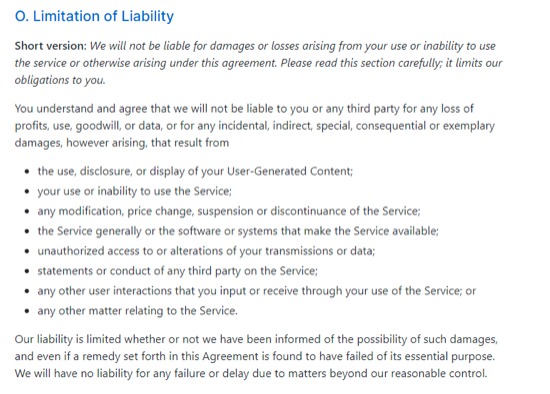
    Just like all other cloud services, GitHub follows a cloud computing principle called “shared responsibility” for data protection and security. It essentially means that users of a cloud platform and providers of said platform split the responsibility for safeguarding data. In other words, users are just as responsible for mitigating risks on their side of the equation as GitHub is on theirs. It’s all laid out in GitHub’s terms and conditions:

    Taking this into account, there are a handful of things that can impact your ability to access to data in GitHub. Here are a few:

    Account Compromises

    In July of 2019, Ubuntu Security reported that the credentials for a company-owned GitHub account were compromised. These compromised credentials were used to create repositories, issues and more.

    In this case, critical infrastructure was decoupled from GitHub, and the breach wasn’t allowed to spread. However, Ubuntu had to restore various repositories and issue trackers to their previous state. When rolling back from an account compromise like this, backups are infinitely helpful, as they give you a previously good state to compare with the current state.

    Additionally, attackers often leave backdoors in compromised codebases. This can allow them to gain deeper access once the initial discovery and remediation process is completed. If you only have your infected codebase, it can be challenging to uncover all the infected files or identify possible vectors for future attacks. Restoring to a previous version of your code eliminates that threat.

    Ransomware Attacks

    Ransomware is the act of taking control of data and encrypting it so that only the attacker can unlock it. The attacker will usually ask for a ransom to unlock the files; otherwise, they may delete the data.

    In May 2019, ZDNet reported on a ransomware attack in which a hacker held various repositories hostage for a fee. The hackers modified the git histories to the point where the repositories were unusable, and they demanded payment within 10 days to reverse the changes.

    These attacks can create a severe disruption in operations. Developers will be unable to commit code, creating a complete stoppage in new feature development. Bug fixes and even support tickets (if managed through GitHub) could also be affected. However, restoring from a backup would allow a business to continue working.

    Service Downtime

    Depending on a third party always carries some risk, and GitHub is no exception. No service can deliver 100 percent uptime, but when your entire business (or codebase) depends on GitHub’s availability, you might want to mitigate that risk by having your own backups.

    For example, in June 2020, GitHub experienced a major, hours-long outage before stability returned. So, if all your work was stored in GitHub, you would have had to wait for access to be restored. This downtime can be devastating if it occurs during a crucial launch window.

    These are just three examples, and they happen more often than you think. A recent report by Oracle and KPMG found that 49 percent of IT professionals could attribute recent data loss to their failure to safeguard data. That’s essentially the same odds as a coin flip. Having continual access to all your work shouldn’t be left to chance. That’s why you need a backup strategy.

    Strategies for Backing Up Data in GitHub

    1. Managing Your Own Backups: This means you are responsible for all the infrastructure, business processes and ongoing repair costs to create the backups. You might think this will be a more cost-effective option, but the ongoing labor and maintenance expenses tend to add up quickly. It also means your team may use up cycles on something that is not part of the core business. What you make up for in control, you lose in time and spent resources.
    2. Using a Third Party to Manage Your Backups: Sometimes referred to as Backup-as-a-Service (BaaS), this involves outsourcing backup management responsibilities to a separate company. It removes the responsibility from your business, but it might seem more expensive upfront. In most cases, there is nothing to do after choosing a provider. They manage the entire process, from cradle to grave. This includes any API updates (which can happen often), implementation and ongoing maintenance. The drawback is that you lose control. Terms of service can change, or the data that’s backed up could change. And, not all BaaS solutions are transparent in what they do and how they access data.

    So, What’s the “Right” Choice?

    For most businesses, the sheer amount of work required to build and maintain backup software is a non-starter. Development cycles are too valuable to tie up with work not directly supporting the business’s product roadmap. You may get to a size where you think adding this competence makes sense; however, even some massive multinational corporations use some form of BaaS.

    Just make sure you do your research. Read reviews, speak to their sales or development team and confirm that they know what they are talking about. You need to determine if they have built a credible product. For many PaaS and SaaS tools, third-party backup applications are built by faceless companies with no track record. Considering the level of access they will have to your data, you want to ensure they are reputable with a proven history of successfully building backup software.

    Regardless of the method you choose, having a backup strategy in place is vital. Due to the nature of how GitHub works and how important your code repositories are to your business, the sooner you get something in place, the better.

  • What the Current DDoS Landscape Means for DevOps

    What the Current DDoS Landscape Means for DevOps

    Businesses, governments, hospitals, schools, charities and even individuals—they’re all the same to a DDoS perpetrator. If you have a website, it’s likely to be targeted by a distributed denial of service (DDoS) attack at some point.

    DDoS has the potential to shut down your site for days and create havoc with an organization. They can be expensive and—most worrisome—can taint your reputation and discourage users and customers from ever returning if your site is unavailable on any given occasion.

    Perpetrators have been known to exploit network packets and all types of vulnerabilities, including writing custom code dedicated to knock down a specific application or service, to overburden systems or stop them outright.

    Attack Motivation

    There are plenty of threat actors ready to launch a DDoS barrage. Some of them include:

    • Hacktivists using DDoS to express their discontent with businesses, governments and individuals.
    • Cybercriminals relying on pre-made scripts and tools to take sites down. Some instigators are simply looking for a way to vent their anger or frustration. Some may use commonly available DDoS-for-hire websites instead of running the attacks from their own network.
    • Extortionists who blackmail sites, demanding money in exchange for stopping (or not carrying out) a DDoS threat.
    • Business competitors seeking ways to exclude rivals from significant events (e.g., Cyber Monday), or attempting to completely shut them down.
    • State-funded threat actors engaging in cyber warfare to silence critics and opponents. They also can target civic infrastructures to cripple opposing countries.
    • Attackers who attack just because they can, or for no obvious reason, other than test their ability to carry out an attack.

    DDoS Types and Trends

    But DDoS events don’t just disrupt service. According to “Cloud Security Alliance Guide to Cloud Computing,” hackers are also using them to steal information and infect computers for a variety of nefarious purposes.

    In addition, DDoS assaults are growing rapidly in both number and volume. International Business Times states they’ve become more commonplace because readily available tools and cheap online services let anyone aim an attack against a company or individual server.

    DDoS attacks can be divided into three types, with numerous (and unique) variations within each.

    Volume-based attacks saturate the bandwidth of a site. Imperva Incapsula, a cloud-based security and acceleration provider, faced the largest such attack on its record in 2Q 2016, peaking at 470 Gbps. Like many other complex, high-rate assaults, attackers used small payloads to achieve a high packet forwarding rate—a dangerous new tactic that has become common.

    The main purpose of such attacks is to take down mitigation services by sending out a rapid burst of packets at a rate many anti-DDoS appliances can’t handle.

    Protocol attacks (aimed at the OSI layer 4) consume server resources such as firewalls and load balancers. Network layer attacks have grown in size, number and sophistication. Those using multiple vectors have climbed to a record-high 36.1 percent, reports Incapsula. On average, it mitigated a 50+ Mpps attack every three days in that quarter.

    Network layer attack duration increased in the same period, with 13 percent lasting for over an hour. The longest persisted for more than 10 days in a row. While most are in the hit and run category—using short bursts launched against the same target—an uptrend points to the prevalence of events lasting more than six hours.

    Application layer assaults (targeting layer 7) are comprised of seemingly legitimate HTTP requests, attributed to bad bots that have also grown in sophistication. An ongoing salvo of requests originating from numerous masked IP addresses can bring your web application down in no time, by creating stress on the web servers, database servers or other elements of the web application.

    The largest such event mitigated by Incapsula in 2Q peaked at 108,288 RPS (requests per second). The longest ran its course over 67 days, while 59 percent lasted less than 30 minutes. The company attributes this to an increased number of “casual” offenders.

    Examining Risk

    The Open Web Application Security Project (OWASP) offers a brief look at risk assessment:

    • “… inadequate resources, requires attention if system architecture was not designed to meet traffic demand overflows … left unchecked, [it can] result in DoS symptoms absent an actual attack.
    • “… perhaps the largest risk factor is not technical … An organization should avoid taking action that can make them a target of a DoS attack unless the benefits of doing so outweigh the potential costs or mitigating controls are in place.
    • “Other risk factors may also exist depending on [your] specific environment.”

    The first item above can apply to any website. While one might think that the second might only be applicable to political entities, what about ecommerce sites based on competitive pricing? Unless strong DDoS defenses are in place, such a site won’t last long in today’s ultra-competitive digital world.

    So what can an organization do about fending off DDoS attacks? With assaults becoming both easy to launch and more sophisticated with each passing day, it’s imperative to keep up to date regarding the evolving threat landscape.

    Securing Your Apps

    Using software and plug-ins for which the latest security patches have been applied is a great start. Penetration testing is a highly recommended critical step before going live. Here, OWASP offers a complete online guide to assist you in your efforts.

    OWASP also offers several examples showing where code vulnerabilities may have been overlooked, ranging from user-specified object allocation to locking customer accounts.

    Once your app has gone live, monitoring site traffic to benchmark volume and visitor types helps ensure its reliability, as unwanted traffic can be detected and quickly addressed. Assessing traffic flow summaries is a start, followed by such tasks as examining IP source geography and unique source IPs hitting your site.

    But data analysis is only a start. SANS Institute offers this guide to help you learn more about successfully mitigating a DDoS attack.

    Most importantly, your operations team can create a response plan to minimize the impact of an assault. An effective plan includes procedures for your customer support and communications teams, as well as keeping CxO executives in the loop.

    Choosing the Right Mitigation Option

    Find a mitigation strategy that works best for your specific business needs. Planning includes prioritizing your concerns and examining the benefits of various mitigation options against your security budget. This is where it’s potentially more cost-effective to engage specialty security services (and their dedicated teams) rather than to try to “roll your own.”

    Ensure the DDoS protection you currently have offers the scalability and security capabilities needed to keep your site and server from crashing in the event of an attack.

    About the Author  / Ben Herzberg

    ben-herzbergBen Herzberg is security research group manager for the Imperva Incapsula product line at Imperva. Ben’s a  developer, hacker and technical manager, deeply interested in different technologies and focused on information security. He enjoys developing something new that just wasn’t there before, or solving a puzzle in a different way. Connect with him on LinkedIn and Twitter.


  • DevOps Lessons from the Dyn Attack Fiasco

    DevOps Lessons from the Dyn Attack Fiasco

    Dyn’s DNS servers suffered a major DDoS attack last week, slowing a host of major websites. Does the drive for DevOps automation increase the risk of similar attacks? Maybe, but it doesn’t have to.

    As almost every geek knows by now, a DDoS attack on Oct. 21 overwhelmed Dyn’s DNS servers, and websites that depended on those servers slowed to a crawl. The attack was made possible because a large number of Internet of Things (IoT) devices were compromised using Mirai, a malware tool that breaks into devices using default access credentials.

    While it’s not yet clear exactly why so many IoT devices were configured with default login credentials, it’s likely that at least part of the reason included the following factors:

    • IoT devices are so numerous that securing them all is very difficult, especially when they are configured with weak security out of the box.
    • The need to give multiple users access to the devices encouraged installers and service providers to keep the default credentials in place. For example, if you have a smart thermostat that is installed by a contractor, managed by a utility company and owned by a homeowner, each of those parties could potentially need access to the device. Sticking with default login credentials is a lazy but effective means of providing it to all of them.

    In certain ways, the shift to DevOps makes challenges like these more common. Consider the following:

    • DevOps encourages the use of microservices. That means more services and logins to manage. It increases the risk that some services will not be secured properly because default login credentials will remain in place.
    • Under DevOps, the entire software delivery team is supposed to have access to all platforms and resources that are part of the delivery chain. That’s different from waterfall development, in which developers only had to be able to access developer tools; IT ops only needed to access management tools; and so on. The need for broader access could encourage teams to take the easy way out by using default logins—or even just sharing login information, which is risky even if the credentials are not the product defaults.

    A shorter way of saying this is that to increase agility, DevOps increases complexity. Greater complexity translates to more potential security risks.

    Conclusion

    The Dyn attack was not a DevOps problem, and none of the above means that securing a DevOps environment is not possible. It is, but it takes more work.

    Still, the Dyn outage is a reminder of just how badly things can go if developers and admins make mistakes such as relying on default login credentials. This challenge will become more difficult, not easier, as DevOps continues to reshape the way software is written and deployed.

    — Chris Tozzi

  • How DevOps Prevents DDoS Attacks

    How DevOps Prevents DDoS Attacks

    Distributed denial of service (DDoS) attacks are some of the most pervasive and difficult attacks to prevent. The attack uses many distributed endpoints and/or systems to flood a web domain, application or service with excessive service requests or application calls. There are limits to the amount of bandwidth or the number of service requests or application calls that the associated web-based resource can handle at any given time, and when attackers using these requests or calls overwhelm these Internet resources, service is denied to genuine users who need legitimate access.

    “These attacks are designed to either melt down your network or squash your applications and servers. Industry experts identify them as L3/L4 attacks and L7 attacks accordingly,” says Stephen Gates, principal SE and senior technical expert at NSFOCUS IB, a global provider of network security and advanced analytics. L3/L4 and L7 refer to three of the seven layers in the Open Systems Interconnect (OSI) reference model: L3/L4 refers to the network and transport layers, respectively, while L7 refers to the application layer.

    These DDoS attacks are a big concern because they prevent users from accessing services and websites to conduct their business, which impacts user experience, employee productivity and a company’s bottom line. “The largest L3/L4 DDoS attacks on record exceeded 400Gbps in size,” says Gates. “Organizations all over the world regularly feel the effects of L7 attacks,” amounting to a lot of service disruption for a lot of businesses.

    Handling DDoS Attacks with Rugged DevOps

    Although Rugged DevOps can’t defend against L3/L4 attacks, it could help mitigate L7 attacks, Gates notes. Since L7 attacks are so common, a Rugged DevOps approach that fixes many—if not most—of them is an important tool can be an enterprise’s arsenal against DDoS. For it to work, Rugged DevOps must address the several types of vulnerabilities that appear in development of applications that make successful L7 DDoS attacks possible.

    Most of the vulnerabilities susceptible to L7 DDoS attacks unfortunately permit unwanted user behavior in or in conjunction with applications that are accessible via the Internet. “For example, if a client machine continues to do the same thing over and over again (repetitive HTTP GET), this would be indicative of an unusual client behavior,” explains Gates. An HTTP GET is a request to the HTTP (web) server for data. Applications must apply methods for disregarding the several forms of unwanted behaviors.

    Attackers can also send DDoS attacks against the application layer by using malformed packets to leverage weaknesses in ill-coded software. Packets are a means for encapsulating data into packages or units for transfer across packet-switched networks. “For example, if an attacker launched the ApacheKiller script against a vulnerable version of Apache, the application would completely fail to operate,” illustrates Gates. Applications frequently display these and other vulnerabilities to specially crafted attack packets.

    How Rugged DevOps Can Help

    Developers could avoid many of these kinds of application coding errors and vulnerabilities early in development by applying Rugged DevOps, which can catch and fix security holes early in the software life cycle. “Then they will likely not propagate into later versions of the application or the plugins riding on top of these applications,” says Gates.

    Running penetration tests on software early in the development process is one way to thwart holes that enable L7 DDoS attacks. When coding missteps are uncovered early in the process, developers can fix them early, before they become part of the software. Tools such as Gauntlt, Mittn and BDD Security are examples of software testing tools that developers can use inside the DevOps shop.

    Failed tests require a response. One such response is to automatically fail to build the software when the software fails the test(s). If development can’t move forward without fixing the security holes, the security holes will be fixed.

    There are well-worn methods that developers can rely on to fix the most common, most threatening application security vulnerabilities. Developers should not have to do a lot of digging to uncover these methods. Many organizations and resources such as the Open Web Application Security Project (OWASP) clearly set these approaches apart and label each of them on their own distinct Web pages. This SQL Injection Prevention Cheat Sheet is only one example.

    DDoS and other forms of attacks are, unfortunately, a part of life. Being able to mitigate an attack before it can occur is a goal. Rugged DevOps is one way to help make that goal a reality.