Category: Application Performance Management/Monitoring

  • Fiberplane Adds Open Source Libraries to Automatically Collect Metrics

    Fiberplane Adds Open Source Libraries to Automatically Collect Metrics

    Fiberplane today added an ability to automatically collect metrics in real-time and make them accessible either via its namesake notebook software for debugging infrastructure or an open source Grafana dashboard.

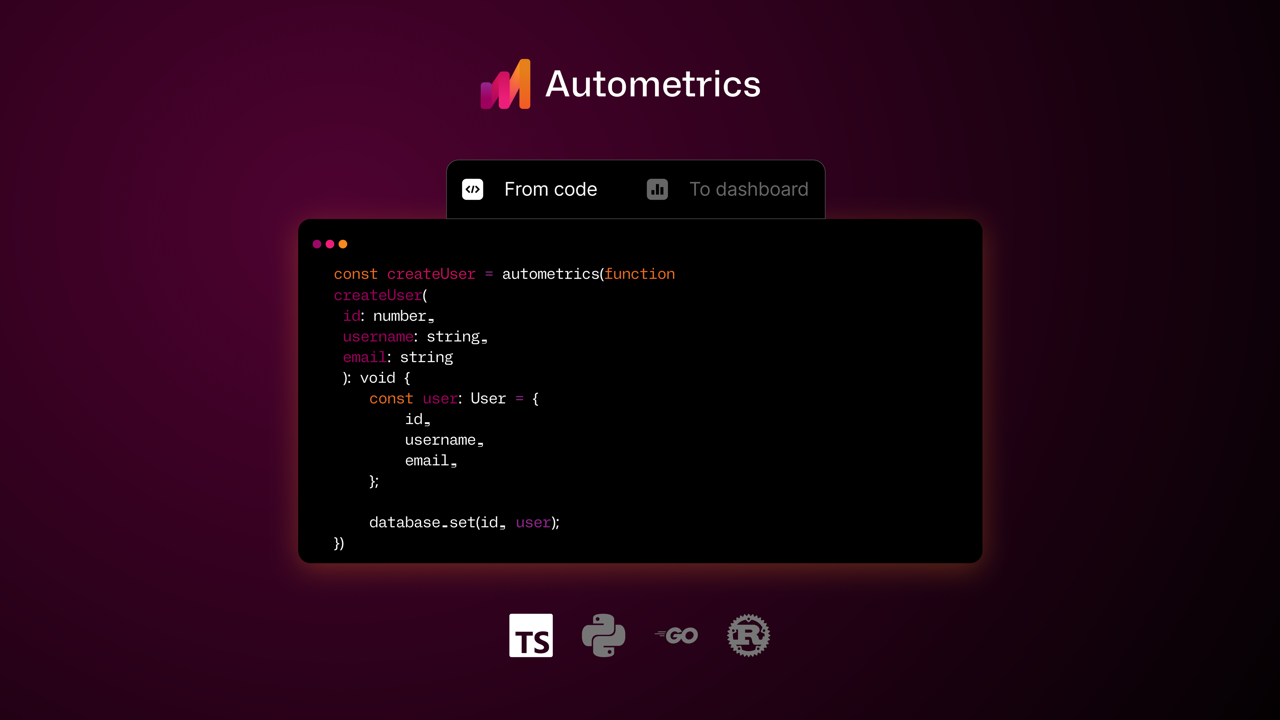
    Fiberplane CEO Micha Hernandez van Leuffen said Autometrics is an open source set of libraries the company created to make it simpler for developers to see platform performance metrics using a set of tools embedded within their integrated development environment (IDE).

    The goal is to reduce the cognitive load on developers; today, developers need to first determine what metrics to track, find a way to collect the appropriate data and then launch queries against those metrics to determine the root cause of an issue, said Hernandez van Leuffen.

    Autometrics, in contrast, provides access to a set of common queries using the Prometheus programming language (PromQL) against data that has been collected using open source OpenTelemetry agent software, he noted.

    That approach, for example, makes it simpler to track error rates, response time and latency of any function. Links to live charts based on real-time data can also be inserted into the comments section of any document a development team creates.

    The Fiberplane notebook uses the same operational transformation algorithm embedded within Google Docs to enable teams to easily collaborate around a document or spreadsheet. The core platform itself is built in Rust and WebAssembly (Wasm) to make it simpler to integrate Fiberplane as a plug-in into an existing DevOps workflow.

    Autometrics extends that capability in a way that enables DevOps teams to provide developers with instant access to observability data. They can then see how their code is performing on any given platform, which is critical as more responsibility for running applications continues to shift left, said Hernandez van Leuffen. Today, many developers need to wait for an IT operations team to share data collected via an observability platform that was designed to be used by ITOps rather than a developer, he added.

    As observability capabilities become more federated across the entire software development life cycle, it’s critical to make sure developers and IT operations teams can see metrics being generated in real-time. Otherwise, confusion arises because teams are not looking at the same set of metrics.

    Fiberplane address that issue by taking the concept of notebooks—often used by data science teams to collaborate—and applying it to DevOps workflows to reduce the amount of time it takes to resolve any issue. As IT environments become more distributed in the age of the cloud and microservices, troubleshooting issues invariably spans the responsibilities of multiple members of an IT team. In effect, a notebook makes it possible to spin up a virtual war room on demand that enables the members of an IT organization to collaborate—regardless of where they are physically located or which organization they may be employed by.

  • The Now and Next of Automation

    The Now and Next of Automation

    Today’s never-ending flood of data has many of us drowning in noise. And while humans are still essential for thoughtful analysis and driving action, it’s no longer possible for a human to parse gigabytes of data alone.

    How do you begin to filter out the noise and then understand what to do with it? How can you get to the root cause of an issue so you can act on and resolve it? Most of all, how can you do all of this while being more productive and driving more innovation instead of constantly putting out fires?

    Automation is the obvious answer. For many organizations, automation isn’t just about efficiency – it’s about survival. Automation can make organizations more agile, resilient, and capable.

    Where you sit within an organization or team, however, often dictates how automation can help with your specific goals or alleviate your immediate pain points. Mandi Walls, a DevOps advocate with PagerDuty, offers some advice on how even less experienced teams can use automation to perform simple tasks, solve problems and improve the work environment.

    We hear a lot these days about A.I. and machine learning, or tools like Chat GPT which to some is a harbinger of robots finally replacing humans. Putting the hyperbole aside, where do you see automation today? Is it still a “nice to have” for engineering teams or a “must-have” to do their jobs effectively?

    Automation is definitely a “must-have.” Manual processes are risky; they can inadvertently introduce too many errors, especially in complex environments. The scope and complexity of modern technical ecosystems is just too vast for teams to effectively cope with using only manual methods.

    This is especially true for teams that develop and manage customer-facing services. Having a successful product leads to more customers, which requires more capacity and creates more complexity. To deliver the kind of performance customers expect, teams need to be fast and efficient. That’s where automation comes in.

    What are some specific types of automation that engineers and IT pros should be aware of?

    Some automation has become more or less ubiquitous, such as tools that enable configuring and building large numbers of systems with little human intervention. Other processes might feel less like “big-A” automation–for example, continuous integration/continuous delivery (CI/CD) pipelines are automation.

    Humans also aren’t manually building many software packages anymore. The use of automation in the software testing process has greatly expanded in the last several years, changing the jobs of QA engineers significantly.

    Is self-service automation – aka true autonomy that doesn’t require human intervention – the ideal end state for a digitally mature organization? When is the best time to jump in?

    Organizations that wait for a perfect opportunity to automate their processes risk wasting a lot of time and resources in the interim. Teams can look at any of the tasks that they regularly perform and assess them as candidates for automation.

    Tasks can be assessed in a number of different ways, but for teams just starting out with automation, seeking tasks that are low complexity and low impact is a strong starting point. Even if we look just within the realm of tasks that might be utilized during incident response, teams might have any number of tasks related to information gathering, log preservation, system diagnostics, and other telemetry that responders run for every incident. There’s no reason to require humans to run those well-understood tasks!

    As teams get more comfortable with creating and using automation, they can seek out more complex tasks to automate. And it’s entirely possible that there will be tasks that teams aren’t able to automate fully! Those tasks might be too complex, require a lot of human input or interaction or have too many edge cases for the team to create automation for.

    Are the principles of automation the same in simple versus more complex environments like Kubernetes?

    The principles are essentially the same, but the constraints and tools may be different. In some environments, a simple shell script might be enough to accomplish our goals. In other environments, we might need to make use of APIs or vendor SDKs to do what we want.

    On that topic, is self-service automation in cloud environments the preferred path?

    Actually, self-service is sort of how the cloud really got going! Development teams armed with nothing more than a credit card got the environments they needed without going through lengthy procurement processes.

    Now that cloud is a critical part of many workloads, organizations are putting more rigorous guidelines in place. The cloud platforms are also much more complex, with more service offerings than in the early days, which makes automation more important than ever. Automation helps organizations ensure that their cloud environments meet their security and compliance requirements, helps manage spend and still provides enough flexibility for all teams to get work done. And with self-service automation, developers can request an environment in the cloud to develop their service and have that service meet all the organization’s standards without having to keep up with all the details themselves.

    What about toil? Can that be fully eliminated through automation, or is some toil still necessary?

    I’m not sure I’d say toil is necessary, as much as it tends to be inevitable. There will likely always be some boring, repetitive tasks that are too unpredictable or unstable to automate well.

    That said, teams certainly don’t need more toil; having too much repetitive work tends to lead to less job satisfaction and higher attrition rates, so teams should be looking to minimize as much toil as possible where they can.

    Is there one myth or misconception, either about automation overall or self-service automation in particular, that you’d like to clear up? What’s the reality?

    First of all, don’t worry. You won’t be able to replace your team with a set of shell scripts! Seriously though, automation isn’t about “doing more with less.” It’s about doing more with the same. Automation is an approach to help teams cope with the day-to-day running of complex environments and will need to be managed as part of those environments. Managers need to make sure they are allotting time for the creation and maintenance of automation in the same way they would for other tools and applications.

    Interested in learning more about PagerDuty? Stop by Booth S49 at KubeCon to speak with an expert or see a demo!

  • How Platform Engineering Makes Software Sustainable

    How Platform Engineering Makes Software Sustainable

    The world is constantly becoming more and more aware of the importance of sustainability in every aspect of our daily lives from buying groceries to traveling, and the IT world is no exception. Indeed, sustainability is already gaining importance in software development. For example, in the latest version of Thoughtworks’ Technology Radar, “carbon efficiency as an architectural characteristic” is one of the new techniques of interest. Moreover, in its research “Predicts 2023: Environmental Sustainability Is Now an IT Sourcing Imperative,” Gartner states that “by 2026, 75% of organizations will increase business with IT vendors that have demonstrable sustainability goals and timelines, and will seek to replace vendors that do not.”

    This shows that there is a growing need for sustainability. How is the software development industry responding to this need? Many great initiatives are arising, but platform engineering, in particular, helps make software more sustainable.

    What is Platform Engineering?

    According to Gartner’s definition, platform engineering is “the discipline of building and operating self-service internal developer platforms (IDPs) for software delivery and life cycle management.” This trend has gained momentum in the last few years, and an increasing number of organizations are adopting internal developer platforms (IDPs) to scale their development process. IDPs allow developers to self-service the technology they need, whether it is infrastructure, runtime resources or ready-to-use services. This helps speed up the development process and ensures higher-quality software.

    Platform engineering is becoming more and more popular and foundational. According to Gartner, “by 2026, 80% of software engineering organizations will establish platform teams as internal providers of reusable services, components and tools for application delivery.” Therefore, given the expected widespread adoption of IDPs in the next few years, sustainability emerges as a requirement. Ignoring or underestimating the importance of sustainability may cause organizations to waste all the benefits ensured by an internal developer platform.

    Platform Engineering for Economically Sustainable Software

    To survive and operate properly in the market, a company has to be economically sustainable and therefore stable. Usually, software is an asset that contributes to revenue generation for the company, but it still has maintenance costs. To make software economically sustainable, the total cost of ownership (TCO) needs to be lower than the generated income.

    An internal developer platform can lower software product costs, making them more sustainable. How so? In a nutshell, by sharing resources that can serve multiple products and can be reused across multiple projects. Such resources include, but are not limited to, capabilities, processes, infrastructure, configuration, etc. Since the platform at scale manages shared capabilities, there product teams won’t waste time and effort replicating it every time. While lowering the TCO, this characteristic of platforms also contributes to reducing the software’s time to market.

    Moreover, platform costs are shared across the whole organization and are not part of the TCO of each software product. This helps software to be more sustainable from an economic point of view.

    Platform Engineering for Environmentally Sustainable Software

    When talking about sustainability, most people usually think about the environment. While respecting the environment is one of the most important factors, it is important to note that sustainability is not limited to this aspect.

    An internal developer platform can help software be more sustainable on two levels.

    • Observability: The platform should collect and easily expose metrics on the environmental impact of the software. Such metrics can include hardware resource usage, energy consumption and CO2 footprint.
    • Optimization: The platform should foster the adoption of sustainable patterns, like the ones provided by the Green Software Foundation. It should also include solutions that actively help reduce energy consumption, such as kube-green.

    It is important that both of these capabilities are present and implemented in the platform. Observability without optimization is useless, and optimization without observability cannot be done.

    Platform Engineering for Socially Sustainable Software

    When speaking about sustainability, social responsibility cannot be forgotten. The first social responsibility of each organization is toward its members and employees. Does developer self-service also have social implications? Yes, it does; mainly by improving the developer experience.

    Indeed, an internal developer platform helps organizations’ members to:

    • Reduce friction between teams: Since everyone can have everything they need right when they need it, there will no longer be bottlenecks and misunderstandings between different teams. This contributes to a better working environment where everyone feels welcome and more productive.
    • Decrease repetitive tasks and cognitive load for developers: Since the platform will manage and automate interactions with infrastructure and runtime, developers will no longer need to waste time and energy on such out-of-scope secondary tasks. This way, developers are more focused on their actual job of developing new features and they will feel more satisfied.
    • Enable work from anywhere at anytime: Since the platform can provide all technology and capabilities whenever a developer needs them, it will no longer be required that people work together in the same location and at the same time. In other words, IDPs enable remote and asynchronous ways of working. This allows organizations to offer remote working and to create distributed teams, ensuring a better work-life balance for the team members.

    All of this brings happier employees that will be more productive and satisfied with their work, which will reduce turnover.

    Conclusion

    The need for a more sustainable world is gaining momentum and involves every industry, including software development. No wonder Gartner included sustainable technology in the “Top 10 Strategic Technology Trends for 2023,” along with platform engineering. As platform engineering is being adopted by more and more organizations to accelerate software development, sustainability has to be addressed.

    An internal developer platform can help developers build more sustainable software. Platform engineering can help in all of these aspects, improving not only the developer experience but also the organization and the environment. This is just the beginning of the sustainable path platforms should follow, but the outlook is very encouraging.

  • CircleCI Report Surfaces DevOps Productivity Gains

    An analysis of more than 14 million workflows from thousands of organizations conducted by CircleCI, a provider of a continuous integration/continuous delivery (CI/CD) platform, revealed the mean-time-to-recovery (MTTR) decreased by about 13% year-over-year.

    Half of CI workflows (50%) recovered from a failed run in 64 minutes or less. That compares to 73 minutes or more in previous years, the report noted.

    In general, the report found 50% of workflows completed in 3.3 minutes or less. However, the average duration was approximately 11 minutes. The median workflow ran 1.54 times per day.

    Success rates, as defined by the number of passing runs divided by the total number of runs, was, on average, 77% for default branches and 67%, on average, for non-default branches.

    Naturally, the level of productivity any given DevOps team can achieve is impacted by everything from the size of the team to the vertical industry they operate in. CircleCI CTO Rob Zuber also noted there are other crucial developer productivity metrics, such as the amount of time developers are focused on writing code, that need to be tracked as well.

    The goal for any DevOps team is to abstract away as much complexity as possible to enable developers to spend more time on writing business logic, said Zuber. Unfortunately, as more responsibility for infrastructure and security has shifted left toward developers, many of them are spending too much time managing application environments instead of writing code, noted Zuber. He noted that the cognitive load being placed on developers today is too high.

    Developing applications is, of course, as much an art as it is a science. Organizations can set aside time for sprints to write code, but it’s difficult to dictate when inspiration might strike a particular developer. There is always going to be a need to let developers, for example, write code at odd hours of the day and night. The more friction they encounter in terms of spinning up application environments, the less likely it becomes a developer will spend time squarely focused on writing code, said Zuber. The “zone” is when most of the best code is developed, he added.

    Naturally, there is no set of metrics that are equally applicable to all DevOps teams, but they should pay attention to metrics as an indicator of whether teams are improving, added Zuber. Most developers and software engineers are not going to want to work in a “software factory” where every minute of the day needs to be accounted for within a project management application. Rather than employing metrics as a stick, they should instead be used as an educational tool—a carrot—that drives steady improvement. In addition, organizations should take care to make sure the collecting of metrics doesn’t impede the pace at which applications are being developed.

    As the saying goes, things measured are usually things done; but there is a fine line to be observed when it comes to any goal that requires a certain level of creativity to achieve.

  • Orgs Shift Toward Centralizing Automation Initiatives

    Orgs Shift Toward Centralizing Automation Initiatives

    A survey published today found that 75% of respondents recognized that automation silos hamper their ability to unify cloud operations across functions.

    Conducted by CloudBolt Software, the survey polled 350 senior IT and DevOps leaders at organizations with more than 3,000 employees. On a positive note, the survey found 57% of respondents were starting to pursue a more centralized approach to automation, with a total of 88% acknowledging that having all previous and new automation centralized for the entire organization would ensure compliance, bolster security, enable business continuity, encourage reuse and reduce risk.

    Rather than taking a more holistic approach, well over half of respondents (57%) reported automation efforts are limited to specific silos. On average, organizations are employing 27 different automation tools their organizations have deployed, using one or a few as they see fit, with little to no consistency across teams. More than half (55%) of respondents said they have four or more separate automation teams, with 95% noting that each of those teams operates in their own silo.

    CloudBolt CTO Rick Kilcoyne said that lack of continuity clearly creates inefficiencies and redundancies that conspire to raise the total cost of IT. The challenge is that each team tends to favor one approach to automating a silo with little to no regard for a larger overall strategy to create an automation standard, he said.

    That approach also creates issues whenever a member of one of those teams leaves an organization, he noted. In fact, the survey found 77% of respondents reported that continuity is at risk any time a vital member of the team leaves.

    CloudBolt has been making a case for a federated automation platform that can be invoked either via application programming interfaces (APIs) or a graphical user interface (GUI) that provides access to low-code tools. The goal is to make the platform equally accessible to DevOps teams or IT administrators that tend to lack programming skills, and do so in a way that doesn’t require individual teams to replace their automation platform of choice. Instead, each of the automation platforms can be programmatically invoked via a central framework, said Kilcoyne. That approach eliminates any political debate over the potential need to replace one team’s favored automation platform with another, noted Kilcoyne.

    Regardless of who is accessing the platform, most organizations would be well-advised to develop a center of excellence for automation, he added.

    DevOps teams have always been committed to ruthlessly automating as many IT processes as possible, but in many cases, that has resulted in a plethora of automation tools being employed. In effect, automation may have become too much of a good thing. One approach to regaining control over those platforms is to create a platform engineering team that centralizes the management of DevOps workflows.

    Regardless of approach, Kilcoyne said the most important thing for any team to do before automating an IT workflow is to first understand how to manually set it up. Too many IT teams are trying to apply automation to processes they don’t really understand with mixed results, he added.

    The one thing that is certain, especially with the rise of artificial intelligence (AI), is the management of IT is going to become more automated.

  • CodeSee Extends Reach of Code Visualization Platform

    CodeSee Extends Reach of Code Visualization Platform

    CodeSee updated its code visibility platform to enable instant mapping of application services, directories, file dependencies and code changes.

    CodeSee CEO Shanea Leven said CodeSee Enterprise 2.0 should extend the appeal of the platform beyond developers to include software engineers managing DevOps workflows.

    CodeSee Enterprise 2.0 provides real-time visibility across multiple repositories regardless of whether the application is a monolith or based on a microservices architecture, she noted.

    In addition, a Code Automations module enables developers to set granular conditions and actions down to the function level, requiring checklists to be complete before allowing developers to move on.

    CodeSee Maps now includes the ability to click to view code directly, while a streamlined Review Maps module has decreased code review time by 30%. Developers can easily share maps to discuss proposed changes or keep necessary code changes as automatic permanent artifacts.

    Additional languages including C#, VB.NET, ASP.NET, Blazor, Java, JavaScript, Go, Python and TypeScript are now supported.

    Finally, CodeSee is making available a dedicated solutions engineering team that provides guidance to connect an organization’s Datadog or OpenTelemetry trace data to CodeSee in less than an hour without storing code or having to first dive deep into traces, noted Leven.

    The core open source CodeSee tool was created because it takes too long today for most developers to pore over a codebase to understand where they might contribute. The larger a codebase becomes, the longer it takes for a developer or software engineer to be onboarded to a new project.

    The overall goal is to improve developer productivity, noted Leven. That’s become a critical issue because many organizations are hesitant to hire additional developers during uncertain economic times; they first want to ensure they maximize the utilization of the teams they already have.

    Application development, of course, is now a team sport. The days when a lone developer cared for an entire application are long over. The issue is finding a way for teams of developers to collaborate more easily in an era where many of them may never have met in person.

    In the longer term, Leven said she also expects that generative artificial intelligence (AI) platforms such as ChatGPT will supplement code visualization tools. Many developers are already starting to use these tools to help generate code faster. That code should, in theory, have fewer errors because it has essentially been copied from other previously validated sources. CodeSee provides a means to visualize that code before deploying it to ensure it will function as promised in increasingly complex application environments.

    One way or another, the tools being provided to developers to boost productivity are advancing. It’s not clear what metrics should be employed to track developer productivity, but the amount of code simultaneously moving through DevOps workflows is going to increase. The challenge DevOps teams face now is keeping track of all the dependencies that exist in that code as application environments are continuously updated.

  • 5 Key Performance Metrics to Track in 2023

    5 Key Performance Metrics to Track in 2023

    It’s never a bad time to adopt healthy new habits for the mind and body, and for developers, it’s always a good time to consider new best practices at work. As 2023 rolls on, I’ve been thinking about some key performance metrics that help to ensure critical applications and websites perform optimally throughout the year—especially during unpredictable spikes.

    To see why this is important, just look at the problems Ticketmaster had in November 2022 when Taylor Swift’s concert tickets went on sale. Fans of the pop idol (including me!) swamped the Ticketmaster site and brought the system to its knees, resulting in frustrated customers and a wave of bad publicity for the company.

    These usage spikes and the problems they can produce are not uncommon. The holiday sales period, starting with Black Friday and Cyber Monday, is notorious for technical issues that can cost retailers millions due to lost sales and other problems. And it’s not just retail. A few years ago, the Internal Revenue Service (IRS) had to extend its tax deadline after a rush of last-minute filers knocked its systems offline.

    Fortunately, developers can mitigate these problems with the right planning and practices in place. There are key performance metrics that developer teams should monitor, especially in times of peak traffic, to avoid application crashes, long wait times—and burnout for the teams who have to fix these problems when they arise.

    Here are the five performance metrics developers should be tracking in 2023—especially on their busiest days of the year.

    Web Vitals

    The largest contentful paint, or LCP, measures the load speed of a webpage. Having a fast LCP is a clear sign that a customer’s experience is optimal as they toggle between pages. In tandem, the cumulative layout shift, or CLS, scores how a user is experiencing unexpected layout shifts. This plays out on busy shopping days: Typically, these pages have ad and sales notifications that affect a brand’s main page layout, potentially causing shoppers to experience unexpected shifts. This can reduce their ability to shop and becomes a hindrance if a developer cannot quickly access and address the issue.

    Error Count Vs. Error Rate

    Error counts typically increase alongside site traffic as more people flock to a website—that’s a natural occurrence. The error rate is more telling because it reveals if a greater proportion of users are experiencing issues with your application or website. Developers who see an increase in this metric should investigate and take action.

    Mobile Monitoring

    More and more consumers are using their mobile devices to shop and manage all aspects of their lives. For example, mobile accounted for 45% of sales during the holiday shopping period in 2022 from October to December. Mobile performance metrics are critical to understanding what is happening on your users’ devices during these busy times. Vitals like frozen and slow frames or cold and warm starts when an app opens provide visibility into how fast views are loading for your users. As became obvious with the Taylor Swift incident, a slow shopping experience can lead to an outcry and a lot of upset customers.

    Outside of vitals related to mobile performance, it’s important to monitor mobile changes through application release health. Developers can see this in the rate of crash-free sessions and crash-free users as traffic to an application increases—which helps to identify abnormalities in the overall health of the app.

    Slow Database and HTTP Ops

    During sustained traffic spikes, database queries and HTTP requests that take too long to execute harm the user experience. Hitting a slow checkout process, or seeing the dreaded spinning beach ball after adding a product to the cart, confuses shoppers. They don’t know if they should refresh the page, and often they will abandon a purchase completely.

    What’s more, if a developer is working on a backend framework, slow database and HTTP ops could also be a sign of an N+1 query problem. At that point, an application is making database queries in a loop and causing performance issues for the purchaser.

    User Misery

    This is a homegrown metric we use at Sentry; tracking user misery helps developers understand a customer’s experience with an application. It is a ratio of unique users who have experienced load times at 4x a configured threshold in a Sentry project and thus serves as a proxy for customer frustration. With this user misery score, our developers can see which transactions have the highest negative impact on users and prioritize fixing them.

    Providing a smooth end-user experience is table stakes for businesses throughout the year, but especially during high-pressure, culturally-driven spending moments. In any of these scenarios, developers behind the scenes often work long and odd hours to address performance issues and ensure the most seamless experience. You can’t prepare for everything that can possibly go wrong, but you can be equipped with the right tools and metrics to quickly identify and remediate any problems that occur.

  • Debunking Myths About Reliability

    Debunking Myths About Reliability

    “Our service should always be up.” Some myths just won’t die.

    Engineering for reliability is well understood by engineering leaders, less so by bosses demanding unreasonable uptime with minimal resources and immense feature pressure. Business leaders tend to waffle between ignoring reliability with a hand wave and freaking out after an outage. How can they understand the reality of reliability and forget the myths?

    Myth One: Our Service Should Always be Up

    Reality: Our Service is Engineered to Consistently Exceed Expectations

    Some might imagine reliability like a light switch—it is either on or off. But reliability is about consistent repetitions and managing the risk of minor, occasional, recoverable failures. Can we consistently exceed customer expectations?

    Understanding customer expectations is challenging because you can’t ask people what they expect from you (unless you have a peculiar customer). So instead, we want to define and quantify the impact of our service not working and how that could negatively impact customer experience based on observed behavior. For example, “People abandon their shopping cart when our checkout experience takes more than 10 seconds to load, which means we lose money.”

    We reflect business impact in our reliability goals and then engineer our system and processes to meet this goal. We might change how we do releases, ensure tests pass or avoid changes during times of peak usage. These engineering decisions use reliability as a business metric based on customer expectations.

    Myth Two: Innovation is More Valuable Than Reliability

    Reality: You Need to Balance Innovation and Reliability Engineering Work

    The constant drive for new features over reliability is the most frustrating myth. “We need to release new feature X, or we won’t have customers; we can worry about reliability later.” In reality, most customers care about reliability; they don’t mention it until it’s a problem.

    You can have the most fantastic whizbang feature in the world, but if it doesn’t work–and Murphy’s Law will make sure that it doesn’t work at the worst possible time–no one can use it, no one will be impressed and it will turn your technology into a laughingstock.

    Innovation excites customers, but trust comes from reliability, which you must earn through hard work and clever engineering. Depending on your business context, you may require reliability more than ever. If you are facing headwinds, you may need to scale back your ambitions regarding innovative features. Still, you can’t scrimp on reliability or customers will justifiably leave.

    Myth Three: Five Nines is Normal and Incremental From Four Nines

    Reality: Five Nines is Expensive—10X the Cost of Four Nines

    No one–not even massive cloud providers or telcos–can consistently deliver at 99.999% across all their services by accident. Reliability at that level–less than six minutes downtime per year!–is an engineering marvel. A bridge or a dam might look simple after completion, but the engineering required to create a reliable physical infrastructure is immense, as everyone knows. Why is it so hard to understand the complexity, design, engineering and redundancy required to deliver a highly available and performant digital system? Further, it’s easy to think that 99.999% is just a bit more than 99.99%. After all, it’s “just one more nine.” Remind your less-technical counterparts that each nine requires ten times more effort!

    Why is it so expensive to deliver? Because the failure tolerance (also known as an error budget) is 1/10th the size but the risk of missing the goal increases exponentially. You’ll need more redundancy, careful testing and certification of releases, increased on-call rotations, extra hardware or cloud capacity and extensively tested backup plans to achieve this goal.

    Worst of all, higher reliability will slow you down. You can’t innovate or deliver updates as fast when you need to ensure absolute uptime.

    But what if there was a limit to how much reliability we need?

    Myth Four: More Reliability is Always Good

    Reality: Reliability Engineering Has Diminishing Returns

    There is a point at which being “too reliable” is terrible for business. It’s expensive to build all that redundancy, testing, responding to tiny glitches and all the rest. And most of your users won’t notice. We must avoid the large blowups that put us in the headlines and manage expectations everywhere else. The significant outages that can impact thousands, if not millions of customers come from this reductionist view of reliability as a by-product of conscientious work rather than an engineering problem with well-defined tolerances and thresholds. You earn the trust of your customers by properly engineering reliability into your delivery process.

    Consider tardiness at meetings. If you wanted to be 99% on time, you’d need to join a one-hour call within 36 seconds and at 99.9%, you would need to enter a Zoom within 3.6 seconds of its start time, a timescale so small you don’t even notice it. You would have to do this for every meeting you attended, no excuses–bio breaks, last meeting ran long, someone at the door, etc. None of these things matter when defining and measuring reliability. This metaphor also provides a common sense way to think about risk and error budgets. Your other meeting attendees can’t possibly notice (or care) if you’re 3.6 seconds late, no matter how prestigious or impatient the other party is.

    You could apply this same reasoning to catching a flight, picking up your kids from school, completing an exam, building a woodworking project or any human endeavor. The concept is so intuitive to daily life that even pointing it out seems absurd. But this is the fundamental concept from which reliability engineering stems. To build a reliable system, we must define acceptable failure boundaries. Otherwise, we will spend precious time and resources to eliminate the 3.6 seconds of delay that no one cares about and miss the more significant issues–like being present and engaged in the discussion.

    Busting Reliability Myths

    Understanding reliability is vital for engineers and business people alike. It all comes down to intentionally designing a customer experience, keeping up with expectations and, in some cases, even promises. Right-sizing reliability lets you find the perfect balance between delivering excellent service and efficiently running your organization.

    Image Source: Indira Tjokorda via Unsplash 

  • New Relic Bets on AI to Advance Observability

    New Relic Bets on AI to Advance Observability

    New Relic is preparing to extend the capabilities of its observability platform by making use of both additional machine learning algorithms and the ChatGPT generative artificial intelligence (AI) platform.

    Peter Pezaris, senior vice president for strategy and experience at New Relic, said during an interview on an episode of TechStrong TV that a prototype of an AI model created using machine learning algorithms will automatically notify developers when code in a production environment is not performing well—right within their integrated development environment (IDE). The notification will then take developers to the precise line of code identified as the root cause of the issue, he said.

    DevOps teams will need to add two lines of code to applications running in production environments to take advantage of this capability. New Relic also plans to use a similar approach to integrate with generative AI platforms such as ChatGPT to create suggestions for fixing code, he added. ChatGPT now makes it possible to create entire programs in ways that output HTML and JavaScript code, so DevOps teams should expect to be able to use the platform to create natural language queries that invoke the proprietary query language New Relic makes available for its observability platform, he noted. Conversely, ChatGPT will make it possible to explain how a piece of code functions in plain language, Pezaris added.

    Previously, New Relic employed a similar approach to integrate its observability platform with machine learning operations (MLOps) platforms used to build and deploy AI models. This was part of a larger effort to integrate MLOps and DevOps workflows, added Pezaris.

    These AI extensions to the New Relic platform are part of a larger effort to extend the reach of the New Relic One observability platform further left toward developers. Most recently, New Relic added a free CodeStream module to its observability platform to give developers access to metrics and telemetry data that will enable them to write higher-quality code faster.

    That approach eliminates the need to wait for IT operations teams to surface issues that usually don’t manifest until long after the code in question was originally developed. The overall goal is to provide development teams with frictionless access to observability data at every stage of the software development life cycle to reduce mean-time-to-detection (MTTD) and mean-time-to-resolution (MTTR) of issues.

    Organizations should also be able to reduce technical debt faster by making it easier to identify issues that, for example, adversely impact application performance.

    In general, most organizations are still in the early stages of achieving full-stack observability. A recent New Relic survey found only 27% of respondents have achieved full-stack observability, and only 5% claimed they have a mature observability practice in place. A third (33%) of respondents also said they still primarily detect outages manually or based on complaints, the survey found.

    On the plus side, the survey also found nearly three-quarters of respondents said C-suite executives in their organization are advocates of observability, and more than three-quarters of respondents (78%) saw observability as a key enabler for achieving core business goals. However, more than half (52%) of respondents said they experienced high-business-impact outages once per week or more and 29% said they take more than an hour to resolve those outages.

    The hope is, of course, that by augmenting DevOps teams with AI capabilities, the number of those outages will be dramatically reduced in the months and years ahead.

  • Vega Cloud Commits to Reducing Cloud Costs

    Vega Cloud Commits to Reducing Cloud Costs

    Vega Cloud today made a commitment to save customers at least 10% on their cloud infrastructure spending or it won’t charge for its software. Vega Cloud’s software automates cloud infrastructure management.

    The Vega Cloud platform enables IT teams to connect, automate, manage and optimize new and existing networks, applications and other multi-cloud IT environments from a single console. As part of those capabilities, the company includes cost allocation and cost identification tools using a curated set of data to surface daily recommendations for cost improvements.

    Vega Cloud CEO Kris Bliesner said the goal is to provide a financial operations (FinOps) capability within the context of a platform capable of acting on those recommendations that, on average, reduces cloud costs by 15% to 25%.

    During uncertain economic times, IT leaders are under more pressure than ever to reduce costs. FinOps has emerged as a discipline for applying a set of best practices for specifically reducing cloud costs. In addition to reducing cloud costs, Vega Cloud is also making a case for reducing the total cost of IT by relying on a single automation framework to manage multiple clouds.

    In the cloud era, many organizations have found themselves employing multiple clouds, each of which requires a separate set of tools to manage. IT teams then need to hire additional staff to manage each of those tools. As a result, the total cost of IT increases with each additional platform added to the overall IT estate.

    Many organizations, of course, have allowed the number of platforms they manage to proliferate. This is because many application deployment decisions were driven by developers who can easily provision cloud infrastructure on their own. However, as concerns over the cost of cloud computing continue to rise, many organizations are revisiting how cloud infrastructure resources are used. Many of those reviews are being driven by finance teams that want cloud costs to become more predictable as cloud computing continues to account for a much larger percentage of the IT budget, noted Bliesner.

    In fact, one of the challenges IT leaders have is finding a way to make sure developers and DevOps teams are more motivated to reduce costs rather than focusing entirely on how fast they can build and deploy applications, he added.

    The reality is the average developer doesn’t need application build infrastructure running 24/7, so application development and testing is a great place to focus on cutting cloud costs initially, noted Bliesner. There’s also plenty of opportunity to better schedule workloads to reduce costs by relying more on lower-cost instances of cloud infrastructure, he said.

    DevOps engineers, by nature, don’t want to be inefficient, so the issue comes down to providing them with the tools needed to identify resources that are being wasted, added Bliesner.

    Most cloud service providers, of course, provide tools that enable IT teams to optimize spending, but Bliesner said those tools don’t go deep enough in terms of exposing issues. As a provider of an independent management framework, Vega Cloud is more committed to providing cost optimization capabilities that can be applied to multiple clouds, he added.

    In general, interest in controlling cloud costs has risen sharply. Vega Cloud has been engaged with more customers researching this issue in the last four weeks than in the last three years, said Bliesner. The challenge—and the opportunity—is to not just cut cloud costs but also identify patterns that make it easier to predict them, noted Bliesner.

    At this juncture, cloud costs are coming down. The only issue left to be determined is whether that goal will be accomplished with precision versus a fiat that adversely impacts an organization’s ability to continue to build and deploy software.